Office Depot and Office Max also has
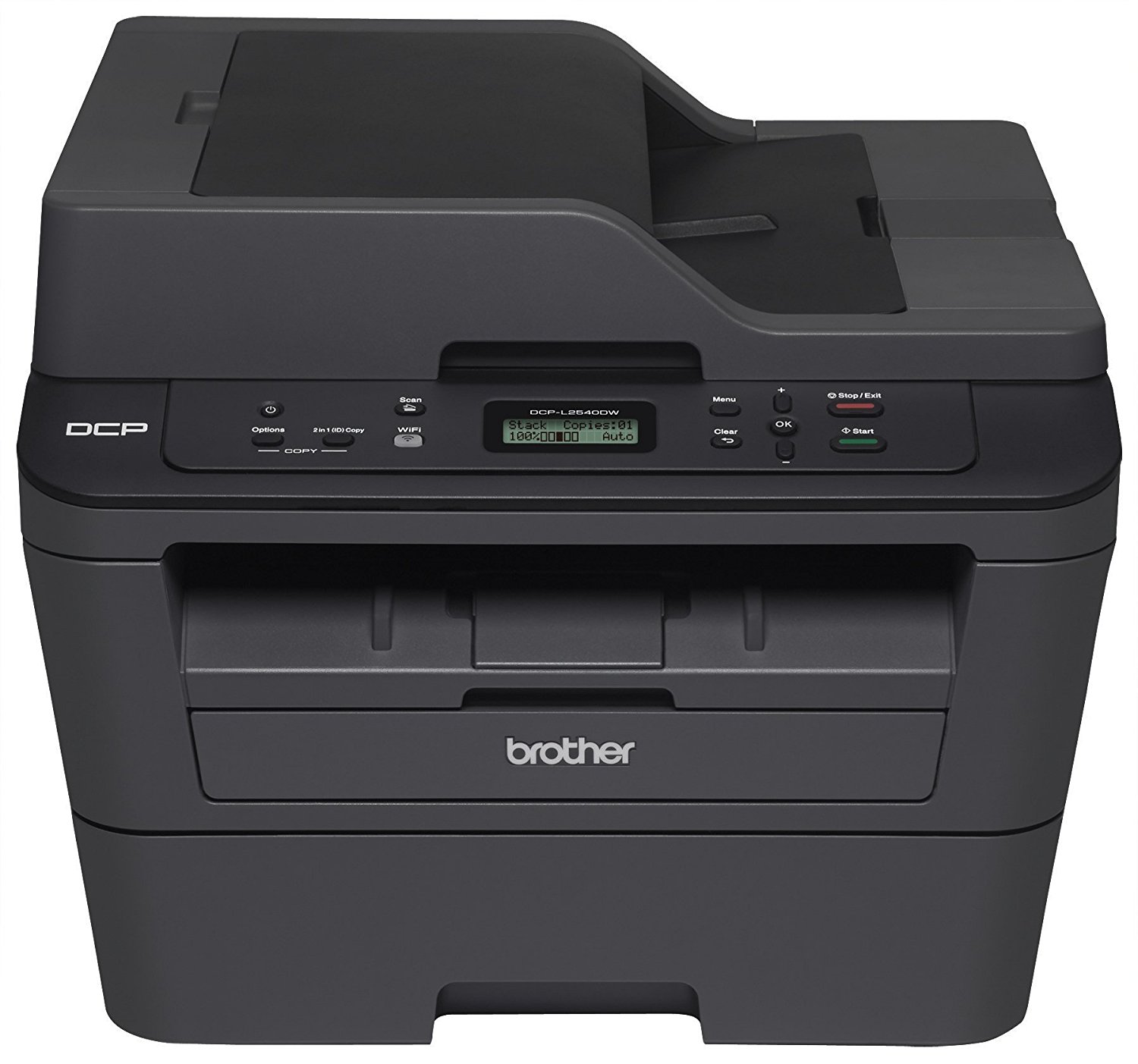
Brother DCP-L2540DW Wireless Monochrome Multifunction Laser Printer on sale for
$99.99.
Shipping is free. Thanks dinapsoline and Kuma1
No longer available:
Amazon has
Brother DCP-L2540DW Wireless Monochrome Multifunction Laser Printer on sale for
$99.99.
Shipping is free.
Editor's Notes & Price Research
Original Post
Written by
Edited December 5, 2017
at 08:36 AM
by
https://www.amazon.com/Brother-DC...B00MFG57ZK - no longer available, see FP post for more options
This is the historic low for this printer, usually only happens once a year. Typically sells for $145+. Get it now if you need it!
in
Laser Printers
(5)
Office Depot and OfficeMax



187 Comments
Your comment cannot be blank.
Featured Comments
You can have a perfectly good cartridge in the machine
By Happy on May 7, 2015
This printer has two dealbreakers. First, there is no override when it thinks it is out of ink. It "thinks" it is out of ink long, long, long before it really is. Most Brother printers have a secret sequence of buttons that you can press to bypass the low toner warning, but this one does not, and it completely stops printing until you give it a brand new cartridge. You can have a perfectly good cartridge in the machine, but if it takes the notion that you need to change cartridges, you cannot print ANYTHING. If you don't happen to have a spare somewhere, you are done printing until you go run out and buy one. So stupid to not have an override option.
The other dealbreaker is that there is a heat fuser that is low quality and shatters. Based on what I can find on messageboard forums with other users having identical issues, this seems to be a reasonably widespread problem, and it happened to mine. It causes a smudged line the whole way down the page, to the point that blotches of ink are peeling off of the paper when it prints. If Brother had honored their warranty, no problem, but they've given me the runaround for weeks to the point it's not worth my time to keep arguing with them.
Brother makes good printers, but stay away from this model.
489 people found this helpful
Anyhow, I also find the brothers go into a deep sleep mode and will require constant resetting for wireless printing.
The dell's however does not have this problem.
Personally I've switched from brother to dell on two units... No longer any issue with the Dell.
Ymmv
Sign up for a Slickdeals account to remove this ad.
It was cheaper - two years ago
https://slickdeals.net/e/8320265-brother-dcpl2540dw-wireless-compact-laser-printer-84-99-on-amazon?v=1&src=
same price $99 at OD:
https://www.officedepot
FD for $20 more:
https://www.amazon.com/Brother-MF...RAGJSBB8ZR
I always thought the dell's were rebranded.
Anyhow, I also find the brothers go into a deep sleep mode and will require constant resetting for wireless printing.
The dell's however does not have this problem.
Personally I've switched from brother to dell on two units... No longer any issue with the Dell.
Ymmv
https://www.amazon.com/Brother-MF...RAGJSBB8ZR[/QUOTE]
What do you mean by FD?
Anyhow, I also find the brothers go into a deep sleep mode and will require constant resetting for wireless printing.
The dell's however does not have this problem.
Personally I've switched from brother to dell on two units... No longer any issue with the Dell.
Ymmv
Slick! Thanks OP
Sign up for a Slickdeals account to remove this ad.
Anyhow, I also find the brothers go into a deep sleep mode and will require constant resetting for wireless printing.
The dell's however does not have this problem.
Personally I've switched from brother to dell on two units... No longer any issue with the Dell.
Ymmv
Any way to fix the deep sleep issues. I tried a few things and it didn't work
Never found a solution so I bought the dell's..
Slick! Thanks OP
You can have a perfectly good cartridge in the machine
By Happy on May 7, 2015
This printer has two dealbreakers. First, there is no override when it thinks it is out of ink. It "thinks" it is out of ink long, long, long before it really is. Most Brother printers have a secret sequence of buttons that you can press to bypass the low toner warning, but this one does not, and it completely stops printing until you give it a brand new cartridge. You can have a perfectly good cartridge in the machine, but if it takes the notion that you need to change cartridges, you cannot print ANYTHING. If you don't happen to have a spare somewhere, you are done printing until you go run out and buy one. So stupid to not have an override option.
The other dealbreaker is that there is a heat fuser that is low quality and shatters. Based on what I can find on messageboard forums with other users having identical issues, this seems to be a reasonably widespread problem, and it happened to mine. It causes a smudged line the whole way down the page, to the point that blotches of ink are peeling off of the paper when it prints. If Brother had honored their warranty, no problem, but they've given me the runaround for weeks to the point it's not worth my time to keep arguing with them.
Brother makes good printers, but stay away from this model.
489 people found this helpful
Anyhow, I also find the brothers go into a deep sleep mode and will require constant resetting for wireless printing.
The dell's however does not have this problem.
Personally I've switched from brother to dell on two units... No longer any issue with the Dell.
Ymmv
Did you try a firmware update?
I had the same issue out of the box but after a firmware update it has been working 2 years without a single restart.