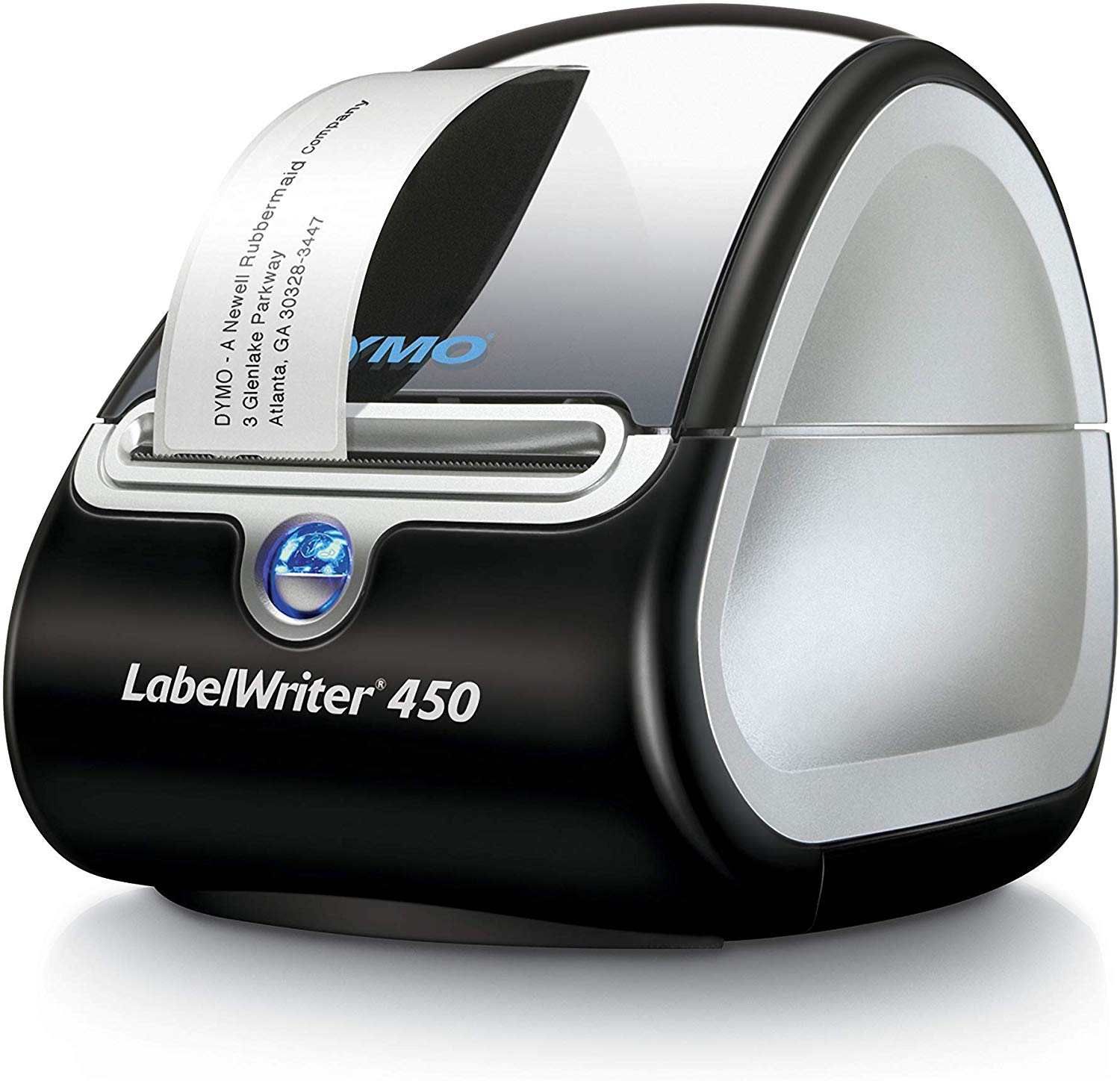
I run a business that has the 450 turbo (not the one this thread is about, turbo prints 70 labels per minute, the regular 450 handles 50 labels per minute) and 4XL at every work station. (450 turbo for product labels, 4XL for shipping labels). All of our computers use windows 10, and the only time we EVER have any issues is when end of the paper rolls are taped so good to the roll that it jams up. This takes about 5 seconds to clear, and it's at the end of the roll, so you have to open it up to change labels anyway.
Don't let this guy's improperly setup computer deter you from purchasing a 4xl. We print over 200,000 labels a year with them, and have never had a single one fail, and some of them are almost 4 years old.
Some of our software uses firefox, and some of it uses a chrome extension, there are absolutely no issues. That guy who said it doesn't work with windows 10 is the same guy who leaves a 1 star amazon review for a smart plug because he didn't realize how to set it up.
PSA: Google "driver signature verification" & follow the guide to turn that security feature off. Now go back and do a fresh install of cable/driver to computer. Finally, try printing after this step. Does it work now?
We also have a 4xl, just use it occasionally. Have never had this issue that you are describing, even though we're using Windows 10 too. That being said, will purchase this one too, it seems to be a great deal.
Sign up for a Slickdeals account to remove this ad.
I got the Dymo 4XL which has been a pain in the azz for me in Windows 10. I have to constantly reinstall the firmware & software if I don't use it for several days. Because after several days, WIndows 10 will no longer detect it. My ultimate solution is to unplug it. This way, I don't have to reinstall software. When I need to use it, I replug the usb. This is the only solution for Windows 10 to not lose detection of it.
If you run into this issue, remember my post, it could help you. And if you're reading my post and know what I'm talking about and found the real solution, please advise, thanks!
I got the Dymo 4XL which has been a pain in the azz for me in Windows 10. I have to constantly reinstall the firmware & software if I don't use it for several days. Because after several days, WIndows 10 will no longer detect it. My ultimate solution is to unplug it. This way, I don't have to reinstall software. When I need to use it, I replug the usb. This is the only solution for Windows 10 to not lose detection of it.
If you run into this issue, remember my post, it could help you. And if you're reading my post and know what I'm talking about and found the real solution, please advise, thanks!
Your post has given me pause. I was thinking of getting the 4XL. Now I am not so sure. Thanks for the heads up. Appreciate it.
Your post has given me pause. I was thinking of getting the 4XL. Now I am not so sure. Thanks for the heads up. Appreciate it.
I run a business that has the 450 turbo (not the one this thread is about, turbo prints 70 labels per minute, the regular 450 handles 50 labels per minute) and 4XL at every work station. (450 turbo for product labels, 4XL for shipping labels). All of our computers use windows 10, and the only time we EVER have any issues is when end of the paper rolls are taped so good to the roll that it jams up. This takes about 5 seconds to clear, and it's at the end of the roll, so you have to open it up to change labels anyway.
Don't let this guy's improperly setup computer deter you from purchasing a 4xl. We print over 200,000 labels a year with them, and have never had a single one fail, and some of them are almost 4 years old.
Some of our software uses firefox, and some of it uses a chrome extension, there are absolutely no issues. That guy who said it doesn't work with windows 10 is the same guy who leaves a 1 star amazon review for a smart plug because he didn't realize how to set it up.
If you run a business where you need two label printers for a computer and had to upgrade to the one that prints 70 labels per minute instead of 50, I'm going to guess the specific error that pops up after not using the label printer for a week does not apply to you. But I'm glad you're passionate about your labels.
We also have a 4xl, just use it occasionally. Have never had this issue that you are describing, even though we're using Windows 10 too. That being said, will purchase this one too, it seems to be a great deal.
I have also had trouble with the 450 turbo and windows 10. One computer running 10 cannot use dymo label maker app at all because it will not detect its own device. I can print from other programs onto the label maker and will work at other computers but never worked on that PC no matter what I tried, even fresh win10 install. Dymo customer support also crap, never calls the office I do PC support for (but will send emails asking us how they did) so they pretty much have one PC that cannot label print and everyone else in the office is fine
PSA: Google "driver signature verification" & follow the guide to turn that security feature off. Now go back and do a fresh install of cable/driver to computer. Finally, try printing after this step. Does it work now?
I got the Dymo 4XL which has been a pain in the azz for me in Windows 10. I have to constantly reinstall the firmware & software if I don't use it for several days. Because after several days, WIndows 10 will no longer detect it. My ultimate solution is to unplug it. This way, I don't have to reinstall software. When I need to use it, I replug the usb. This is the only solution for Windows 10 to not lose detection of it.
If you run into this issue, remember my post, it could help you. And if you're reading my post and know what I'm talking about and found the real solution, please advise, thanks!
I don't have the same issue you have. Been using the 4XL and Windows 10 from the day Windows 10 released.
I got the Dymo 4XL which has been a pain in the azz for me in Windows 10. I have to constantly reinstall the firmware & software if I don't use it for several days. Because after several days, WIndows 10 will no longer detect it. My ultimate solution is to unplug it. This way, I don't have to reinstall software. When I need to use it, I replug the usb. This is the only solution for Windows 10 to not lose detection of it.
If you run into this issue, remember my post, it could help you. And if you're reading my post and know what I'm talking about and found the real solution, please advise, thanks!
I would recommend for those printing shipping labels to get a Rollo printer instead. Way more advanced and Superior. For those that ships FedEx or UPS a lot, their free labels works like a charm. Any shipping labels works with Rollo, regardless of brand or type.



58 Comments
Your comment cannot be blank.
Featured Comments
Don't let this guy's improperly setup computer deter you from purchasing a 4xl. We print over 200,000 labels a year with them, and have never had a single one fail, and some of them are almost 4 years old.
Some of our software uses firefox, and some of it uses a chrome extension, there are absolutely no issues. That guy who said it doesn't work with windows 10 is the same guy who leaves a 1 star amazon review for a smart plug because he didn't realize how to set it up.
Sign up for a Slickdeals account to remove this ad.
If you run into this issue, remember my post, it could help you. And if you're reading my post and know what I'm talking about and found the real solution, please advise, thanks!
If you run into this issue, remember my post, it could help you. And if you're reading my post and know what I'm talking about and found the real solution, please advise, thanks!
Your post has given me pause. I was thinking of getting the 4XL. Now I am not so sure. Thanks for the heads up. Appreciate it.
Don't let this guy's improperly setup computer deter you from purchasing a 4xl. We print over 200,000 labels a year with them, and have never had a single one fail, and some of them are almost 4 years old.
Some of our software uses firefox, and some of it uses a chrome extension, there are absolutely no issues. That guy who said it doesn't work with windows 10 is the same guy who leaves a 1 star amazon review for a smart plug because he didn't realize how to set it up.
https://www.amazon.com/DYMO-Write...B0027J9
We also have a 4xl, just use it occasionally. Have never had this issue that you are describing, even though we're using Windows 10 too. That being said, will purchase this one too, it seems to be a great deal.
Sign up for a Slickdeals account to remove this ad.
If you run into this issue, remember my post, it could help you. And if you're reading my post and know what I'm talking about and found the real solution, please advise, thanks!
If you run into this issue, remember my post, it could help you. And if you're reading my post and know what I'm talking about and found the real solution, please advise, thanks!
I would recommend for those printing shipping labels to get a Rollo printer instead. Way more advanced and Superior. For those that ships FedEx or UPS a lot, their free labels works like a charm. Any shipping labels works with Rollo, regardless of brand or type.