BTW, have you received both laptops and been able to compare them side-by-side? I, too, found the Lenovo Slim 7 deal to be interesting. Almost bit on that one.
So, I won't be able to test the screen before accepting the purchase.
SO I got both Laptops and comparing then so far the Lenovo screen seems a bit more blue and darker. Havent taken them outside yet. Anyone can suggest software to benchmark them? Tried the benchmark.com and they seem pretty much the same. I will continue trying both out through the weekend. Anything I should look for?
SO I got both Laptops and comparing then so far the Lenovo screen seems a bit more blue and darker. Havent taken them outside yet. Anyone can suggest software to benchmark them? Tried the benchmark.com and they seem pretty much the same. I will continue trying both out through the weekend. Anything I should look for?
I'd be interested in your general impressions of the two screens performances of day-to-day tasks such as web browsing, YouTube watching, NetFlix, etc,
Also, one review indicated problems with the backlit keyboard automatically turning off after 10 seconds. Can you verify that the backlight feature turns itself off after a short period of time?
I'd be interested in your general impressions of the two screens performances of day-to-day tasks such as web browsing, YouTube watching, NetFlix, etc,
Also, one review indicated problems with the backlit keyboard automatically turning off after 10 seconds. Can you verify that the backlight feature turns itself off after a short period of time?
So Ive been playing with the slim7 since Tuesday and the Acer since yesterday.
So far yes the keyboard turns off quickly on the Acer.
The Slim I like the way it feels especially the trackpad. Its less sticky than ACER
The screen, the Slim looks a tad better but outside in a sunny day I could not see one laptop better than the other at full brightness.
Here is the problem that Im trying to figure out.
When I run Nova and user benchmark I get a lower CPU rating on the Lenovo. I disabled startup programs and bloatware. Both machines Im running google and google drive.
When I open up word, excell, google sheets, google sheets the Acer is about 1-2 seconds faster. Im not sure why. when I open up task manager I see the Acer is at 29-37% while the Slim is at 2-8 % sometimes. I looked in Bios and didnt see any settings and power plans are comparable.
Any ideas? Even though I like the Slim more Im thinking of keeping the Acer because of the speed and lightness.
Battery life is now swinging me back to Lenovo Ugh!!!
So Ive been playing with the slim7 since Tuesday and the Acer since yesterday.
So far yes the keyboard turns off quickly on the Acer.
The Slim I like the way it feels especially the trackpad. Its less sticky than ACER
The screen, the Slim looks a tad better but outside in a sunny day I could not see one laptop better than the other at full brightness.
Here is the problem that Im trying to figure out.
When I run Nova and user benchmark I get a lower CPU rating on the Lenovo. I disabled startup programs and bloatware. Both machines Im running google and google drive.
When I open up word, excell, google sheets, google sheets the Acer is about 1-2 seconds faster. Im not sure why. when I open up task manager I see the Acer is at 29-37% while the Slim is at 2-8 % sometimes. I looked in Bios and didnt see any settings and power plans are comparable.
Any ideas? Even though I like the Slim more Im thinking of keeping the Acer because of the speed and lightness.
Battery life is now swinging me back to Lenovo Ugh!!!
Thanks for the info!
Sorry, I haven't a clue as to why the Lenovo would be so slow. I suggest asking their customer support:
P.S. Battery life isn't particularly important to me. Recreational use only. If I ever need 10 hours, I'll carry a USB battery bank.
Ditto for the trackpad. I prefer using a mouse. (But, in a pinch, a trackpad is better than nothing.)
Pity about the backlit keyboard. If it is like other Swift models, the feature is hardwired ... no software fix. I guess I'll just have to learn to hit the shift key to turn it on whenever I want to see the keys.
P.S. Battery life isn't particularly important to me. Recreational use only. If I ever need 10 hours, I'll carry a USB battery bank.
Ditto for the trackpad. I prefer using a mouse. (But, in a pinch, a trackpad is better than nothing.)
Pity about the backlit keyboard. If it is like other Swift models, the feature is hardwired ... no software fix. I guess I'll just have to learn to hit the shift key to turn it on whenever I want to see the keys.
Havent tried it yet but I did see a setting in the bios for the keyboard . not an issue for me so I left it as is.
I want mine for work and I use a lot of google sheets, docs, and slides, as well as word. I called Lenovo support and was transfered 3 times. Hard accents it was difficult to understand/ My the third transfer I was pretty pissed and the person kept saying she could not understand and I think she hung up. I keep going back and forth on the laptops I like the weight and snippiness of the Acer but the looks, feel, and battery live of the Lenovo. A bit worried about their tech support.
If i could just speed up the opening of the google products I I think I would keep the Lenovo
Havent tried it yet but I did see a setting in the bios for the keyboard . not an issue for me so I left it as is.
I want mine for work and I use a lot of google sheets, docs, and slides, as well as word. I called Lenovo support and was transfered 3 times. Hard accents it was difficult to understand/ My the third transfer I was pretty pissed and the person kept saying she could not understand and I think she hung up. I keep going back and forth on the laptops I like the weight and snippiness of the Acer but the looks, feel, and battery live of the Lenovo. A bit worried about their tech support.
If i could just speed up the opening of the google products I I think I would keep the Lenovo
Personally I hate Lenovo customer support.
Imagine trying to get a warranty claim with Lenovo. They have some good stuff but if you ever have an issue you are on your own. When you invest a few hundred bucks in something you don't want to struggle to solve issues if they ever come.
My question is about build quality and general day to day use.
Also are you seeing a difference in the Bluetooth and wifi upgrades in the Acer?
Imagine trying to get a warranty claim with Lenovo. They have some good stuff but if you ever have an issue you are on your own. When you invest a few hundred bucks in something you don't want to struggle to solve issues if they ever come.
My question is about build quality and general day to day use.
Also are you seeing a difference in the Bluetooth and wifi upgrades in the Acer?
Build quality, I like the Lenovo so far, I havent used BT much and wifi seems fine but Im no expert.
I get you on the warranty I spent a few hours on the phone trying to figure out if there were any settings to make the thing faster and also enquiring about an extended warranty and it seems everyone is over seas and in they apartment not knowing how to answer questions and telling be to call a different department. Their customer service is horrible!!!!
I think I will return the Acer. MAin reason is I need a longer lasting battery and the Acer needed a recharge after just a few hours of normal use. The Lenovo went on for 5 plus hours and still had a decent charge.
Build quality, I like the Lenovo so far, I havent used BT much and wifi seems fine but Im no expert.
I get you on the warranty I spent a few hours on the phone trying to figure out if there were any settings to make the thing faster and also enquiring about an extended warranty and it seems everyone is over seas and in they apartment not knowing how to answer questions and telling be to call a different department. Their customer service is horrible!!!!
I think I will return the Acer. MAin reason is I need a longer lasting battery and the Acer needed a recharge after just a few hours of normal use. The Lenovo went on for 5 plus hours and still had a decent charge.
Lenovo will start selling slim 7 4800u 16gb 512gb models soon. It supposed to come out in mid June. I'm waiting for that one too. It still will be in your return period, I would consider that one. The only downside of upcoming slim 7 is it's relatively slow ssd which is western digital black. But user can swap it with a faster one. Here is the laptop I'm referring: https://youtu.be/FWQZgOO_fNs
You can watch it with auto translated subtitles
Lenovo will start selling slim 7 4800u 16gb 512gb models soon. It supposed to come out in mid June. I'm waiting for that one too. It still will be in your return period, I would consider that one. The only downside of upcoming slim 7 is it's relatively slow ssd which is western digital black. But user can swap it with a faster one. Here is the laptop I'm referring: https://youtu.be/FWQZgOO_fNs
You can watch it with auto translated subtitles
Has anyone tried installing linux on this device? I'm curious how driver support and battery life are. thaanks
According to one of the Customer Reviews (BCK dated June 14, 2020):
Ubuntu linux 20.04 is easy to install and works perfectly. Here is how I set up this machine to dual boot Windows and Ubuntu linux: 1. From windows I shrank the C: drive to about 250 gig using the windows tools, this left about 250 gig unallocated and unformatted space 2. I had already prepared a USB stick with bootable Ubuntu on it (instructions available online) 3. The F2 key activates bios setup and I booted from the usb stick 4. The ubuntu install automatically detected the unallocated space and offered an option to install alongside windows. The installation completed without any problems. You may have to modify the boot order in the bios to give ubuntu priority so as to get to the grub menu at boot time which gives the option to load either windows or ubuntu.
Battery life: I haven't run this long enough to get a good idea. Not sure if I ever will.*
Drivers: As of yet, haven't had any problems with drivers. Works fine with my external monitor and printer.
Build quality, I like the Lenovo so far, I havent used BT much and wifi seems fine but Im no expert.
I get you on the warranty I spent a few hours on the phone trying to figure out if there were any settings to make the thing faster and also enquiring about an extended warranty and it seems everyone is over seas and in they apartment not knowing how to answer questions and telling be to call a different department. Their customer service is horrible!!!!
I think I will return the Acer. MAin reason is I need a longer lasting battery and the Acer needed a recharge after just a few hours of normal use. The Lenovo went on for 5 plus hours and still had a decent charge.
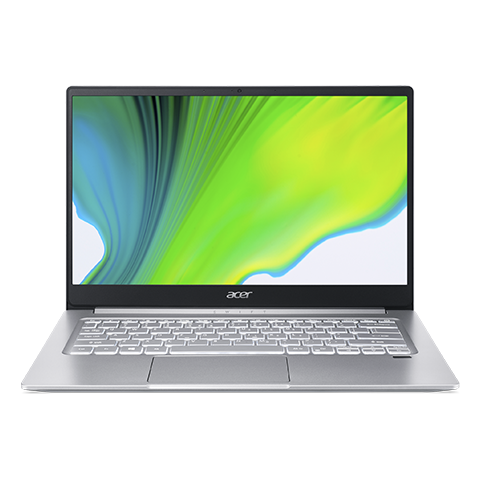
I received my Swift 3 yesterday. Set it up last night.
I was surprised by how good the screen looked. My expectations were low based on the technical reviews. Sure, the color may not be true ... but perception is subjective, so trees look green and oceans look blue ... really can't tell the difference unless you compare the display side-by-side with another monitor. As to brightness, I adjusted the brightness to max and it does okay indoors. I don't intend on using it outdoors. Contrast is satisfactory, too. Again, it's not something noticeable unless you're really looking for it or unless you're doing a side-by-side comparison. So, in an absolute sense, I suppose the technical reviews are true ... the screen is below average. But for my use, it is more than adequate.
I was not surprised by build quality, size, weight, responsiveness. I was expecting a well-built, powerful machine in a small form factor. The Acer Swift 3 delivered on all these points.
Now to the bad.
1. I was surprised by how much I disliked the keyboard. I don't like the layout. I don't like the spacing. I don't like the feel ... the mushiness, the lack of tactile or audible feedback. (I learned from golf that half of tactile feedback is audible!) And the fact that the keyboard backlighting automatically turns itself off after a period of time (30 seconds?) didn't turn out to be a problem ... it doesn't bother me at all. But I suppose that may be because it's such a trifling issue compared to the other keyboard problems.
2. I read the fine print and the warranty S*CKS. Excuse my language. I have to pay for shipping of replacement parts. For repairs, I have to pay for shipping to the nearest service center BOTH WAYS. If parts need replacing, they may use parts that have previously been used. If the laptop needs replacement, they may substitute another product. If they cannot repair or replace the laptop, they will refund me the DEPRECIATED value. (Makes me want to cry for CostCo!)
I'll keep on using it for 2 weeks. If I can't get used to the keyboard, I'm returning the laptop. Even if I get used to the keyboard, the warranty gives me pause to consider returning the laptop.
====================
EDIT: I'm having to resort to hunt&peck typing, since I can't rely on my touch-typing skills on this keyboard. *sigh*
The keyboard backlighting automatically turns itself off after precisely 30 seconds. I would have preferred 1 minute, but 30 seconds is much better than reports of 5 to 10 seconds that I read about elsewhere.
According to one of the Customer Reviews (BCK dated June 14, 2020):
Ubuntu linux 20.04 is easy to install and works perfectly. Here is how I set up this machine to dual boot Windows and Ubuntu linux: 1. From windows I shrank the C: drive to about 250 gig using the windows tools, this left about 250 gig unallocated and unformatted space 2. I had already prepared a USB stick with bootable Ubuntu on it (instructions available online) 3. The F2 key activates bios setup and I booted from the usb stick 4. The ubuntu install automatically detected the unallocated space and offered an option to install alongside windows. The installation completed without any problems. You may have to modify the boot order in the bios to give ubuntu priority so as to get to the grub menu at boot time which gives the option to load either windows or ubuntu.
Battery life: I haven't run this long enough to get a good idea. Not sure if I ever will.*
Drivers: As of yet, haven't had any problems with drivers. Works fine with my external monitor and printer.


 View The Sift


127 Comments
Your comment cannot be blank.
Sign up for a Slickdeals account to remove this ad.
=======================
BTW, have you received both laptops and been able to compare them side-by-side? I, too, found the Lenovo Slim 7 deal to be interesting. Almost bit on that one.
================================================================
So, I won't be able to test the screen before accepting the purchase.
SO I got both Laptops and comparing then so far the Lenovo screen seems a bit more blue and darker. Havent taken them outside yet. Anyone can suggest software to benchmark them? Tried the benchmark.com and they seem pretty much the same. I will continue trying both out through the weekend. Anything I should look for?
Also, one review indicated problems with the backlit keyboard automatically turning off after 10 seconds. Can you verify that the backlight feature turns itself off after a short period of time?
Also, one review indicated problems with the backlit keyboard automatically turning off after 10 seconds. Can you verify that the backlight feature turns itself off after a short period of time?
So Ive been playing with the slim7 since Tuesday and the Acer since yesterday.
So far yes the keyboard turns off quickly on the Acer.
The Slim I like the way it feels especially the trackpad. Its less sticky than ACER
The screen, the Slim looks a tad better but outside in a sunny day I could not see one laptop better than the other at full brightness.
Here is the problem that Im trying to figure out.
When I run Nova and user benchmark I get a lower CPU rating on the Lenovo. I disabled startup programs and bloatware. Both machines Im running google and google drive.
When I open up word, excell, google sheets, google sheets the Acer is about 1-2 seconds faster. Im not sure why. when I open up task manager I see the Acer is at 29-37% while the Slim is at 2-8 % sometimes. I looked in Bios and didnt see any settings and power plans are comparable.
Any ideas? Even though I like the Slim more Im thinking of keeping the Acer because of the speed and lightness.
Battery life is now swinging me back to Lenovo Ugh!!!
So far yes the keyboard turns off quickly on the Acer.
The Slim I like the way it feels especially the trackpad. Its less sticky than ACER
The screen, the Slim looks a tad better but outside in a sunny day I could not see one laptop better than the other at full brightness.
Here is the problem that Im trying to figure out.
When I run Nova and user benchmark I get a lower CPU rating on the Lenovo. I disabled startup programs and bloatware. Both machines Im running google and google drive.
When I open up word, excell, google sheets, google sheets the Acer is about 1-2 seconds faster. Im not sure why. when I open up task manager I see the Acer is at 29-37% while the Slim is at 2-8 % sometimes. I looked in Bios and didnt see any settings and power plans are comparable.
Any ideas? Even though I like the Slim more Im thinking of keeping the Acer because of the speed and lightness.
Battery life is now swinging me back to Lenovo Ugh!!!
Sorry, I haven't a clue as to why the Lenovo would be so slow. I suggest asking their customer support:
Chat
https://support.lenovo.
Monday-Friday 10:00am-07:00pm
Phone
1-800-419-7555
Monday-Saturday 10:00am-07:00pm
--------------------------------------------------------
P.S. Battery life isn't particularly important to me. Recreational use only. If I ever need 10 hours, I'll carry a USB battery bank.
Ditto for the trackpad. I prefer using a mouse. (But, in a pinch, a trackpad is better than nothing.)
Pity about the backlit keyboard. If it is like other Swift models, the feature is hardwired ... no software fix. I guess I'll just have to learn to hit the shift key to turn it on whenever I want to see the keys.
Sorry, I haven't a clue as to why the Lenovo would be so slow. I suggest asking their customer support:
Chat
https://support.lenovo.
Monday-Friday 10:00am-07:00pm
Phone
1-800-419-7555
Monday-Saturday 10:00am-07:00pm
--------------------------------------------------------
P.S. Battery life isn't particularly important to me. Recreational use only. If I ever need 10 hours, I'll carry a USB battery bank.
Ditto for the trackpad. I prefer using a mouse. (But, in a pinch, a trackpad is better than nothing.)
Pity about the backlit keyboard. If it is like other Swift models, the feature is hardwired ... no software fix. I guess I'll just have to learn to hit the shift key to turn it on whenever I want to see the keys.
I want mine for work and I use a lot of google sheets, docs, and slides, as well as word. I called Lenovo support and was transfered 3 times. Hard accents it was difficult to understand/ My the third transfer I was pretty pissed and the person kept saying she could not understand and I think she hung up. I keep going back and forth on the laptops I like the weight and snippiness of the Acer but the looks, feel, and battery live of the Lenovo. A bit worried about their tech support.
If i could just speed up the opening of the google products I I think I would keep the Lenovo
I want mine for work and I use a lot of google sheets, docs, and slides, as well as word. I called Lenovo support and was transfered 3 times. Hard accents it was difficult to understand/ My the third transfer I was pretty pissed and the person kept saying she could not understand and I think she hung up. I keep going back and forth on the laptops I like the weight and snippiness of the Acer but the looks, feel, and battery live of the Lenovo. A bit worried about their tech support.
If i could just speed up the opening of the google products I I think I would keep the Lenovo
Imagine trying to get a warranty claim with Lenovo. They have some good stuff but if you ever have an issue you are on your own. When you invest a few hundred bucks in something you don't want to struggle to solve issues if they ever come.
My question is about build quality and general day to day use.
Also are you seeing a difference in the Bluetooth and wifi upgrades in the Acer?
Imagine trying to get a warranty claim with Lenovo. They have some good stuff but if you ever have an issue you are on your own. When you invest a few hundred bucks in something you don't want to struggle to solve issues if they ever come.
My question is about build quality and general day to day use.
Also are you seeing a difference in the Bluetooth and wifi upgrades in the Acer?
Build quality, I like the Lenovo so far, I havent used BT much and wifi seems fine but Im no expert.
I get you on the warranty I spent a few hours on the phone trying to figure out if there were any settings to make the thing faster and also enquiring about an extended warranty and it seems everyone is over seas and in they apartment not knowing how to answer questions and telling be to call a different department. Their customer service is horrible!!!!
I think I will return the Acer. MAin reason is I need a longer lasting battery and the Acer needed a recharge after just a few hours of normal use. The Lenovo went on for 5 plus hours and still had a decent charge.
Sign up for a Slickdeals account to remove this ad.
I get you on the warranty I spent a few hours on the phone trying to figure out if there were any settings to make the thing faster and also enquiring about an extended warranty and it seems everyone is over seas and in they apartment not knowing how to answer questions and telling be to call a different department. Their customer service is horrible!!!!
I think I will return the Acer. MAin reason is I need a longer lasting battery and the Acer needed a recharge after just a few hours of normal use. The Lenovo went on for 5 plus hours and still had a decent charge.
You can watch it with auto translated subtitles
You can watch it with auto translated subtitles
What do you think the price will be like though ?
Battery life: I haven't run this long enough to get a good idea. Not sure if I ever will.*
Drivers: As of yet, haven't had any problems with drivers. Works fine with my external monitor and printer.
* _See next post for explanation.
I get you on the warranty I spent a few hours on the phone trying to figure out if there were any settings to make the thing faster and also enquiring about an extended warranty and it seems everyone is over seas and in they apartment not knowing how to answer questions and telling be to call a different department. Their customer service is horrible!!!!
I think I will return the Acer. MAin reason is I need a longer lasting battery and the Acer needed a recharge after just a few hours of normal use. The Lenovo went on for 5 plus hours and still had a decent charge.
I was surprised by how good the screen looked. My expectations were low based on the technical reviews. Sure, the color may not be true ... but perception is subjective, so trees look green and oceans look blue ... really can't tell the difference unless you compare the display side-by-side with another monitor. As to brightness, I adjusted the brightness to max and it does okay indoors. I don't intend on using it outdoors. Contrast is satisfactory, too. Again, it's not something noticeable unless you're really looking for it or unless you're doing a side-by-side comparison. So, in an absolute sense, I suppose the technical reviews are true ... the screen is below average. But for my use, it is more than adequate.
I was not surprised by build quality, size, weight, responsiveness. I was expecting a well-built, powerful machine in a small form factor. The Acer Swift 3 delivered on all these points.
Now to the bad.
1. I was surprised by how much I disliked the keyboard. I don't like the layout. I don't like the spacing. I don't like the feel ... the mushiness, the lack of tactile or audible feedback. (I learned from golf that half of tactile feedback is audible!) And the fact that the keyboard backlighting automatically turns itself off after a period of time (30 seconds?) didn't turn out to be a problem ... it doesn't bother me at all. But I suppose that may be because it's such a trifling issue compared to the other keyboard problems.
2. I read the fine print and the warranty S*CKS. Excuse my language. I have to pay for shipping of replacement parts. For repairs, I have to pay for shipping to the nearest service center BOTH WAYS. If parts need replacing, they may use parts that have previously been used. If the laptop needs replacement, they may substitute another product. If they cannot repair or replace the laptop, they will refund me the DEPRECIATED value. (Makes me want to cry for CostCo!)
I'll keep on using it for 2 weeks. If I can't get used to the keyboard, I'm returning the laptop. Even if I get used to the keyboard, the warranty gives me pause to consider returning the laptop.
====================
EDIT: I'm having to resort to hunt&peck typing, since I can't rely on my touch-typing skills on this keyboard. *sigh*
The keyboard backlighting automatically turns itself off after precisely 30 seconds. I would have preferred 1 minute, but 30 seconds is much better than reports of 5 to 10 seconds that I read about elsewhere.
Sign up for a Slickdeals account to remove this ad.
Battery life: I haven't run this long enough to get a good idea. Not sure if I ever will.*
Drivers: As of yet, haven't had any problems with drivers. Works fine with my external monitor and printer.
* _See next post for explanation.
Nice!