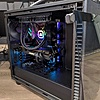
Various Retailers have MONTECH TG3 Panoramic ATX Mid-Tower PC Case w/ 360mm ARGB Unibody Fan & 120mm ARGB Fan (Black) on sale from $59.90. Shipping is free.
Thanks to Deal Hunter tDames for finding this deal.
Showcase Your Style: Designed with a tiered interior platform, TG3 provides dedicated space for displaying collectibles, figures, and custom accents, allowing builders to create a system that reflects their personal style.
Pre-installed ARGB Unibody Fans: Includes 1 x GF360 U REV side intake fan and 1 x GF120 U rear exhaust fan. The single-frame fan design reduces cable clutter, simplifies installation, and minimizes vibration for smoother operation.
High-airflow Cooling Performance: Ventilated panels, optimized airflow pathways, and support for up to 9 fans provide excellent thermal performance for gaming PCs, creator workstations, and high-performance systems.
Ready for Next-gen Hardware: Spacious interior supports today's flagship graphics cards, including RTX 5090-class GPUs, while expanded PSU compatibility provides flexibility for a wide range of system configurations.
Back-connect Motherboard Compatible: Supports ATX, Micro-ATX, and Mini-ITX motherboards, including ASUS BTF, MSI Project Zero, and GIGABYTE Project STEALTH platforms for cleaner cable management and a streamlined build appearance.
This collaborative space allows users to contribute additional information, tips, and insights to enhance the original deal post. Feel free to share your knowledge and help fellow shoppers make informed decisions.
Various Retailers have MONTECH TG3 Panoramic ATX Mid-Tower PC Case w/ 360mm ARGB Unibody Fan & 120mm ARGB Fan (Black) on sale from $59.90. Shipping is free.
Thanks to Deal Hunter tDames for finding this deal.
Showcase Your Style: Designed with a tiered interior platform, TG3 provides dedicated space for displaying collectibles, figures, and custom accents, allowing builders to create a system that reflects their personal style.
Pre-installed ARGB Unibody Fans: Includes 1 x GF360 U REV side intake fan and 1 x GF120 U rear exhaust fan. The single-frame fan design reduces cable clutter, simplifies installation, and minimizes vibration for smoother operation.
High-airflow Cooling Performance: Ventilated panels, optimized airflow pathways, and support for up to 9 fans provide excellent thermal performance for gaming PCs, creator workstations, and high-performance systems.
Ready for Next-gen Hardware: Spacious interior supports today's flagship graphics cards, including RTX 5090-class GPUs, while expanded PSU compatibility provides flexibility for a wide range of system configurations.
Back-connect Motherboard Compatible: Supports ATX, Micro-ATX, and Mini-ITX motherboards, including ASUS BTF, MSI Project Zero, and GIGABYTE Project STEALTH platforms for cleaner cable management and a streamlined build appearance.
I just picked one up myself, the case is pretty light and easy to carry. 2 of the glasses can be removed.
I may run it without the classes and replace my Open AI PC --- safer and still give full access to all components quickly to swap stuff in and out to test!
I have built in several different Montech cases. They always give great value. I've watched some reviews on this one and it appears to be the same with this model. Hard to find something nice of the mat for $60.
However, the front I/O placement could be awkward if it's not on a desk and set back a couple inches.
The decision to add ventilation holes from the main chamber into PSU enclosure is also a bit odd. You really want that air to come in from the bottom and go right back out. Not making it air tight defeats the purpose.
Neither gripe is a deal breaker for $60, but finding the "perfect" case can easily last you multiple builds.
Re PSU, my Lian Li also had vent holes right above the PSU area into the main chamber. I thought that was normal for newer cases, My Lenovo and HP systems also have the same vents open, just giving more cold air to go thru I guess
Quote
from wherestheanykey
:
Looks like a decent case for the price.
However, the front I/O placement could be awkward if it's not on a desk and set back a couple inches.
The decision to add ventilation holes from the main chamber into PSU enclosure is also a bit odd. You really want that air to come in from the bottom and go right back out. Not making it air tight defeats the purpose.
Neither gripe is a deal breaker for $60, but finding the "perfect" case can easily last you multiple builds.
Re PSU, my Lian Li also had vent holes right above the PSU area into the main chamber. I thought that was normal for newer cases, My Lenovo and HP systems also have the same vents open, just giving more cold air to go thru I guess
Nope. It's regressive design.
Old PSU mounting designs used to take in case heat and vent it out.
The modern approach is to not let everything sit in one oven when it clearly doesn't have to.
The next smart design will be to find a way to keep the GPU separate from everything else, without using stupid flex cables or Occulink.
Nope. It's regressive design. Old PSU mounting designs used to take in case heat and vent it out. The modern approach is to not let everything sit in one oven when it clearly doesn't have to. The next smart design will be to find a way to keep the GPU separate from everything else, without using stupid flex cables or Occulink.
You already can run eGPU's from thunderbolt! Not that anyone does...
Is there a modern design you can point to? I've seen some floating caes now where the PSU is definitely complete separated.
Well PSU is separated somewhat with some of the floating cases.
GPU via Occulink is silly unless you just want a laptop and certain devices to have a EGPU. It's not that great... I considered it and no, would never run a 5090 off of occulink because 99% of occulink setup is an exposed PSU and GPU. Too much risk for a 5090 IMO. I recall they said if you don't power down the machine and connect/disconnect it can fry the components. That's a bit more problem prone and HDMI cable I think. I never tried it and probably won't lol.
Flex cables/ ie Riser is fine, for verti mounting options - people do that for look, anti-sag etc. BUT completely isolated it away from CPU and other heat? Well that's a long time from now because you're talking a complete Motherboard REDESIGN if you don't want cables/risers.
Quote
from wherestheanykey
:
Nope. It's regressive design.
Old PSU mounting designs used to take in case heat and vent it out.
The modern approach is to not let everything sit in one oven when it clearly doesn't have to.
The next smart design will be to find a way to keep the GPU separate from everything else, without using stupid flex cables or Occulink.
Is there a modern design you can point to? I've seen some floating caes now where the PSU is definitely complete separated.Well PSU is separated somewhat with some of the floating cases. GPU via Occulink is silly unless you just want a laptop and certain devices to have a EGPU. It's not that great... I considered it and no, would never run a 5090 off of occulink because 99% of occulink setup is an exposed PSU and GPU. Too much risk for a 5090 IMO. Flex cables/ ie Riser is fine, for verti mounting options - people do that for look, anti-sag etc. BUT completely isolated it away from CPU and other heat? Well that's a long time from now because you're talking a complete Motherboard REDESIGN if you don't want cables/risers.
Many SFF setups are already doing this and, no, it doesn't require a redesign. They loop the flex cable under the motherboard.
For a full ATX board, all it would take is a double sided soldering configuration, where an extra PCIE slot gets mounted to the back of the motherboard. If you were skilled enough, you could do it yourself.
There's also compact cables that are used with NGFF adapters and could route more easily.
As for Oculink, have you never seen a full eGPU enclosure? They're very common. Razer even made one.
Look at this case configuration: https://www.newegg.com/vetroo-min...GX1K1S1867 Many SFF setups are already doing this and, no, it doesn't require a redesign. They loop the flex cable under the motherboard. For a full ATX board, all it would take is a double sided soldering configuration, where an extra PCIE slot gets mounted to the back of the motherboard. If you were skilled enough, you could do it yourself. There's also compact cables that are used with NGFF adapters and could route more easily. As for Oculink, have you never seen a full eGPU enclosure? They're very common. Razer even made one. https://egpu.io/best-egpu-buyers-guide/ The only "vulnerable" part is the cable, but it's no more vulnerable than an HDMI cable.
Well yes, but you had no flex cable mentioned as part of next gen which is why I cannot happen without mobo changes if no flex cable is a requirement which is what I thought you said.
I think it would be good to have these separate chambers but then all separate cooling systems also for kore cost.
And it is simply a verticals GPU mount. Not complete isolation of heat domains. lol
Yes razr and couple of others made enclosure but at $499 it's waste of money and most are occulini which you have to be careful and power down before touching cables. A lot of potential issues. Not worth it
Thunderbolt ones are less common and more expensive too. Unfortunately Tbolt would be more useful if I can run it off of the Mac but Apple silicon killed that support. There is an open source project now but performance is crap.
It's just a niche use I think and easier to just have a PC hosting the GPU unless you really really want to use that machine that cannot mount it directly for some reason. Well niche as in people will not do it unless they just have some hardware they don't want to dispose I guess. It's not the lot optimal nor cost effective way to have discrete GPU access imo. The will not for me anyway as I looked into this
Cheap Egpu mount $100
PSU cheap one like Roswell deal $35
I can spend a little more for a pc.
Note I tried open air case and it kinda works but still think there is some hazard with this setup. I do like having GPU fan spinning and I can touch it...
I am looking for cool exotic case build ideas though!!!
Last edited by Elon69 July 14, 2026 at 03:43 PM.
Like
Helpful
Funny
Not helpful
Join The Conversation
Share information with the community. Please follow our Community Guidelines and be kind!


 + Free S&Hat Amazon









Join The Conversation
Share information with the community. Please follow our Community Guidelines and be kind!
19 Comments
Sign up for a Slickdeals account to remove this ad.
This one is $75 and is the #1 case across Amazon and MicroCenter
Lian Li Vector V100 RGB Tempered Glass ATX Mid-Tower Computer Case - Black
https://www.amazon.com/gp/bestsel...s_572
https://www.microcenter
I just picked one up myself, the case is pretty light and easy to carry. 2 of the glasses can be removed.
I may run it without the classes and replace my Open AI PC --- safer and still give full access to all components quickly to swap stuff in and out to test!
https://www.youtube.com/watch?v=TFACy0x
https://www.youtube.com/watch?v=TFACy0x
One for a the lucky winner friend. One to make it so I can test machines easier and "safer" vs. an open air rig.
However, the front I/O placement could be awkward if it's not on a desk and set back a couple inches.
The decision to add ventilation holes from the main chamber into PSU enclosure is also a bit odd. You really want that air to come in from the bottom and go right back out. Not making it air tight defeats the purpose.
Neither gripe is a deal breaker for $60, but finding the "perfect" case can easily last you multiple builds.
Sign up for a Slickdeals account to remove this ad.
However, the front I/O placement could be awkward if it's not on a desk and set back a couple inches.
The decision to add ventilation holes from the main chamber into PSU enclosure is also a bit odd. You really want that air to come in from the bottom and go right back out. Not making it air tight defeats the purpose.
Neither gripe is a deal breaker for $60, but finding the "perfect" case can easily last you multiple builds.
Old PSU mounting designs used to take in case heat and vent it out.
The modern approach is to not let everything sit in one oven when it clearly doesn't have to.
The next smart design will be to find a way to keep the GPU separate from everything else, without using stupid flex cables or Occulink.
You wouldn't run a 5090 over Thunderbolt.
And like I said, there's smarter ways to do this. They just have no standardization for it yet.
Well PSU is separated somewhat with some of the floating cases.
GPU via Occulink is silly unless you just want a laptop and certain devices to have a EGPU. It's not that great... I considered it and no, would never run a 5090 off of occulink because 99% of occulink setup is an exposed PSU and GPU. Too much risk for a 5090 IMO. I recall they said if you don't power down the machine and connect/disconnect it can fry the components. That's a bit more problem prone and HDMI cable I think. I never tried it and probably won't lol.
Flex cables/ ie Riser is fine, for verti mounting options - people do that for look, anti-sag etc. BUT completely isolated it away from CPU and other heat? Well that's a long time from now because you're talking a complete Motherboard REDESIGN if you don't want cables/risers.
Old PSU mounting designs used to take in case heat and vent it out.
The modern approach is to not let everything sit in one oven when it clearly doesn't have to.
The next smart design will be to find a way to keep the GPU separate from everything else, without using stupid flex cables or Occulink.
Many SFF setups are already doing this and, no, it doesn't require a redesign. They loop the flex cable under the motherboard.
For a full ATX board, all it would take is a double sided soldering configuration, where an extra PCIE slot gets mounted to the back of the motherboard. If you were skilled enough, you could do it yourself.
There's also compact cables that are used with NGFF adapters and could route more easily.
As for Oculink, have you never seen a full eGPU enclosure? They're very common. Razer even made one.
https://egpu.io/best-egpu-buyers-guide/
The only "vulnerable" part is the cable, but it's no more vulnerable than an HDMI cable.
Sign up for a Slickdeals account to remove this ad.
I think it would be good to have these separate chambers but then all separate cooling systems also for kore cost.
And it is simply a verticals GPU mount. Not complete isolation of heat domains. lol
Yes razr and couple of others made enclosure but at $499 it's waste of money and most are occulini which you have to be careful and power down before touching cables. A lot of potential issues. Not worth it
Thunderbolt ones are less common and more expensive too. Unfortunately Tbolt would be more useful if I can run it off of the Mac but Apple silicon killed that support. There is an open source project now but performance is crap.
It's just a niche use I think and easier to just have a PC hosting the GPU unless you really really want to use that machine that cannot mount it directly for some reason. Well niche as in people will not do it unless they just have some hardware they don't want to dispose I guess. It's not the lot optimal nor cost effective way to have discrete GPU access imo. The will not for me anyway as I looked into this
Cheap Egpu mount $100
PSU cheap one like Roswell deal $35
I can spend a little more for a pc.
Note I tried open air case and it kinda works but still think there is some hazard with this setup. I do like having GPU fan spinning and I can touch it...
I am looking for cool exotic case build ideas though!!!
Join The Conversation
Share information with the community. Please follow our Community Guidelines and be kind!