Update: This popular deal is still available
Samsung has for EPP and EDU Members:
32" M80F 4K 60Hz VA Smart Monitor w/ 65W USB-C for
$279.99 when you follow the instructions below.
Shipping is free.
Thanks to Deal Hunter
Eragorn for posting this deal.
Deal Instructions:Key Specs:- 4K UHD (3840 x 2160)
- 60Hz, 4ms (GtG) response
- VA panel
- HDR10+ certified, 400 nits brightness, 3000:1 contrast, 99% sRGB
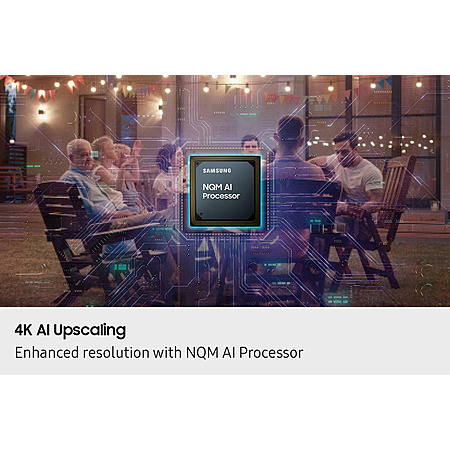
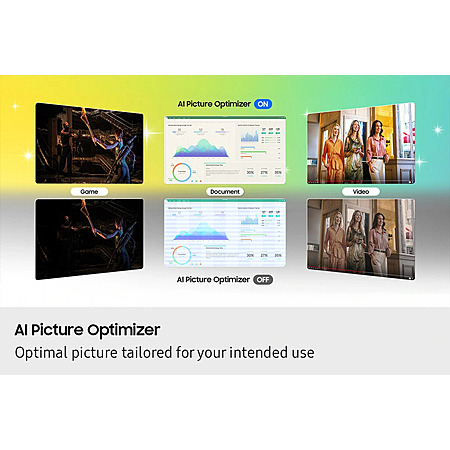
- Samsung Vision AI with NQM AI Processor (upscaling, AI Picture Optimizer)
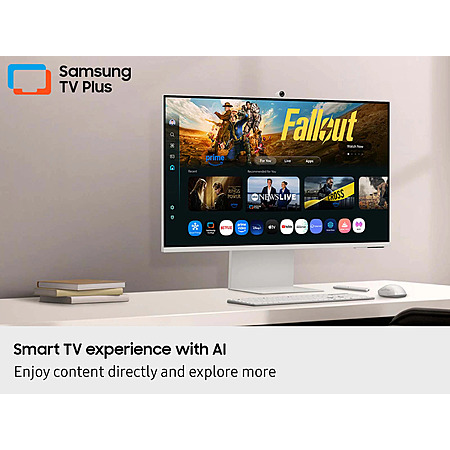
- Smart TV Apps, Tizen OS, Gaming Hub; built-in voice assistants (Bixby, Alexa)
- Built-in speakers (10W) with Adaptive Sound Pro / Active Voice Amplifier Pro
- SlimFit detachable webcam included
- Wi-Fi 5 (802.11ac), Bluetooth 5.2
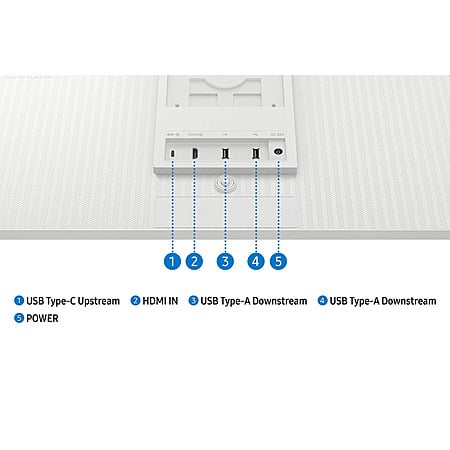
- Ports:
- 1x HDMI
- 1x USB-C 3.0 / 3.1/3.2 Gen 1 with DP Alt Mode, USB PD 65 W
2x USB-A 2.0
- Height-adjustable, tilt/pivot stand; VESA 100x100 mountable
- Knox security for data and IoT protection
- Eye Saver Mode, Flicker Free technology
- 28.1" W x 24.3" D x 7.9" H (with stand)
- Model: LS32FM803UNXZA



 + Free S&Hat Samsung


Community Reviews
The M80F is a slim 32 inch 4K smart monitor that stands out as an all in one screen for work, browsing, office use, and light streaming. The bright picture, built in speakers, remote, and smart TV style features make it especially convenient for mixed desktop and media use. Calibration out of the box is weak, and the panel is described as only mediocre until adjusted. Missing VESA mounting and extra USB C ports also limit flexibility, making it a practical fit if those tradeoffs are acceptable.
The monitor can work well as an all-in-one setup for business tasks, browsing, and office use.
The slim 32-inch design includes speakers and a remote, which reduces the need for extra audio hardware.
The display performance can be strong after proper calibration, with some owners comparing it to a higher-priced model.
EPP/EDU sign-in issues can be resolved by using an incognito sign-in flow.
The smart monitor interface can feel slow, with basic menus taking several seconds to open.
Out-of-the-box calibration can be poor, requiring manual calibration for better picture results.
Samsung.com customer support can be difficult to deal with, especially if returns are needed.
Smart monitor functionality can be limited if Wi‑Fi is turned off, since background processes stop along with smart features.
Common Questions (4)
AI-generated summary based on comments from the community. Updated ago
Join The Conversation
Share your experience with the Slickdeals community
Share information with the community. Please follow our Community Guidelines and be kind!
31 Comments
Sign up for a Slickdeals account to remove this ad.
Sign up for a Slickdeals account to remove this ad.
https://www.trustpilot.
It probably uses the same OS as their TVs and it'll send screenshots of everything you're looking at back to Samsung.
EDIT: I noticed downvotes. If you don't think your Smart TV isn't spying on you, you're beyond naive. Why would Samsung significantly modify the Smart display OS?
Sign up for a Slickdeals account to remove this ad.
Join The Conversation
Share your experience with the Slickdeals community
Share information with the community. Please follow our Community Guidelines and be kind!