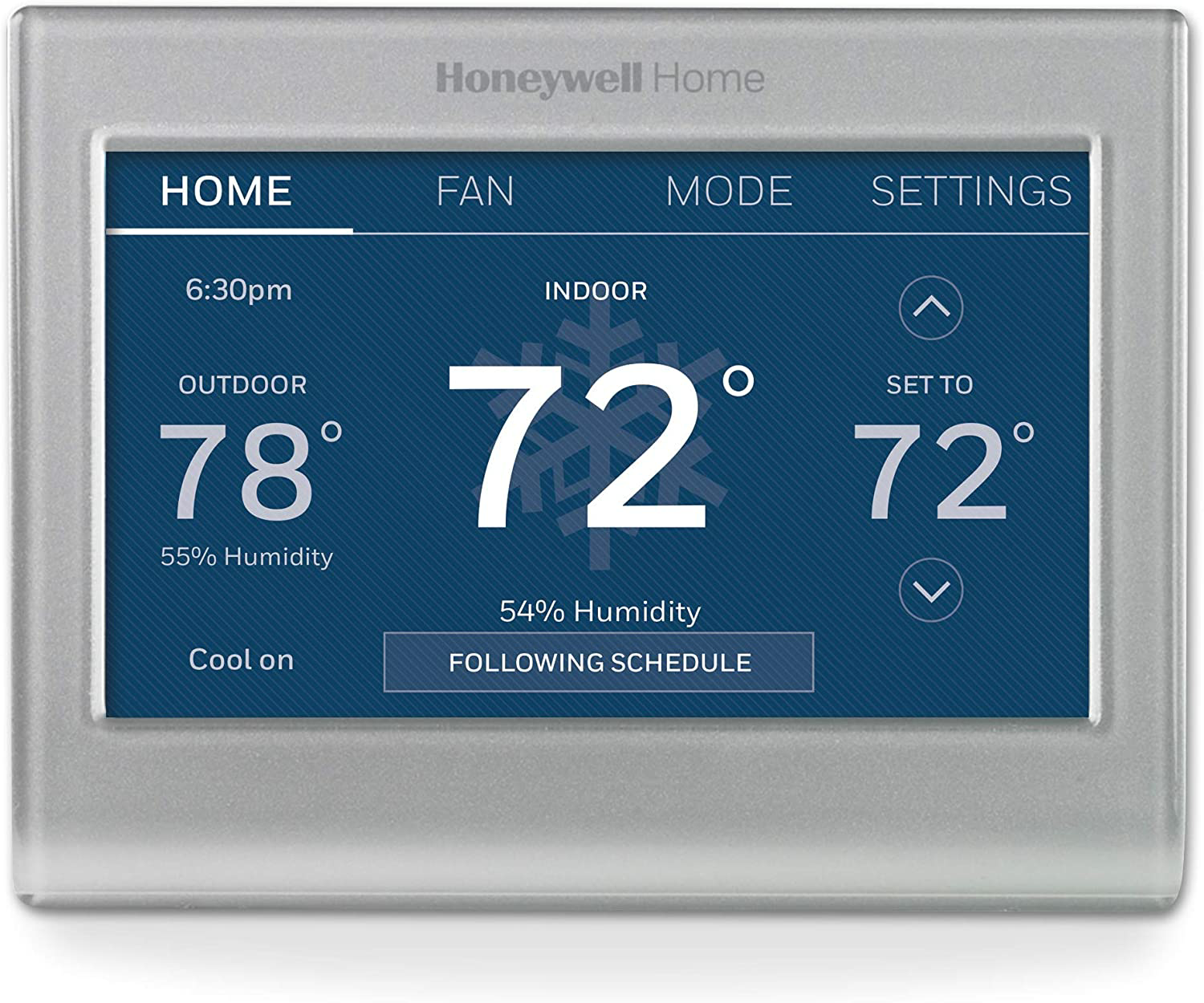
A customizable touch screen and the ability to change the temperature via a smartphone make it simple to achieve and maintain indoor comfort. This Honeywell Wi-Fi smart thermostat lets you schedule temperature changes to reduce the need for manual adjustments throughout the day. -slickdewmaster
Last Edited by vsspam
November 13, 2020
at
09:51 PM
This post can be edited by most users to provide up-to-date information about developments of this thread based on user responses, and user findings. Feel free to add, change or remove information shown here as it becomes available. This includes new coupons, rebates, ideas, thread summary, and similar items.
Once a Thread Wiki is added to a thread, "Create Wiki" button will disappear. If you would like to learn more about Thread Wiki feature, click here.
Posting on Home Depot reviews by Phoenixmike:
October 6, 2019
To determine if your existing HVAC system has a C Wire.
Method 1: Look at the wires behind your thermostat:
Detach your thermostat from the wall and look at the wires connecting to it.
If you've got a wire connected to the terminal labeled "C", you're (probably)
good to go with a smart thermostat installation.
If you don't see a C-wire here at your thermostat, don't assume you don't
have one just yet. It might be stuffed into the wall, which is what some installers
do when the C-wire is present but not needed.
You can also look inside your furnace. If you find a C-wire in your furnace, then
the other end is probably stuffed into the wall behind your thermostat.
Method 2: Look at the wires inside your furnace:
Disable power to your furnace and pop the cover off. (The ease of doing it this
way will vary by furnace and installation.)
Look for a row of screws labeled R, C, W, W2, G, Y/Y2, like so.
There are no standards for wire color! Any wire can be used for any purpose.
A previous owner or handyman may have been "creative", so what you find
behind your thermostat might vary from what you read about online or here.
These photos are from my own home, but every home is a unique snowflake.
Here are common uses for wire colors: Trace the wire path, not the color.
Blue or Black – C – Common wire, may be unused by your existing thermostat.
The D wire enables continuous power flow from the Red wire.
Red – R – 24VAC power from the furnace's transformer
Red – Rc – 24VAC (dedicated to heat call)
Red – Rc – 24VAC (dedicated to cooling call)
Green – G – Fan
White – W – Heat
Yellow – Y – Air conditioner
If your current HVAC system does not have a C wire, there are kits on the market
that you can use to create a C wire so you can use a smart thermostat. If you are
uncomfortable doing this, hire an HVAC tech to do it for you, it's no big job.
This post can be edited by most users to provide up-to-date information about developments of this thread based on user responses, and user findings. Feel free to add, change or remove information shown here as it becomes available. This includes new coupons, rebates, ideas, thread summary, and similar items.
Once a Thread Wiki is added to a thread, "Create Wiki" button will disappear. If you would like to learn more about Thread Wiki feature, click here.
I have one of these and you cannot change the swing / deadband and its factory programed at 1 degree. This results in cycling on and off every time the temperature is not exactly at what you set it. Bad on hvac compressors and fans. Google this before buying. I purchased another brand and this one is going on ebay.
The touchscreen on this is awful
I bought the Nest Gen 3s and hated them. The Nest kept trying to learn my behavior and messing up the temperature, then I manually programmed what I wanted and they would go back somehow. I ripped them out and went with this model Honeywell's for my home and business and it works great. I highly recommend them and it looks so much better on my wall. Everyone thinks I have a smart home controller not a thermostat.
Sign up for a Slickdeals account to remove this ad.
Our community has rated this post as helpful. If you agree, why not thank asloan5
11-11-2020 at 01:55 AM.
I have one of these and you cannot change the swing / deadband and its factory programed at 1 degree. This results in cycling on and off every time the temperature is not exactly at what you set it. Bad on hvac compressors and fans. Google this before buying. I purchased another brand and this one is going on ebay.
I bought the Nest Gen 3s and hated them. The Nest kept trying to learn my behavior and messing up the temperature, then I manually programmed what I wanted and they would go back somehow. I ripped them out and went with this model Honeywell's for my home and business and it works great. I highly recommend them and it looks so much better on my wall. Everyone thinks I have a smart home controller not a thermostat.
i have this exact model and it works really well with HomeAssistant. sadly it is not local though, goes through honeywell servers.
there is a setting to set max temp. that way, hackers cant jack up to burn the house down or something.
touchscreen is resistive so it's terrible compared to the capacitive on our phone.
I have 2 Honeywell's in my home, they work great. For a few weeks, I had a nest, I found that it's temperature setting wasn't as accurate. For instance, with our old Honeywell "dumb" thermostat, we would be comfortable at 70 in the wintertime. With the nest, I'd have to set it at 73-75. I also found the feature where it tries to learn your schedule annoying. It would shut down heat when no motion was detected etc. Design wise, it looked great, but you can only have 1 data point showing at a time, inside temp, outside temp, humidity etc. whereas the Honeywell is like a dashboard, shows inside, outside temps, humidity, time etc, all at the same time. Great price on these!
Oh, and if you use Alexa to control, you don't need to touch the LCD screen. Alexa can set temps and turn in or off system.
I tried one of these along with an Ecobee last year. This unit is clunky and outdated. The touch response on the screen will make you want to take a hammer to it, sometimes feeling like you need to for the screen to register your touch.
I settled with a Nest and love it. If you're having issues with the set temp changing just go into your schedule and delete everything.
I have one of these and you cannot change the swing / deadband and its factory programed at 1 degree. This results in cycling on and off every time the temperature is not exactly at what you set it. Bad on hvac compressors and fans. Google this before buying. I purchased another brand and this one is going on ebay.
Yeah this is a problem with my Sensi. What did you settle on? How many degrees can you set it to in terms of drop before it comes back on?


151 Comments
Your comment cannot be blank.
Featured Comments
Sign up for a Slickdeals account to remove this ad.
https://georgiapowermar
https://www.instantsavi
They will email you a code to be used on bestbuy.com for $50 off the thermostat.
Our community has rated this post as helpful. If you agree, why not thank asloan5
Sign up for a Slickdeals account to remove this ad.
there is a setting to set max temp. that way, hackers cant jack up to burn the house down or something.
touchscreen is resistive so it's terrible compared to the capacitive on our phone.
I have 2 Honeywell's in my home, they work great. For a few weeks, I had a nest, I found that it's temperature setting wasn't as accurate. For instance, with our old Honeywell "dumb" thermostat, we would be comfortable at 70 in the wintertime. With the nest, I'd have to set it at 73-75. I also found the feature where it tries to learn your schedule annoying. It would shut down heat when no motion was detected etc. Design wise, it looked great, but you can only have 1 data point showing at a time, inside temp, outside temp, humidity etc. whereas the Honeywell is like a dashboard, shows inside, outside temps, humidity, time etc, all at the same time. Great price on these!
Oh, and if you use Alexa to control, you don't need to touch the LCD screen. Alexa can set temps and turn in or off system.
I settled with a Nest and love it. If you're having issues with the set temp changing just go into your schedule and delete everything.
Yeah this is a problem with my Sensi. What did you settle on? How many degrees can you set it to in terms of drop before it comes back on?