This collaborative space allows users to contribute additional information, tips, and insights to enhance the original deal post. Feel free to share your knowledge and help fellow shoppers make informed decisions.
Would like to share that arctic released new liquid freezer iii which has significant upgrade from previous generation. The prices doesn't seems to be a "sale" since it's way lower from msrp from the start, but it definitely performing better than previous generation.
Since it is kinda hard to search right away from amazon's search, I got link for all the new products
7800X3D is a very efficient CPU, especially compared to current gen Intel which will easily produce enough heat to need an AIO.
You don't need to do anything to the CPU really, although if you do feel like it you can mess with the PBO tool in the BIOS which will let you tweak some undervolting settings. But outside of benchmarking utilities or highly multithreaded workloads like rendering video, you're probably not going to see much of a noticeable difference messing with undervolting
So I won't see a drop in temps while gaming, even if by 5 degrees, or so? Or idle temps?
So I won't see a drop in temps while gaming, even if by 5 degrees, or so? Or idle temps?
The chip is routinely seen to draw like 80W max when gaming. A $35 tower cooler like the Thermalright Peerless Assassin is rated to handle over 200W.
Again: if you want an AIO you should get one, but as long as your core temps are staying under 89°C at load you're going to not see a performance difference and it's extra money for worse reliability.
I have one in it, I had to remove the front fans and it's placed in there, not really attached. It's not ideal but it works perfectly and got my 13900k under temp control much better than the NH-15 I had installed.
Thanks man! Appreciate the feedback. Were you still able to use the 360 as the bottom intake fans?
Man I just bought the freezer 2 280 a week ago from amazon for nearly the same price. Gamer nexus has the freezer2 280 temps in the chart but not using the offset so its not as good as it could be so Im torn if its worth removing it and returning mine to amazon for this.
Same boat as you. I'm just gonna keep the II. It was a good enough upgrade from my previous cooler and the II has been a solid recommendation from everybody for years. Grass may be greener on the other side but we have it very good as it is.
These AIOs come with a 6 year warranty. Artic is planning on these lasting longer than 5 years. Plus 5 years is a very rough estimate with many different variables and depends heavily on how it's used. This duration can be longer or shorter based on various factors such as the brand, model, material of hoses used, water permeation, maintenance, over/under-volting, overclocking, etc.
Last edited by James369 February 22, 2024 at 08:44 PM.
So to sum up a bunch of comments, videos online, and other forums, if you have Intel, these won't sit flush with the CPU using the stock mounting brackets and require an aftermarket mounting bracket (Artic has them). However, this may void your warranty. If you have AMD, you're fine. Might be best to wait until they fix this issue if you're using Intel.
First, this product just released a couple of weeks ago so you must be referring to Liquid Freezer II and not this because these (Liquid Freezer III) now come with the contact frame included with the cooler.
The 360mm variant of this one or the Thermalright Phantom Spirit EVO for a 7800x3D?
Would front mount the Arctic to a Fractal Torrent
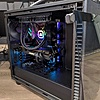
Idk if this is too late or not but I just bought the arctic freezer iii 360mm RGB for my 7800x3D and have it in my Lian Li 011 Vision case, it keeps my CPU cool, my CPU idles at round 35-40c
Like
Helpful
Funny
Not helpful
Sign up for a Slickdeals account to remove this ad.


 & More + Free S&Hat Amazon

Top Comments
Since it is kinda hard to search right away from amazon's search, I got link for all the new products
240mm
Black non-RGB $76.99
https://www.amazon.com/dp/B09VGX1WQH
Black RGB $87.77
https://www.amazon.com/dp/B09VH4M76W
280mm
Black non-RGB $86.23
https://www.amazon.com/ARCTIC-Liq...B09VGXMTK
Black RGB $98.55
https://www.amazon.com/ARCTIC-Liq...B09VH1QDP
White RGB $101.63
https://www.amazon.com/ARCTIC-Liq...B0CKXB56M
360mm
Black non-RGB 90.08
https://www.amazon.com/dp/B09VH1T1C2
Black RGB $107.79
https://www.amazon.com/dp/B0CKXCP1LW
White RGB $110.10
https://www.amazon.com/dp/B09VGMGJ7W
420mm
Black non-RGB $98.55
https://www.amazon.com/ARCTIC-Liq...B09VH34TB
Black RGB $115.49
https://www.amazon.com/ARCTIC-Liq...B09VGXVFJ
White RGB $119.34
https://www.amazon.com/ARCTIC-Liq...B09VGPZ26
https://youtu.be/zfffNRTOZCc
Join The Conversation
Share your experience with the Slickdeals community
Share information with the community. Please follow our Community Guidelines and be kind!
91 Comments
Sign up for a Slickdeals account to remove this ad.
You don't need to do anything to the CPU really, although if you do feel like it you can mess with the PBO tool in the BIOS which will let you tweak some undervolting settings. But outside of benchmarking utilities or highly multithreaded workloads like rendering video, you're probably not going to see much of a noticeable difference messing with undervolting
Again: if you want an AIO you should get one, but as long as your core temps are staying under 89°C at load you're going to not see a performance difference and it's extra money for worse reliability.
Your options are to run a small cooler with fans cranking at same load or larger cooler with more of a silent operation.
There is actually larger coolers out there than 420 but fitting that 420 in that case is pretty slick
Sign up for a Slickdeals account to remove this ad.
This is tempting, though.
(X3D AM4 seems to love being under water)
Would front mount the Arctic to a Fractal Torrent
Sign up for a Slickdeals account to remove this ad.
Join The Conversation
Share your experience with the Slickdeals community
Share information with the community. Please follow our Community Guidelines and be kind!