


popularN3RD_01 posted Jan 11, 2026 06:48 PM
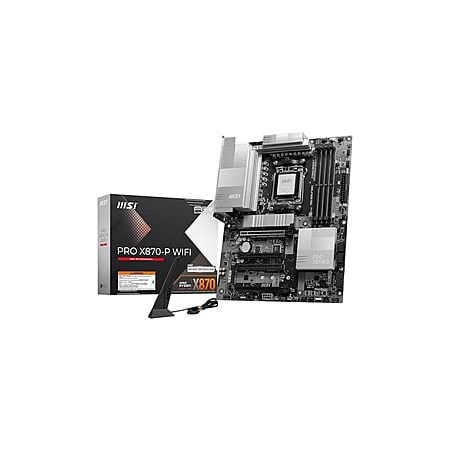
Item 1 of 2
Item 1 of 2
popularN3RD_01 posted Jan 11, 2026 06:48 PM
MSI PRO X870-P WiFi V1 ProSeries Motherboard New; Open Box $145.49
$145
$240
39% offWoot!
Get Deal at Woot!Good Deal
Bad Deal
Save
Share







Leave a Comment
5 Comments
Sign up for a Slickdeals account to remove this ad.
Result below.
Does not seem overly bad to my reading. YMMV
MSI PRO X870-P WiFi V1 Reviews
Positive Feedback
- Reliability and Performance: Many users have praised the MSI PRO X870-P WiFi for its excellent stability and performance, especially with AM5 Ryzen processors and DDR5 memory. "From the first boot, everything felt stable and smooth, whether during gaming sessions or extended workloads."
- Future-Ready Features: The motherboard offers PCIe 5.0 for both M.2 SSDs and the GPU slot, which is a significant plus for future upgrades. "The board handles AM5 Ryzen processors with ease and offers excellent support for DDR5 memory, along with PCIe 5.0, making it a very future-ready platform."
- Built-in Wi-Fi 7: The fast and reliable Wi-Fi 7 has been a highlight for many, ensuring a smooth online experience. "Built-in Wi-Fi 7 has been fast and consistent, providing a smooth online experience for gaming, streaming, and downloads."
- User-Friendly BIOS: MSI's BIOS interface is often described as clean, intuitive, and easy to navigate, even for those new to PC building. "MSI's BIOS interface is clean, intuitive, and easy to navigate."
Mixed Feedback- Port and Lane Sharing Issues: Some users have noted that the board has fewer USB ports and can experience lane sharing issues with multiple M.2 SSDs, which might affect performance. "Depends on how many M2 SSDs you plan to use, because 99% of X870 boards have lane sharing issue."
- Ethernet Port: The 5Gb Ethernet port has been a point of contention, with some users wishing for a 10Gb port instead. "The 5gb port kills me. It should have been a 10gb port especially if you are naming it a pro series board."
Negative Feedback- Specific Issues: A few users have reported issues with the Wi-Fi randomly disconnecting or the board being defective, though these seem to be isolated incidents. "Recently I got the very similar MSP X870 Gaming Wifi Plus. It's a good board but Wifi was disappearing randomly."
- Lack of Features: Some users have expressed disappointment over the lack of certain features like a post code display or support for M.2 SATA drives. "It only has 4 sata ports, no post code display, only 3 nvme slots, very few USB 3 ports, and (for whatever reason) a 5gb ethernet port."
Pricing and ValueOur community has rated this post as helpful. If you agree, why not thank CoolPen7303
The weird supplemental 8 pin hindered the ability to use bottom fans in my case, and I had constant issues with a 9800X3D build. The CPU would only intermittently boost beyond base clock, OC done in BIOS. Very frequent USB disconnects and worst of all driver related crashes - tried multiple clean installs with different sources for the drivers, never resolved. I couldn't use the EXPO profile of my RAM without even more stability issues. I could not get it to run consistently.
Exchanged it for an X870E Aorus Elite, same CPU and RAM with the same settings, system now runs flawlessly.
One 'issue' I've ran across, is that it's not an OCer's/Tweaker's board.
It has most-all the settings for it but, I got frustrated fairly quickly at trying to tweak my 9800X3D and SKHynix DDR5-4800 sticks. After CMOS reset or major settings changes, it takes very long to memory train; taking a solid minute+ to even know if it actually reset/POSTed.
TBF, Most-all AM5 boards have this issue to some degree. -and, it's a non-issue once settings are 'settled-out'.
FYI, X870(non-E) is merely B850 w/ USB4 on the CPUlanes. If that's not attractive, I suggest looking at B850, instead.
IMHO, these X870 boards are best for APUs and F-SKU CPU+NPU SoCs. You 'lose' Gen5 on the CPU-connected slot(s) but the chipset and USB4 lose nothing, both are Gen4x4 uplink.
P.S. The AUX PCIe 8-pin is supplemental PCIe Slot Power. Single-GPU users need-not connect it.
It's there entirely for the whole "AI Ready" branding. ie, being able to supply 75W12V slot-power to PCIe x16 cards in any/all PCI-e slots.
Leave a Comment