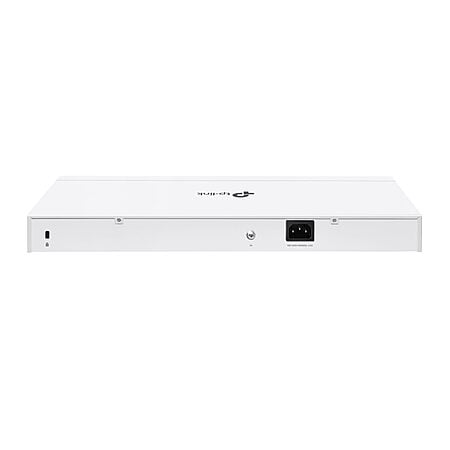
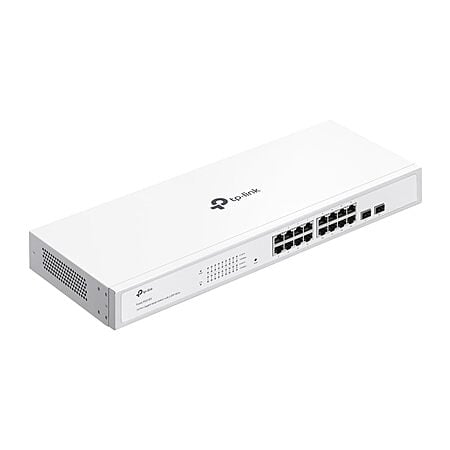
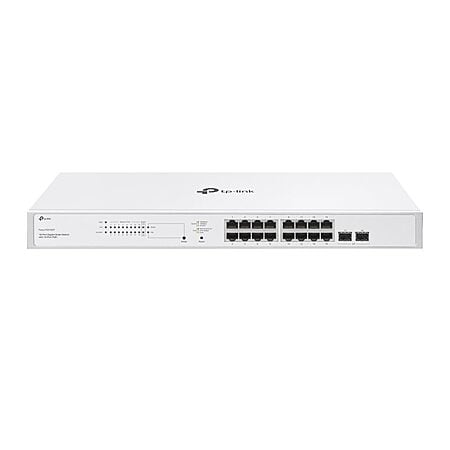
Amazon[amazon.com] has TP-Link Festa FS318G 18 Port Gigabit Smart Managed Network Switch - 16 RJ45 Ports & 2 SFP Slots, Free Cloud Access, Static Routing, Vlan, IGMP Snooping, Rack-mountable, fanless, Does not Work w/Omada on sale for $62.24.
Details:
Brand: TP-Link
Number of Ports: 18
Included Components: Festa FS318G, Installation Guide, Power Cord, Rackmount Kit, Silicone Feet
𝐅𝐥𝐞𝐱𝐢𝐛𝐥𝐞 𝟏𝟖 𝐆𝐢𝐠𝐚𝐛𝐢𝐭 𝐏𝐨𝐫𝐭 𝐂𝐨𝐧𝐟𝐢𝐠𝐮𝐫𝐚𝐭𝐢𝐨𝐧 - 16 x 10/100/1000 Mbps RJ45 ports and 2 x Gigabit SFP Slots to provide high-speeds and reliable connections. Does not support PoE.
𝐂𝐨𝐦𝐩𝐥𝐞𝐭𝐞 𝐁𝐮𝐬𝐢𝐧𝐞𝐬𝐬-𝐂𝐥𝐚𝐬𝐬 𝐄𝐜𝐨𝐬𝐲𝐬𝐭𝐞𝐦 - Festa Self-Organizing Network platform integrates network devices, including switches, access points & routers with consumer-inspired simplicity.
𝐅𝐫𝐞𝐞 𝐂𝐞𝐧𝐭𝐫𝐚𝐥𝐢𝐳𝐞𝐝 𝐂𝐥𝐨𝐮𝐝 - Remote cloud access via the Festa app or web provides essential features for small businesses without the complexity required by larger-scale operation. Centralized cloud management is accessible at no cost from a single interface anywhere, anytime.
𝐃𝐨𝐞𝐬 𝐍𝐨𝐭 𝐰𝐨𝐫𝐤 𝐰𝐢𝐭𝐡 𝐎𝐦𝐚𝐝𝐚 𝐂𝐨𝐧𝐭𝐫𝐨𝐥𝐥𝐞𝐫. 𝐒𝐭𝐚𝐧𝐝𝐚𝐥𝐨𝐧𝐞 𝐌𝐨𝐝𝐞 𝐃𝐨𝐞𝐬 𝐍𝐨𝐭 𝐀𝐩𝐩𝐥𝐲 – Please note all TP-Link Festa Devices do not work with TP-Link Omada Controllers. Festa Devices require Festa Cloud to manage. Standalone mode does not apply.
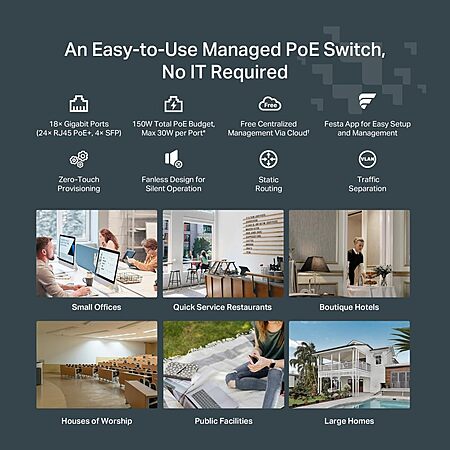
𝐒𝐨𝐟𝐭𝐰𝐚𝐫𝐞 𝐅𝐞𝐚𝐭𝐮𝐫𝐞𝐬 – Festa FS318G supports essential features include VLAN, Access Control, Loopback Detection, IGMP Snooping, and more.
Community Notes
This collaborative space allows users to contribute additional information, tips, and insights to enhance the original deal post. Feel free to share your knowledge and help fellow shoppers make informed decisions.
Amazon[amazon.com] has TP-Link Festa FS318G 18 Port Gigabit Smart Managed Network Switch - 16 RJ45 Ports & 2 SFP Slots, Free Cloud Access, Static Routing, Vlan, IGMP Snooping, Rack-mountable, fanless, Does not Work w/Omada on sale for $62.24.
Details:
Brand: TP-Link
Number of Ports: 18
Included Components: Festa FS318G, Installation Guide, Power Cord, Rackmount Kit, Silicone Feet
𝐅𝐥𝐞𝐱𝐢𝐛𝐥𝐞 𝟏𝟖 𝐆𝐢𝐠𝐚𝐛𝐢𝐭 𝐏𝐨𝐫𝐭 𝐂𝐨𝐧𝐟𝐢𝐠𝐮𝐫𝐚𝐭𝐢𝐨𝐧 - 16 x 10/100/1000 Mbps RJ45 ports and 2 x Gigabit SFP Slots to provide high-speeds and reliable connections. Does not support PoE.
𝐂𝐨𝐦𝐩𝐥𝐞𝐭𝐞 𝐁𝐮𝐬𝐢𝐧𝐞𝐬𝐬-𝐂𝐥𝐚𝐬𝐬 𝐄𝐜𝐨𝐬𝐲𝐬𝐭𝐞𝐦 - Festa Self-Organizing Network platform integrates network devices, including switches, access points & routers with consumer-inspired simplicity.
𝐅𝐫𝐞𝐞 𝐂𝐞𝐧𝐭𝐫𝐚𝐥𝐢𝐳𝐞𝐝 𝐂𝐥𝐨𝐮𝐝 - Remote cloud access via the Festa app or web provides essential features for small businesses without the complexity required by larger-scale operation. Centralized cloud management is accessible at no cost from a single interface anywhere, anytime.
𝐃𝐨𝐞𝐬 𝐍𝐨𝐭 𝐰𝐨𝐫𝐤 𝐰𝐢𝐭𝐡 𝐎𝐦𝐚𝐝𝐚 𝐂𝐨𝐧𝐭𝐫𝐨𝐥𝐥𝐞𝐫. 𝐒𝐭𝐚𝐧𝐝𝐚𝐥𝐨𝐧𝐞 𝐌𝐨𝐝𝐞 𝐃𝐨𝐞𝐬 𝐍𝐨𝐭 𝐀𝐩𝐩𝐥𝐲 – Please note all TP-Link Festa Devices do not work with TP-Link Omada Controllers. Festa Devices require Festa Cloud to manage. Standalone mode does not apply.
𝐒𝐨𝐟𝐭𝐰𝐚𝐫𝐞 𝐅𝐞𝐚𝐭𝐮𝐫𝐞𝐬 – Festa FS318G supports essential features include VLAN, Access Control, Loopback Detection, IGMP Snooping, and more.
What could you do with the managed ports? Is it difficult to configure?
The UnixAdmin is asking?
To answer your question. VLANs. Really helps with QoS when you have a lot of background traffic going on. With unmanaged switches, all traffic gets broadcasted to all ports, and that leads to latency issues.
Not too difficult, but also not too intuitive. I'm sure you can find guides to break it down for you. It's kinda fun once you get the hang of it.
The U.S. government is considering a ban on TP-Link routers due to national security concerns related to the company's ties to China and documented cybersecurity vulnerabilities. If the ban is enacted, it would prevent future sales of TP-Link products in the U.S.
The U.S. government is considering a ban on TP-Link routers due to national security concerns related to the company's ties to China and documented cybersecurity vulnerabilities. If the ban is enacted, it would prevent future sales of TP-Link products in the U.S.
It is a "concern" because it eliminates US companies selling our data instead. Nothing different when it all goes to the same place; data brokers
To answer your question. VLANs. Really helps with QoS when you have a lot of background traffic going on. With unmanaged switches, all traffic gets broadcasted to all ports, and that leads to latency issues.
Not too difficult, but also not too intuitive. I'm sure you can find guides to break it down for you. It's kinda fun once you get the hang of it.
You must be thinking of "all BROADCAST traffic", which is very different from "all traffic". What you're describing would be akin to port mirroring on every port. Regarding broadcast traffic and induced latency, the idea of even broadcasted traffic creating a tangible latency issue on an unmanaged switch isn't a real issue unless you have a configuration or hardware problem resulting in broadcast storm, but that isn't inherently linked to being managed or unmanaged, though the scope could be more limited and/or controlled by a managed switch with appropriate features. But these aren't 'normal' conditions. They're abnormal and indicative of a problem that needs to be identified and resolved.
For UnixAdmin: There are many excellent sources to help understand what a managed switch can offer over unmanaged and the actual feature set and how they are implemented can be found in the manufacturer documentation. VLANs are one of potential advantages of a managed switch, but there are many others (aside from the obvious benefit of being able to connect/login to the switch to manage and monitor it and all ports on it). You CAN use a managed switch in the same manner as an unmanaged switch so there's little downside in owning one, all else being equal.
You must be thinking of "all BROADCAST traffic", which is very different from "all traffic". What you're describing would be akin to port mirroring on every port. Regarding broadcast traffic and induced latency, the idea of even broadcasted traffic creating a tangible latency issue on an unmanaged switch isn't a real issue unless you have a configuration or hardware problem resulting in broadcast storm, but that isn't inherently linked to being managed or unmanaged, though the scope could be more limited and/or controlled by a managed switch with appropriate features. But these aren't 'normal' conditions. They're abnormal and indicative of a problem that needs to be identified and resolved.For UnixAdmin: There are many excellent sources to help understand what a managed switch can offer over unmanaged and the actual feature set and how they are implemented can be found in the manufacturer documentation. VLANs are one of potential advantages of a managed switch, but there are many others (aside from the obvious benefit of being able to connect/login to the switch to manage and monitor it and all ports on it). You CAN use a managed switch in the same manner as an unmanaged switch so there's little downside in owning one, all else being equal.
They may have been thinking of an old school Network hub.
They may have been thinking of an old school Network hub.
and it still wouldn't be an issue with a hub, unless something was 'wrong' that needed to be fixed. We're talking about an 8-port device used at home. A single broadcast domain across all ports wouldn't be the source of a notable latency concern under normal, not-broken, circumstances. So, I'm not sure what they were thinking other than reading things, not understanding them, and repeating them.
Like
Helpful
Funny
Not helpful
Join The Conversation
Share your experience with the Slickdeals community
Share information with the community. Please follow our Community Guidelines and be kind!


 Amazon


Join The Conversation
Share your experience with the Slickdeals community
Share information with the community. Please follow our Community Guidelines and be kind!
13 Comments
Sign up for a Slickdeals account to remove this ad.
To answer your question. VLANs. Really helps with QoS when you have a lot of background traffic going on. With unmanaged switches, all traffic gets broadcasted to all ports, and that leads to latency issues.
Not too difficult, but also not too intuitive. I'm sure you can find guides to break it down for you. It's kinda fun once you get the hang of it.
Our community has rated this post as helpful. If you agree, why not thank
Sign up for a Slickdeals account to remove this ad.
Showed 2 left in stock when I ordered.
To answer your question. VLANs. Really helps with QoS when you have a lot of background traffic going on. With unmanaged switches, all traffic gets broadcasted to all ports, and that leads to latency issues.
Not too difficult, but also not too intuitive. I'm sure you can find guides to break it down for you. It's kinda fun once you get the hang of it.
For UnixAdmin: There are many excellent sources to help understand what a managed switch can offer over unmanaged and the actual feature set and how they are implemented can be found in the manufacturer documentation. VLANs are one of potential advantages of a managed switch, but there are many others (aside from the obvious benefit of being able to connect/login to the switch to manage and monitor it and all ports on it). You CAN use a managed switch in the same manner as an unmanaged switch so there's little downside in owning one, all else being equal.
Join The Conversation
Share your experience with the Slickdeals community
Share information with the community. Please follow our Community Guidelines and be kind!