Update: This popular deal is still available.
Phomemo-YQ via Amazon has
Phomemo D420D 4x6 Bluetooth Thermal Shipping Label Printer on sale for $139.99 - $70 (apply promo code
YYUJZ2LK at checkout) =
$69.99.
Shipping is free.
- Note: You must be logged in to clip coupons and apply promo codes; some codes may be one-time use and may not apply consistently.
Thanks to Deal Hunter
niki4h for finding this deal.
Available:
Features:
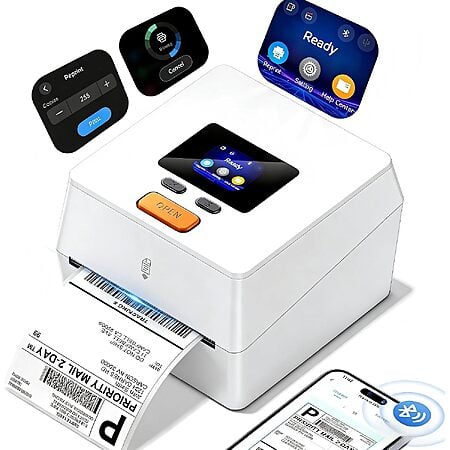
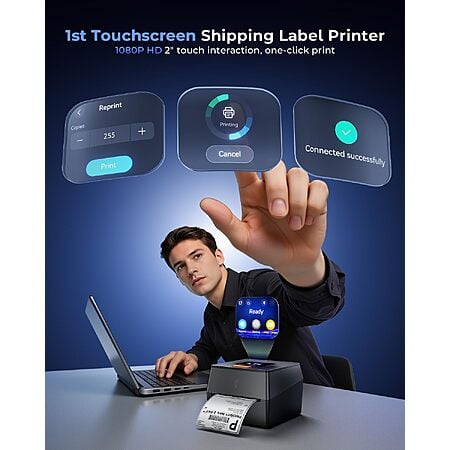
- D420D Phomemo label printer features an upgraded smart touchscreen
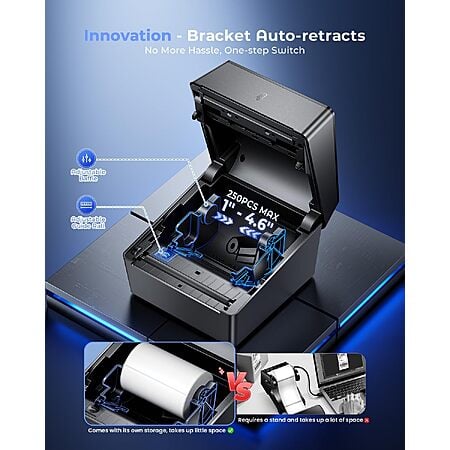
- Features an innovative integrated telescopic built-in label bin that holds up to 250 4x6 roll labels, no external holder needed
- Works seamlessly with Windows, macOS, iOS, and Android devices via Bluetooth 5.0 for true wireless printing
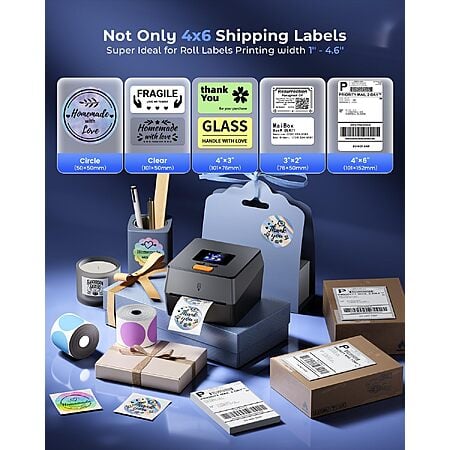
- The D420D thermal label printer supports labels from 1 to 4.6 inches wide, perfect for shipping, address, barcode, retail pricing, inventory, warehouse management and home organization
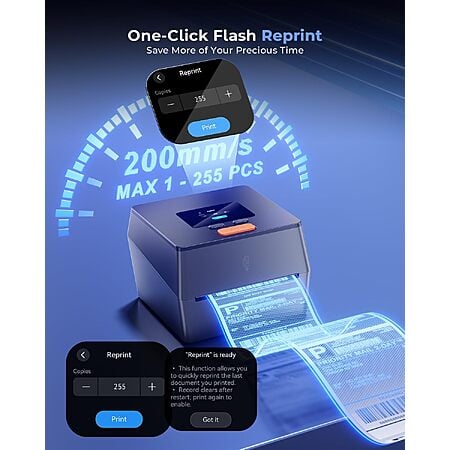
- With a 203 DPI print head and DAC chip, it delivers crisp, clear labels at 72 labels per minute
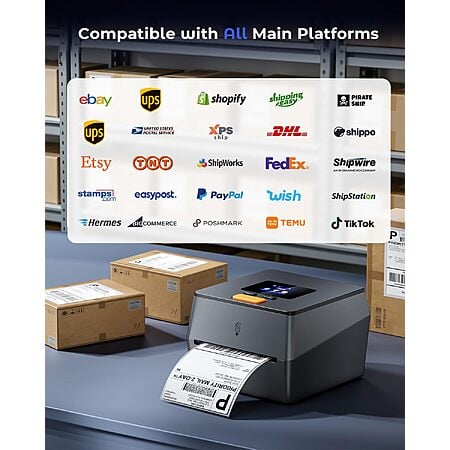
- Seamlessly integrates with major platforms like USPS, UPS, FedEx, Amazon, Tiktok, Shopify, Etsy, eBay, PayPal, and 30+ others, supporting small businesses and home projects as they grow



 + Free S&Hat Amazon


Top Comments
Community Reviews
The D420D is a direct thermal shipping label printer that stands out for easy setup, solid print quality, and generic label support. It can work with community drivers, and the AirPrint style setup avoids installing custom software on a PC. The main tradeoffs are durability and compatibility, since direct thermal labels can fade over time and the roll size may not fit UPS rolls. It also depends on a small vendor app and may need power cycling if the connection drops, making it best for short term shipping labels.
The printer can produce solid output using generic labels instead of requiring only one branded roll.
The setup can avoid installing a PC driver by printing through AirPrint Bonjour DNS-SD drivers.
The workflow can crop labels on the processing server to help achieve a correctly sized print.
The printer can be used for shipping-label workflows where direct thermal fading is acceptable over the short term.
The accepted roll size may be too small for UPS rolls, which can limit compatibility with common supplies.
Direct thermal labels can fade because heat turns the printed image over time.
Direct thermal printing requires special thermal paper or labels and may not suit durable labeling needs.
The printer may lose connection to a PC and require power cycling after a couple hours of use.
Common Questions (5)
AI-generated summary based on comments from the community. Updated ago
Join The Conversation
Share your experience with the Slickdeals community
Share information with the community. Please follow our Community Guidelines and be kind!
30 Comments
Sign up for a Slickdeals account to remove this ad.
Thermal transfer means you need the ribbon, we used to use those at Amazon but I don't think I saw one there past ~2019 or so.
I have a used Zebra LP 2844, still works great. However I only ever printed like 25 labels a month at most with it.
Thermal transfer means you need the ribbon, we used to use those at Amazon but I don't think I saw one there past ~2019 or so.
I have a used Zebra LP 2844, still works great. However I only ever printed like 25 labels a month at most with it.
Thermal transfer means you need the ribbon, we used to use those at Amazon but I don't think I saw one there past ~2019 or so.
I have a used Zebra LP 2844, still works great. However I only ever printed like 25 labels a month at most with it.
Sign up for a Slickdeals account to remove this ad.
You're repeating what I said. But, just FYI, a thermal transfer printer can usually do both: direct thermal AND thermal transfer. If you're doing just shipping labels, then yeah, go with a cheap direct thermal. But, if you think you might start using this for labeling, then definitely you will want a thermal transfer printer. Every barcode we've created with direct thermal is non legible after just half a year.
Is there a $30 that matches this one without the display? Maybe. Does this one have community drivers that let me just hit print without any custom software on my PC? Yup.
The Pi acts as a secure Man In The Middle. You then print using the default AirPrint/Bonjour/DNS-SD driver on your computer.
It also acts as a processing server that crops the label so you get a perfect print.
Sign up for a Slickdeals account to remove this ad.
https://www.amazon.com/dp/B0GGHVZCZF?
Join The Conversation
Share your experience with the Slickdeals community
Share information with the community. Please follow our Community Guidelines and be kind!