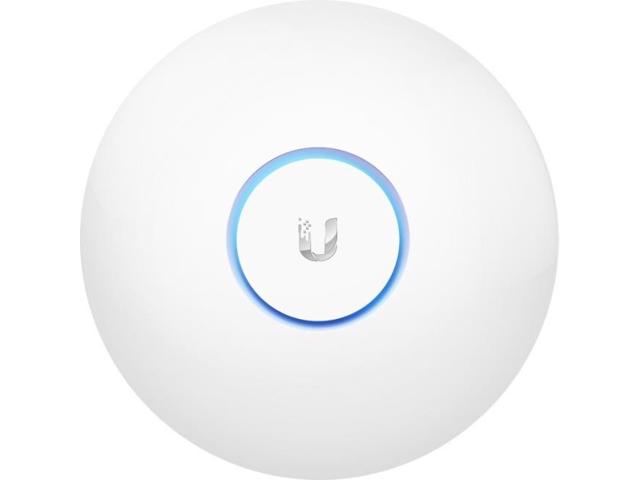
Ubiquiti Networks 802.11ac Long Range Access Point
Expired
$80
$99.99
+ Free Shipping
+48Deal Score
33,903 Views
Newegg has Ubiquiti Networks 802.11ac Long Range Access Point (UAP-AC-LR-US) for $89.99 - $10 w/ promo code EMCXBBRH2 = $79.99. Shipping is free. Thanks sr71
B&H Photo Video also has Ubiquiti Networks 802.11ac Long Range Access Point (UAP-AC-LR-US) for $79.99 when you 'clip' the 11% off coupon on the item page. Shipping is free. Thanks Engineer [discuss]
This is not the case if you mix different APs/Routers. It's up to the client to decide when to handoff, not the router. You can end up holding on to a weak signal for a long time even though you are right next to a different AP - unless the AP has a system in place to force the handoff. Intelligent handoff is not built into to the 802.11n/ac standard.
Several mesh wifi systems also have this feature (e.g. Eero, Google wifi).
Any of these solutions work with varying quality depending on all the pieces in the system. Some people may be fine with two separate ethernet connected APs with no communication between them. Others may have trouble getting a clean handoff or have streams stutter during handoff. It depends on the specific APs/clients you use. My impression is that people have better handoff performance with one of the engineered solutions, but you'd have to search some to find testing.
Massively.
Sign up for a Slickdeals account to remove this ad.
I have 2 they are good. The ones I got were not the most recent version. they didn't support poe +. I suspect that is why they are discounting. Ubnt made a statement on the blog that performance is exactly the same with different power requirements.
I replaced an asus n66u with two of these and the handoff is great. I had modified a router to do the same thing but handoff sucked. The range from one ubnt access point was the same or slightly less than my asus.
I love the access points, cloud key, and switch though. Great for my large remodeled home layout.
this is an access point, not a repeater. it would replace your current wireless router, not extend the range.
if your questions was "would replacing my current router with this give me better range?", that all depends on what you currently have and install locations.
Huh? You don't need it to replace the wireless router. Just use it as an ap and move it further away.
I think the limiting factor is how far you can move it away from the router.
this is an access point, not a repeater. it would replace your current wireless router, not extend the range.
if your questions was "would replacing my current router with this give me better range?", that all depends on what you currently have and install locations.
Sort of, this would not replace your router. You would still need a router and then use this as your wifi access point. They are outstanding products at great prices, however there is some skill involved in the initial setup.
FYI - Newegg had the LITE versions of this AP for $70 last week. I'm kicking myself for missing that deal.
Quote
from psyctto
:
then you have multiple wireless networks... this would not repeat his other wifi router. repeaters act as you describe, an ap would create it's own different ssid from his current wifi router.
There's no need to disable the WiFi router unless you want to fully integrate into the Unifi line with a USG or some other gateway. While technically not a 'repeater', the AP can supplement the WiFi router by using the same SSIDs and passwords for seamless handoff. Just make sure they are far enough apart to limit interference, and running on separate channels.
FYI - Newegg had the LITE versions of this AP for $70 last week. I'm kicking myself for missing that deal.
There's no need to disable the WiFi router unless you want to fully integrate into the Unifi line with a USG or some other gateway. While technically not a 'repeater', the AP can supplement the WiFi router by using the same SSIDs and passwords for seamless handoff. Just make sure they are far enough apart to limit interference, and running on separate channels.


138 Comments
Your comment cannot be blank.
Featured Comments
Unifi (And several other companies) have engineered solutions within the AP where they can communicate with each other and handoff clients. There are multiple ways to do it as well. Some work better than others:
https://help.ubnt.com/hc/en-us/ar...o-Handoff-
https://help.ubnt.com/hc/en-us/ar...5004662107
Several mesh wifi systems also have this feature (e.g. Eero, Google wifi).
Any of these solutions work with varying quality depending on all the pieces in the system. Some people may be fine with two separate ethernet connected APs with no communication between them. Others may have trouble getting a clean handoff or have streams stutter during handoff. It depends on the specific APs/clients you use. My impression is that people have better handoff performance with one of the engineered solutions, but you'd have to search some to find testing.
Sign up for a Slickdeals account to remove this ad.
I replaced an asus n66u with two of these and the handoff is great. I had modified a router to do the same thing but handoff sucked. The range from one ubnt access point was the same or slightly less than my asus.
I love the access points, cloud key, and switch though. Great for my large remodeled home layout.
if your questions was "would replacing my current router with this give me better range?", that all depends on what you currently have and install locations.
I think the limiting factor is how far you can move it away from the router.
if your questions was "would replacing my current router with this give me better range?", that all depends on what you currently have and install locations.
Sign up for a Slickdeals account to remove this ad.
More info here - https://community.ubnt.
Would have thought a stand alone device (the AP) would do it's job better than an all-in-one device (the Asus WiFi router) that also does WiFi.
There's no need to disable the WiFi router unless you want to fully integrate into the Unifi line with a USG or some other gateway. While technically not a 'repeater', the AP can supplement the WiFi router by using the same SSIDs and passwords for seamless handoff. Just make sure they are far enough apart to limit interference, and running on separate channels.
More info here - https://community.ubnt.
Update. This may or may not support 803.2at.
https://community.ubnt.