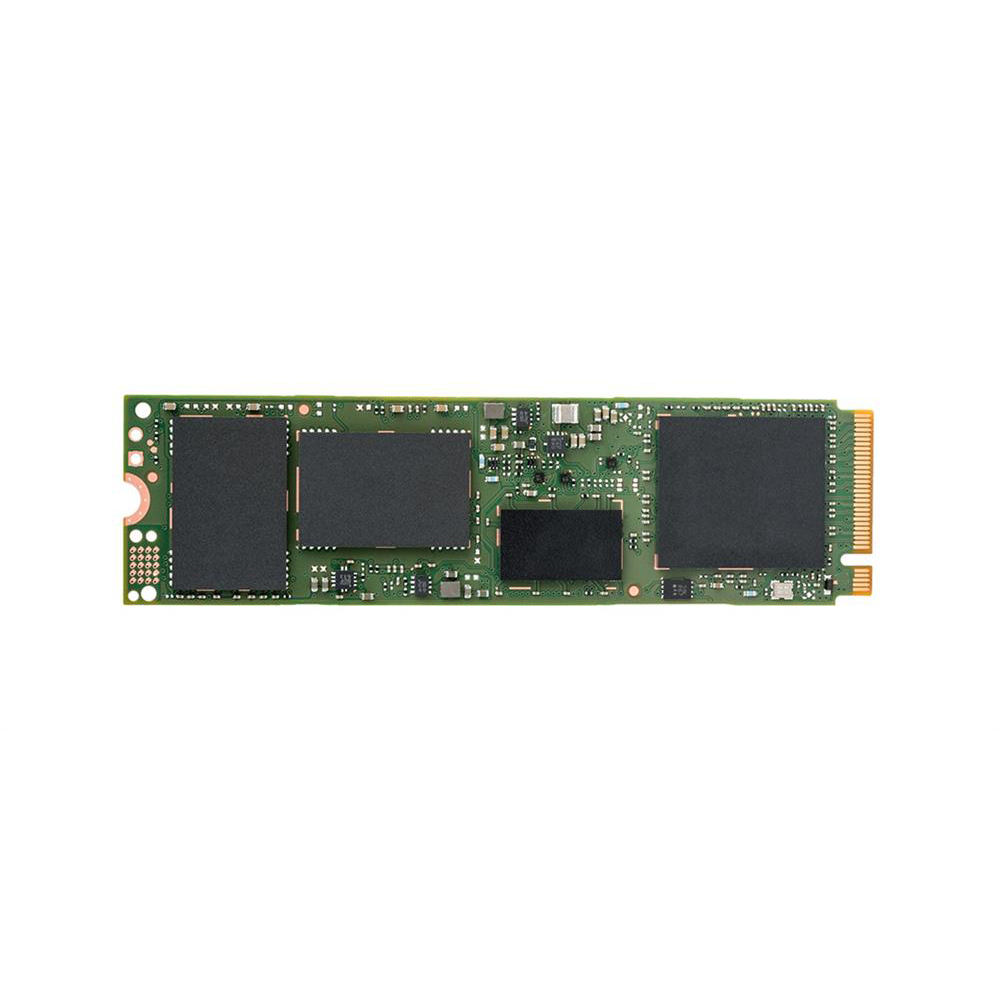
360GB Intel SSD Pro 6000p Series M.2 PCI Express 3.0 NVMe SSD
Expired
$95
+ Free Shipping
+72Deal Score
45,115 Views
MyDigitalDiscount.com has 360GB Intel SSD Pro 6000p Series M.2 PCI Express 3.0 x4 NVMe Solid State Drive (SSDPEKKF360G7H) on sale for $94.99 w/ promotional code 15OFF360. Shipping is free. Thanks iconian
No Longer Available:
MyDigitalDiscount.com has 360GB Intel SSD Pro 5400s Series M.2 SATA III Solid State Drive (SSDSCKKF360H6H) on sale for $74.99 w/ promotional code 15OFF360. Shipping is free.
M.2 is the connector, so the slots are the same. Some motherboards might accept SATA, but not always PCIe. Check your manual. Newer laptops with the available m.2 storage slot should be able to accommodate PCIe NVMe drive.
Also, make sure that your laptop can accept 2280 drive. Some can only fit m.2 2242, or very rare 2260, which are shorter.
Apple uses a proprietary connector for their SSDs. Looks like M.2 but isn't. On top of that, a few years back they added some sort of encryption to the bus traffic. So far I only know of one company that's managed to reverse engineer it (and it took them nearly 2 years to do it). So they're your only choice for replacement SSDs for Macbooks. Prices are north of 50 cents/GB.
The most recent generation of MBPs have their storage soldered to the motherboard, so can't be upgraded at all. Apple wants you to spend even more money to buy a new laptop.
M.2 connectors look similar but can be keyed different ways, each of which brings a different combination of signals to the connector. The following article describes the differences.
Unfortunately, laptop manufacturers don't always describe what their M.2 slots support. Regarding the Dell 9560, I found one review that says the M.2 slot is a 4-PCIe lane type which should support the SATA interface unless Dell has decided to not implement the full M-key spec
Uh, no. m.2 SATA III uses a different connector than m.2 PCIE NVME.
M.2 is the connector, so the slots are the same. Some motherboards might accept SATA, but not always PCIe. Check your manual. Newer laptops with the available m.2 storage slot should be able to accommodate PCIe NVMe drive.
Also, make sure that your laptop can accept 2280 drive. Some can only fit m.2 2242, or very rare 2260, which are shorter.
M.2 is the connector, so the slots are the same. Some motherboards might accept SATA, but not always PCIe. Check your manual. Newer laptops with the available m.2 storage slot should be able to accommodate PCIe NVMe drive.
Also, make sure that your laptop can accept 2280 drive. Some can only fit m.2 2242, or very rare 2260, which are shorter.
M.2 connectors look similar but can be keyed different ways, each of which brings a different combination of signals to the connector. The following article describes the differences.
Unfortunately, laptop manufacturers don't always describe what their M.2 slots support. Regarding the Dell 9560, I found one review that says the M.2 slot is a 4-PCIe lane type which should support the SATA interface unless Dell has decided to not implement the full M-key spec
M.2 connectors look similar but can be keyed different ways, each of which brings a different combination of signals to the connector. The following article describes the differences.
Unfortunately, laptop manufacturers don't always describe what their M.2 slots support. Regarding the Dell 9560, I found one review that says the M.2 slot is a 4-PCIe lane type which should support the SATA interface unless Dell has decided to not implement the full M-key spec


64 Comments
Your comment cannot be blank.
Featured Comments
Also, make sure that your laptop can accept 2280 drive. Some can only fit m.2 2242, or very rare 2260, which are shorter.
https://eshop.macsales.
The most recent generation of MBPs have their storage soldered to the motherboard, so can't be upgraded at all. Apple wants you to spend even more money to buy a new laptop.
https://arstechnica.com/gadgets/2015/02/understanding-m-2-the-interface-that-will-speed-up-your-next... [arstechnica.com]
Unfortunately, laptop manufacturers don't always describe what their M.2 slots support. Regarding the Dell 9560, I found one review that says the M.2 slot is a 4-PCIe lane type which should support the SATA interface unless Dell has decided to not implement the full M-key spec
https://www.notebookche
Sign up for a Slickdeals account to remove this ad.
M.2 is the connector, so the slots are the same. Some motherboards might accept SATA, but not always PCIe. Check your manual. Newer laptops with the available m.2 storage slot should be able to accommodate PCIe NVMe drive.
Also, make sure that your laptop can accept 2280 drive. Some can only fit m.2 2242, or very rare 2260, which are shorter.
Sign up for a Slickdeals account to remove this ad.
Also, make sure that your laptop can accept 2280 drive. Some can only fit m.2 2242, or very rare 2260, which are shorter.
https://arstechnica.com/gadgets/2015/02/understanding-m-2-the-interface-that-will-speed-up-your-next... [arstechnica.com]
Unfortunately, laptop manufacturers don't always describe what their M.2 slots support. Regarding the Dell 9560, I found one review that says the M.2 slot is a 4-PCIe lane type which should support the SATA interface unless Dell has decided to not implement the full M-key spec
https://www.notebookche
Wrong. The slots are the same, it just depends if your motherboard supports it or not
https://arstechnica.com/gadgets/2015/02/understanding-m-2-the-interface-that-will-speed-up-your-next... [arstechnica.com]
Unfortunately, laptop manufacturers don't always describe what their M.2 slots support. Regarding the Dell 9560, I found one review that says the M.2 slot is a 4-PCIe lane type which should support the SATA interface unless Dell has decided to not implement the full M-key spec
https://www.notebookche
Excerpt from the 9560 manual:
Table 1. Storage specifications.
The following table provides the different storage options available on your computer.
Interface SATA 3 GbpsSATA 6 Gbps
PCIE Gen 3
Hard drive One 2.5-inch drive
Solid-state drive One M.2 drive