Did this coupon
work for you?
work for you?


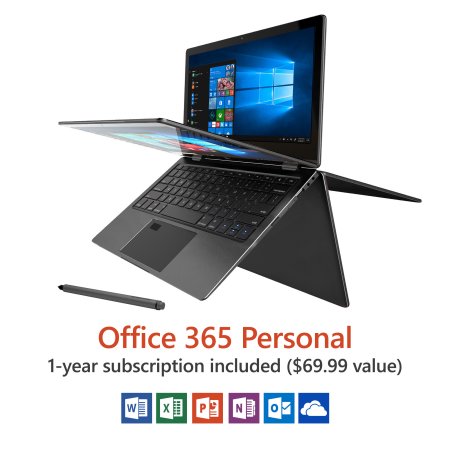
| Manufacturer: | Direkt-Tek |
| Model Number: | DTLAPY116-2-BK |
| UPC: | 827396534281 |
|
Quote
from savemoney2008
I tried the suggestion from one of the poster. MiniTool Partition Wizard, free version. Seems very straight forward. It has option to move OS from one disk to another.  :
:
The only issue I have is that after moving to the M.2, I had problem creating new user in the account. I ended up using an alternative method to create more accounts. To get into the bios, I press and hold the "ESC" during booting. That way you can choose which "drive" to boot from. I am just passing along the tricks other people post. |
|
Quote
from mmarcoux66
Macrium Reflect is great for cloning the disk to a new disk. Like Norton Ghost but free. Used it many times.
:
https://www.macrium.com/reflectfree |
|
Quote
from josephclemente
For those of you who clean installed Windows, here is how to get Tablet Mode hinge detection working properly:
:
Get the driver package from Trekstor.de here: http://www.trekstor.de/products/2...#Downloads The Trekstor Primebook C11 is the same laptop. Their driver package has the files I couldn't find in Direkt-Tek's driver package. To disable the touchpad while in Tablet Mode, run "SIPO_TP_Controller_SETUP_V1-0-1-2.exe", which is found in the driver package folder "SIPO-SP". From folder "HingeAngleService", copy "HingeAngleService.exe" to your Windows\System32 folder. Open Powershell or Command Prompt as ADMINISTRATOR. Make sure you are in the Windows\system32 folder and type HingeAngleService.exe -install PS C:\Windows\system32> HingeAngleService.exe -install Hinge angle service V1.0 Service DACL updated successfully Service startup updated successfully. Service description updated successfully. Service failure actions updated successfully. AFTER the service is installed, double click "HingeAngleService.reg" to have the needed data added to your Registry. Restart the machine. If Tablet Mode does not work when you fold the laptop, check your services and make sure "Hinge Angle Detection" Startup type is set to "Automatic". Three devices in Device Manager will likely need drivers, they can be updated from the extracted Trekstor driver folder. EDIT: Simply executing "installDriver.bat" from the Trekstor.de driver package mentioned above will do it all for you, in addition to all the other drivers if you want the full package. |
|
Quote
from LargeJames
Had an issue with updates, computer got stuck in a boot loop. Was able to work my way through it so I figured I'd post here with my steps in case it helps anyone else.
:
Computer would boot into recovery mode, but wouldn't recover. Clicked on Troubleshoot, clicked on command prompt. entered following text (make sure you use the correct brackets) bcdedit /set {default} safeboot minimal after the reboot, i went into the bios and changed the first boot option from Windows Boot Manager (or Recovery, dont recall) to the hard drive that crashed. rebooted, it booted into safe mode and finished updates. |
|
Quote
from LargeJames
Also had an issue after updates during shut down or reboot "This app is preventing shutdown / This app is preventing you from restarting / This app is preventing you from signing out." and it looked like the touchpad drivers/program.
:
Edited the registry to allow windows to end tasks for shutdown. Run - regedit Navigate to HKEY_CURRENT_USER\Control Panel\Desktop Add new string AutoEndTasks edit string, set value to 1 after restart changes will be in place. |

The link has been copied to the clipboard.

477 Comments
Your comment cannot be blank.
Featured Comments
this is a good laptop
Sign up for a Slickdeals account to remove this ad.
this is a good laptop
https://www.walmart.com/ip/11-6-C...thena=true
https://www.walmart.com/ip/11-6-C...thena=true [walmart.com]
Sign up for a Slickdeals account to remove this ad.
Source?