Slickdeals is community-supported. We may get paid by brands for deals, including promoted items.
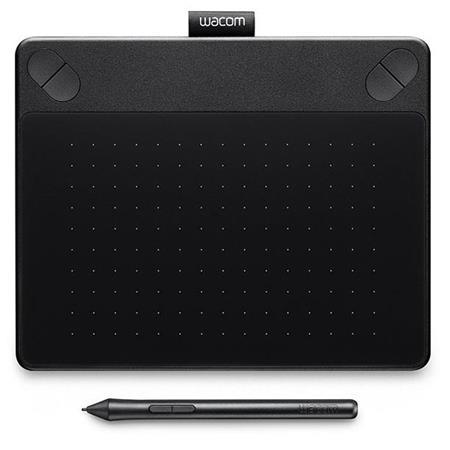
SlickdealsForumsDeal TalkWacom Intuos Art Pens (refurb): Intuos Art Pen and Touch Tablet $52.50, Medium $112.50, Pro Pen and Touch Tablet $142.50 + free s/h
ahh yes, ill buy this and place it on my shelf, never to be used. itll go nicely with the copy of the adobe suite i never opened and the $3000 canon from costco that still sits in its box.
Sign up for a Slickdeals account to remove this ad.
This comment has been rated as unhelpful by Slickdeals users
are these things good about not recognizing a resting palm on it when drawing and holding the pen at an angle naturally? I used to love to sketch and I do some photo editing in LR and PS these days and wondering if any of these may allow me to do more precise editing as well as get back into sketching. Any recommendation on which one (like the med vs pro pen small)?
Quote
from DeeeGeeEs
:
No they will not. Unsure if you're joking.
Incase you are not joking:
If you're into photo editing or drawing on a PC though, these are fun.
ahh yes, ill buy this and place it on my shelf, never to be used. itll go nicely with the copy of the adobe suite i never opened and the $3000 canon from costco that still sits in its box.
How are these with Lightroom? Does this increase workflow or just give a little more control?
Depends. The main benefit of using tablets is for greater control when you edit your photos, either in Lightroom or Photoshop. It will, however, increase your editing speed and accuracy compared to using a mouse.
Improving your workflow would be based more on your grading and general editing process. You would use this tablet for great control to fine-tune the final edit. Or any tablet for that matter. I just bought a Huion H610 Pro tablet for editing as well, for a little less than $50.
I tried using a Wacom tablet previously for photo editing, but I'm so used to the mouse that I found it really really difficult. I know people say to put the mouse away and just force yourself to learn via the tablet.
These sound like pretty good prices...might try it again.
I don't have a Wacom but I do own the large monoprice version. Take a bit to get used to but the added control when editing photos is so nice. Also you can map shortcuts , adjust pen pressure,etc.
I've always been curious about these. Is the transition to not seeing where your pen strokes are in relation to looking to the screen easy to get used to versus using a pen on paper where you will see where the marks will be?
I've always been curious about these. Is the transition to not seeing where your pen strokes are in relation to looking to the screen easy to get used to versus using a pen on paper where you will see where the marks will be?
It definitely takes some getting used to but even as a beginner you will get far better results with this over a mouse
Anyone have one of these and use it for art as opposed to just photo editing? My daughter is really into art and she's been considering learning to draw digitally as well. Also, how does this compare to a Surface laptop as far as abilities? I have a Surface that I've offered to let my daughter use but I think she's just afraid she might damage it so I thought this might be a good alternative for her to learn on that supports real drawing capabilities.



30 Comments
Your comment cannot be blank.
Featured Comments
Sign up for a Slickdeals account to remove this ad.
No they will not. Unsure if you're joking.
Incase you are not joking:
If you're into photo editing or drawing on a PC though, these are fun.
Incase you are not joking:
If you're into photo editing or drawing on a PC though, these are fun.
Incase you are not joking:
If you're into photo editing or drawing on a PC though, these are fun.
I wasn't joking, thanks for the reply. Going to buy the one for $58 and give it a shot.
Improving your workflow would be based more on your grading and general editing process. You would use this tablet for great control to fine-tune the final edit. Or any tablet for that matter. I just bought a Huion H610 Pro tablet for editing as well, for a little less than $50.
Sign up for a Slickdeals account to remove this ad.
These sound like pretty good prices...might try it again.
It definitely takes some getting used to but even as a beginner you will get far better results with this over a mouse