Did this coupon
work for you?
work for you?


| Rating: | (4.8 out of 5 stars) |
| Reviews: | 29 eBay Reviews |
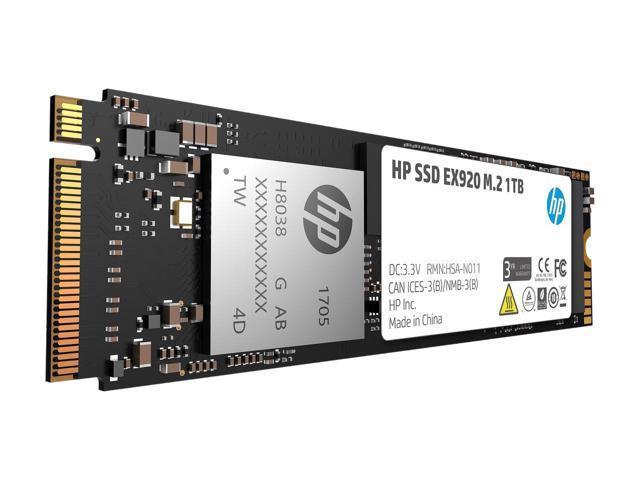
| Product Name: | HP EX920 M.2 1TB PCIe 3.0 x4 NVMe 3D TLC NAND Internal Solid State Drive (SSD) |
| Product Description: | New: A brand-new, unused, unopened, undamaged item in its original packaging (where packaging is applicable). Packaging should be the same as what is found in a retail store, unless the item is handmade or was packaged by the manufacturer in non-retail packaging, such as an unprinted box or plastic bag. See the seller's listing for full details. |
| Product SKU: | ebay_382454374689 |
| UPC: | 192018318373 |

The link has been copied to the clipboard.

67 Comments
Your comment cannot be blank.
Featured Comments
https://slickdeals.net/f/12430660-hp-ex920-m-2-512gb-pcie-3-0-x4-nvme-3d-tlc-newegg-via-ebay-79-99
12-13-2018, 08:11 PM
siberstorm27
L5: Journeyman
Member since
Jun 2013
Posts 668
Reputation 338
Followers 1
>> Quote from Vapour :
>> Not trying to cover for HP, but this is not uncommon, I have seen a bunch of motherboards reporting wrong temp all the time and manufacturers don't want to bother to update bios to fix them. You have choices to make. Either return them, >> which is a hassle in most cases, or just find a way to correctly check temp.
>> You will be surprised most customer service nowadays are useless... You can do whatever you want but I would not consider this is a deal breaker.
Umm no you are wrong. Those are usually secondary chips on motherboards no one cares about and don't go above 40c anyway. An nvme ssd with sensitive user data and the OS itself that can get very hot very quickly having a broken temperature sensor is downright ludicrous.
===========================================================
PS: I already met three slickdeals members who seemed NOT to get my points.
My post/complaint is NOT about the drive's actual temperature. It's about
(1) The drive's firmware is defective (always reporting 54C) and cannot report actual temperature
(2) HP's response (see my quotes from the HP forum) is unacceptable
===========================================================
I post this message to EVERY recent HP EX920 SSD thread to make sure it reaches as many HP EX920 SSD buyers as possible. Hope this message helps.
SORRY if someone else already posted similar topic in this thread before. I searched "EX920 54" at slickdeals and found no related posts. I have no time to check all posts in all related threads one by time. Thanks for your understanding.
I bought an HP EX 920 512GB SSD last month from newegg at ebay. The drive's temperature was ALWAYS 54C (54°C). I googled online, found quite a few reports of the same symptom (both English and Chinese), found no solution. I ended up returning the drive to newegg.
Some related reading:
================================
(1) Shame on you, HP!
https://h30434.www3.hp.
wheyluhai
12-06-2018 04:49 PM - edited 12-06-2018 06:00 PM
To keep everyone posted, I received a message from another HP Tech who requested my contact info, serial number, part number and description of issue. Lets see if this goes anywhere!
Edit: If we can't get this resolved I can defintely imagine many people sadly returning their ex920 1tb drives and buying another brand. What I'm most surprised about is that there is no support, drivers or information about this drive on the HP website. The part number and serial numbers aren't even recognized. Meaning no firmware updates etc, whereas most other competing brands offer drive management software as well as firmware updates.
Update 1: They asked me for a serial number or part number of my PC...what?... Hopes for resolving this issue have fallen.
Update 2: This was the tech's response (lol?):
"While further researching your question I have found some great information so you no longer need to worry or be concerned. Per my research online I found that Most SSDs are rated for running within a temperature range of 0ºC up to a max temp of 70ºC (32ºF to 158ºF). " I promptly replied that the reported value of 54 deg C was not the issue, rather it is the fact that there is no way of telling what the actual tempterature of the drive is because it definitely is not reporting accurately. There is a problem with the SMART reporting within this drive. The raw value for the temperature index is incorrectly static.
--------------------------------------------
ohnggni
12-07-2018 07:43 AM - edited 12-07-2018 07:47 AM
I've already know there are a lot of pepple who have the same problem. I was noticed this product is supposed to be supported SMART function as indicated on the package and so far I never received any satisfied answer. I have no idea why HP is ignoring customers' inquiries like that. Please explain it. This is NEVER only my problem. Already tremendous people experience the same one and HP have to answer.
--------------------------------------------
bionic_keyboard
12-07-2018 04:28 PM - edited 12-07-2018 04:30 PM
@Wheyluhai
I recieved the exact same message about the temperature being within normal operating temp. I also responded that that isn't the problem but the fact that the temperature wasn't reporting correctly or changing at all. I'm pretty concerened with HP's ability to solve this problem especially since I doubt they will push out a firmware update that we will have access to.
--------------------------------------------
Jeffk67
12-07-2018 05:56 PM
I received the same response. That's very irresponsible.
I questioned them and this is what I heard back:
"Since it is currently running at a normal temperature, I would not worry. If there were to be a thermal event you would reach out at that time. "
HP, are you treating your customres like idiots? Should i only reach out when my house burns down?
================================
(2) Another report (in Chinese)
https://www.chiphell.co
(3) It seemed some HP EX920 batch in China had firmware or simply quality problem. Here's another discussion (in Chinese) for your reference. Remeber newegg is currently Chinese company (correct me if I am wrong) so its merchandise source might be the same as of those discussed in the Chinese forum.
https://www.chiphell.co
Hope this post helps.
Also, here is a screenshot of my laptop, no temps for the SSD, but showing HDD:
https://i.imgur.com/AbVTchR.png
EDIT: Upon using CrystalDiskInfo I was able to see the SSD temps at 30C:
https://i.imgur.com/pP2wi7t.png
Sign up for a Slickdeals account to remove this ad.
https://slickdeals.net/f/12430660-hp-ex920-m-2-512gb-pcie-3-0-x4-nvme-3d-tlc-newegg-via-ebay-79-99
12-13-2018, 08:11 PM
siberstorm27
L5: Journeyman
Member since
Jun 2013
Posts 668
Reputation 338
Followers 1
>> Quote from Vapour :
>> Not trying to cover for HP, but this is not uncommon, I have seen a bunch of motherboards reporting wrong temp all the time and manufacturers don't want to bother to update bios to fix them. You have choices to make. Either return them, >> which is a hassle in most cases, or just find a way to correctly check temp.
>> You will be surprised most customer service nowadays are useless... You can do whatever you want but I would not consider this is a deal breaker.
Umm no you are wrong. Those are usually secondary chips on motherboards no one cares about and don't go above 40c anyway. An nvme ssd with sensitive user data and the OS itself that can get very hot very quickly having a broken temperature sensor is downright ludicrous.
===========================================================
PS: I already met three slickdeals members who seemed NOT to get my points.
My post/complaint is NOT about the drive's actual temperature. It's about
(1) The drive's firmware is defective (always reporting 54C) and cannot report actual temperature
(2) HP's response (see my quotes from the HP forum) is unacceptable
===========================================================
I post this message to EVERY recent HP EX920 SSD thread to make sure it reaches as many HP EX920 SSD buyers as possible. Hope this message helps.
SORRY if someone else already posted similar topic in this thread before. I searched "EX920 54" at slickdeals and found no related posts. I have no time to check all posts in all related threads one by time. Thanks for your understanding.
I bought an HP EX 920 512GB SSD last month from newegg at ebay. The drive's temperature was ALWAYS 54C (54°C). I googled online, found quite a few reports of the same symptom (both English and Chinese), found no solution. I ended up returning the drive to newegg.
Some related reading:
================================
(1) Shame on you, HP!
https://h30434.www3.hp.
wheyluhai
12-06-2018 04:49 PM - edited 12-06-2018 06:00 PM
To keep everyone posted, I received a message from another HP Tech who requested my contact info, serial number, part number and description of issue. Lets see if this goes anywhere!
Edit: If we can't get this resolved I can defintely imagine many people sadly returning their ex920 1tb drives and buying another brand. What I'm most surprised about is that there is no support, drivers or information about this drive on the HP website. The part number and serial numbers aren't even recognized. Meaning no firmware updates etc, whereas most other competing brands offer drive management software as well as firmware updates.
Update 1: They asked me for a serial number or part number of my PC...what?... Hopes for resolving this issue have fallen.
Update 2: This was the tech's response (lol?):
"While further researching your question I have found some great information so you no longer need to worry or be concerned. Per my research online I found that Most SSDs are rated for running within a temperature range of 0ºC up to a max temp of 70ºC (32ºF to 158ºF). " I promptly replied that the reported value of 54 deg C was not the issue, rather it is the fact that there is no way of telling what the actual tempterature of the drive is because it definitely is not reporting accurately. There is a problem with the SMART reporting within this drive. The raw value for the temperature index is incorrectly static.
--------------------------------------------
ohnggni
12-07-2018 07:43 AM - edited 12-07-2018 07:47 AM
I've already know there are a lot of pepple who have the same problem. I was noticed this product is supposed to be supported SMART function as indicated on the package and so far I never received any satisfied answer. I have no idea why HP is ignoring customers' inquiries like that. Please explain it. This is NEVER only my problem. Already tremendous people experience the same one and HP have to answer.
--------------------------------------------
bionic_keyboard
12-07-2018 04:28 PM - edited 12-07-2018 04:30 PM
@Wheyluhai
I recieved the exact same message about the temperature being within normal operating temp. I also responded that that isn't the problem but the fact that the temperature wasn't reporting correctly or changing at all. I'm pretty concerened with HP's ability to solve this problem especially since I doubt they will push out a firmware update that we will have access to.
--------------------------------------------
Jeffk67
12-07-2018 05:56 PM
I received the same response. That's very irresponsible.
I questioned them and this is what I heard back:
"Since it is currently running at a normal temperature, I would not worry. If there were to be a thermal event you would reach out at that time. "
HP, are you treating your customres like idiots? Should i only reach out when my house burns down?
================================
(2) Another report (in Chinese)
https://www.chiphell.co
(3) It seemed some HP EX920 batch in China had firmware or simply quality problem. Here's another discussion (in Chinese) for your reference. Remeber newegg is currently Chinese company (correct me if I am wrong) so its merchandise source might be the same as of those discussed in the Chinese forum.
https://www.chiphell.co
Hope this post helps.
https://www.ebay.com/itm/HP-EX920...2454374
COUPON: PICKUPSALE
Sorry my friend, you clearly haven't Googled the phrase "nvme thermal throttling"....
https://slickdeals.net/f/12430660-hp-ex920-m-2-512gb-pcie-3-0-x4-nvme-3d-tlc-newegg-via-ebay-79-99
12-13-2018, 08:11 PM
siberstorm27
L5: Journeyman
Member since
Jun 2013
Posts 668
Reputation 338
Followers 1
>> Quote from Vapour :
>> Not trying to cover for HP, but this is not uncommon, I have seen a bunch of motherboards reporting wrong temp all the time and manufacturers don't want to bother to update bios to fix them. You have choices to make. Either return them, >> which is a hassle in most cases, or just find a way to correctly check temp.
>> You will be surprised most customer service nowadays are useless... You can do whatever you want but I would not consider this is a deal breaker.
Umm no you are wrong. Those are usually secondary chips on motherboards no one cares about and don't go above 40c anyway. An nvme ssd with sensitive user data and the OS itself that can get very hot very quickly having a broken temperature sensor is downright ludicrous.
===========================================================
PS: I already met three slickdeals members who seemed NOT to get my points.
My post/complaint is NOT about the drive's actual temperature. It's about
(1) The drive's firmware is defective (always reporting 54C) and cannot report actual temperature
(2) HP's response (see my quotes from the HP forum) is unacceptable
===========================================================
I post this message to EVERY recent HP EX920 SSD thread to make sure it reaches as many HP EX920 SSD buyers as possible. Hope this message helps.
SORRY if someone else already posted similar topic in this thread before. I searched "EX920 54" at slickdeals and found no related posts. I have no time to check all posts in all related threads one by time. Thanks for your understanding.
I bought an HP EX 920 512GB SSD last month from newegg at ebay. The drive's temperature was ALWAYS 54C (54°C). I googled online, found quite a few reports of the same symptom (both English and Chinese), found no solution. I ended up returning the drive to newegg.
Some related reading:
================================
(1) Shame on you, HP!
https://h30434.www3.hp.
wheyluhai
12-06-2018 04:49 PM - edited 12-06-2018 06:00 PM
To keep everyone posted, I received a message from another HP Tech who requested my contact info, serial number, part number and description of issue. Lets see if this goes anywhere!
Edit: If we can't get this resolved I can defintely imagine many people sadly returning their ex920 1tb drives and buying another brand. What I'm most surprised about is that there is no support, drivers or information about this drive on the HP website. The part number and serial numbers aren't even recognized. Meaning no firmware updates etc, whereas most other competing brands offer drive management software as well as firmware updates.
Update 1: They asked me for a serial number or part number of my PC...what?... Hopes for resolving this issue have fallen.
Update 2: This was the tech's response (lol?):
"While further researching your question I have found some great information so you no longer need to worry or be concerned. Per my research online I found that Most SSDs are rated for running within a temperature range of 0ºC up to a max temp of 70ºC (32ºF to 158ºF). " I promptly replied that the reported value of 54 deg C was not the issue, rather it is the fact that there is no way of telling what the actual tempterature of the drive is because it definitely is not reporting accurately. There is a problem with the SMART reporting within this drive. The raw value for the temperature index is incorrectly static.
--------------------------------------------
ohnggni
12-07-2018 07:43 AM - edited 12-07-2018 07:47 AM
I've already know there are a lot of pepple who have the same problem. I was noticed this product is supposed to be supported SMART function as indicated on the package and so far I never received any satisfied answer. I have no idea why HP is ignoring customers' inquiries like that. Please explain it. This is NEVER only my problem. Already tremendous people experience the same one and HP have to answer.
--------------------------------------------
bionic_keyboard
12-07-2018 04:28 PM - edited 12-07-2018 04:30 PM
@Wheyluhai
I recieved the exact same message about the temperature being within normal operating temp. I also responded that that isn't the problem but the fact that the temperature wasn't reporting correctly or changing at all. I'm pretty concerened with HP's ability to solve this problem especially since I doubt they will push out a firmware update that we will have access to.
--------------------------------------------
Jeffk67
12-07-2018 05:56 PM
I received the same response. That's very irresponsible.
I questioned them and this is what I heard back:
"Since it is currently running at a normal temperature, I would not worry. If there were to be a thermal event you would reach out at that time. "
HP, are you treating your customres like idiots? Should i only reach out when my house burns down?
================================
(2) Another report (in Chinese)
https://www.chiphell.co
(3) It seemed some HP EX920 batch in China had firmware or simply quality problem. Here's another discussion (in Chinese) for your reference. Remeber newegg is currently Chinese company (correct me if I am wrong) so its merchandise source might be the same as of those discussed in the Chinese forum.
https://www.chiphell.co
Hope this post helps.
Nice job
Sign up for a Slickdeals account to remove this ad.
https://slickdeals.net/f/12430660-hp-ex920-m-2-512gb-pcie-3-0-x4-nvme-3d-tlc-newegg-via-ebay-79-99
12-13-2018, 08:11 PM
siberstorm27
L5: Journeyman
Member since
Jun 2013
Posts 668
Reputation 338
Followers 1
>> Quote from Vapour :
>> Not trying to cover for HP, but this is not uncommon, I have seen a bunch of motherboards reporting wrong temp all the time and manufacturers don't want to bother to update bios to fix them. You have choices to make. Either return them, >> which is a hassle in most cases, or just find a way to correctly check temp.
>> You will be surprised most customer service nowadays are useless... You can do whatever you want but I would not consider this is a deal breaker.
Umm no you are wrong. Those are usually secondary chips on motherboards no one cares about and don't go above 40c anyway. An nvme ssd with sensitive user data and the OS itself that can get very hot very quickly having a broken temperature sensor is downright ludicrous.
===========================================================
PS: I already met three slickdeals members who seemed NOT to get my points.
My post/complaint is NOT about the drive's actual temperature. It's about
(1) The drive's firmware is defective (always reporting 54C) and cannot report actual temperature
(2) HP's response (see my quotes from the HP forum) is unacceptable
===========================================================
I post this message to EVERY recent HP EX920 SSD thread to make sure it reaches as many HP EX920 SSD buyers as possible. Hope this message helps.
SORRY if someone else already posted similar topic in this thread before. I searched "EX920 54" at slickdeals and found no related posts. I have no time to check all posts in all related threads one by time. Thanks for your understanding.
I bought an HP EX 920 512GB SSD last month from newegg at ebay. The drive's temperature was ALWAYS 54C (54°C). I googled online, found quite a few reports of the same symptom (both English and Chinese), found no solution. I ended up returning the drive to newegg.
Some related reading:
================================
(1) Shame on you, HP!
https://h30434.www3.hp.com/t5/Not...-p/6908437 [hp.com]
wheyluhai
12-06-2018 04:49 PM - edited 12-06-2018 06:00 PM
To keep everyone posted, I received a message from another HP Tech who requested my contact info, serial number, part number and description of issue. Lets see if this goes anywhere!
Edit: If we can't get this resolved I can defintely imagine many people sadly returning their ex920 1tb drives and buying another brand. What I'm most surprised about is that there is no support, drivers or information about this drive on the HP website. The part number and serial numbers aren't even recognized. Meaning no firmware updates etc, whereas most other competing brands offer drive management software as well as firmware updates.
Update 1: They asked me for a serial number or part number of my PC...what?... Hopes for resolving this issue have fallen.
Update 2: This was the tech's response (lol?):
"While further researching your question I have found some great information so you no longer need to worry or be concerned. Per my research online I found that Most SSDs are rated for running within a temperature range of 0ºC up to a max temp of 70ºC (32ºF to 158ºF). " I promptly replied that the reported value of 54 deg C was not the issue, rather it is the fact that there is no way of telling what the actual tempterature of the drive is because it definitely is not reporting accurately. There is a problem with the SMART reporting within this drive. The raw value for the temperature index is incorrectly static.
--------------------------------------------
ohnggni
12-07-2018 07:43 AM - edited 12-07-2018 07:47 AM
I've already know there are a lot of pepple who have the same problem. I was noticed this product is supposed to be supported SMART function as indicated on the package and so far I never received any satisfied answer. I have no idea why HP is ignoring customers' inquiries like that. Please explain it. This is NEVER only my problem. Already tremendous people experience the same one and HP have to answer.
--------------------------------------------
bionic_keyboard
12-07-2018 04:28 PM - edited 12-07-2018 04:30 PM
@Wheyluhai
I recieved the exact same message about the temperature being within normal operating temp. I also responded that that isn't the problem but the fact that the temperature wasn't reporting correctly or changing at all. I'm pretty concerened with HP's ability to solve this problem especially since I doubt they will push out a firmware update that we will have access to.
--------------------------------------------
Jeffk67
12-07-2018 05:56 PM
I received the same response. That's very irresponsible.
I questioned them and this is what I heard back:
"Since it is currently running at a normal temperature, I would not worry. If there were to be a thermal event you would reach out at that time. "
HP, are you treating your customres like idiots? Should i only reach out when my house burns down?
================================
(2) Another report (in Chinese)
https://www.chiphell.com/forum.ph...id=1929443 [chiphell.com]
(3) It seemed some HP EX920 batch in China had firmware or simply quality problem. Here's another discussion (in Chinese) for your reference. Remeber newegg is currently Chinese company (correct me if I am wrong) so its merchandise source might be the same as of those discussed in the Chinese forum.
https://www.chiphell.co
Hope this post helps.
I have this m.2 on an msi sli plus good air flow case it never goes above 36c I have a heat gun. This is a great deal even with tax this thing is lighting fast. Although it is hp.