Did this coupon
work for you?
work for you?


| Rating: | (3.2 out of 5 stars) |
| Reviews: | 69 Amazon Reviews |
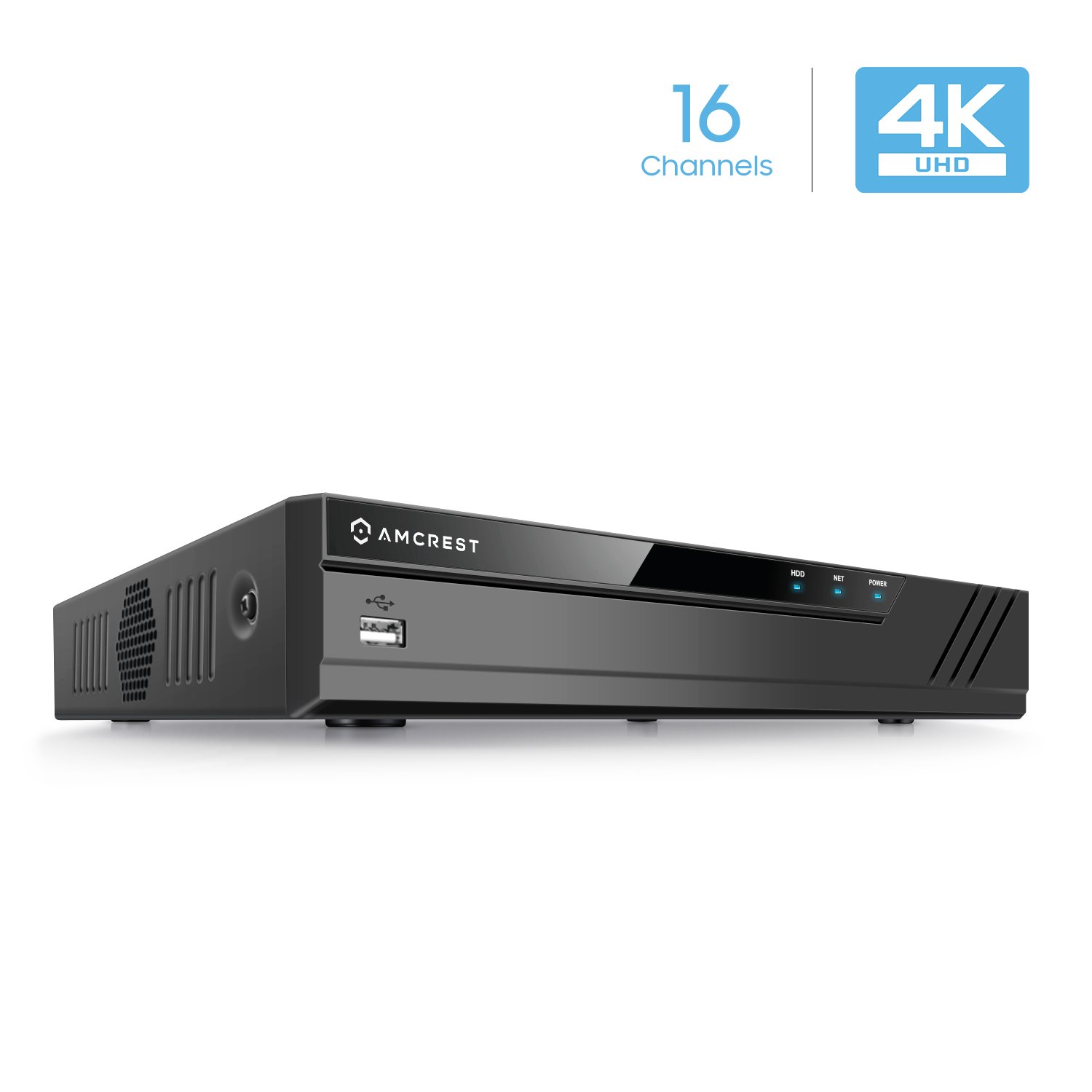
| Product Name: | Amcrest NV4116-HS |
| Product Description: | Amcrest Model: NV4116-HS NVR FEATURES : Extraordinary Quality: Supports 16-Channel 1080p/3MP/4MP/5MP/6MP/4K Resolution. Records 16-Channels @ 1080p/3MP/4MP/5MP/6MP/8MP & Playback 16-Channel @ 1080p/4-Channel 3MP/4MP/3-Channel 5MP/2-Channel 6MP/2-Channel 8MP. Record in Widescreen, Quick Access QR Code Remote Viewing on iPhone, iPad, and Android (w/ included Amcrest View app). Advanced H.265 compression technology lets you save on storage space which allows for longer recording times. H.265 technology compresses your video without sacrificing any of the UltraHD video quality. Remotely Access Using Standard Windows and Mac Browsers. Easy to Install: Connect to and Manage All Cameras on Your Network. Feature-Rich OSD: Camera Name, Time, Motion Detection, Video Loss, Lock, and Record Status Icons. Multiple Trigger/Alarm Events: Recording, PTZ, Tour, Video Push, Email, FTP, and Buzzer. Custom Record Modes (e.g. Manual, Scheduled, Motion Detection) and Record Intervals (1-120min). ONVIF Compatible. Supports up to 6TB Hard Drives (No Hard Drive Included). PACKAGE INCLUDES : 1 x Amcrest UltraHD 4K 16CH NVR (NV4116-HS). 1 x USB Mouse. 1 x Network Cable. 1 x NVR Power Supply. 1 x SATA Cable. User Manual, Quick Start Guide. 1 Year Warranty When Purchased from Amcrest. This NVR requires a hard-wired connection directly to your router to operate. Supports all Amcrest WiFi and Wired IP cameras and limited compatibility with third-party brand ONVIF compliant IP cameras. No PoE ports included with this model, does not provide Power Over Ethernet. |
| Model Number: | 4332025002 |
| Product SKU: | B07444DDCB |

The link has been copied to the clipboard.

6 Comments
Your comment cannot be blank.
Sign up for a Slickdeals account to remove this ad.
Notice there are NO PoE ports on this NVR.
Thus you can use this in conjunction with a PoE switch.
As this is a Dahua OEM NVR it will work better with Dahua OEM cameras. Do double check if it supports IVS features if you have cameras that support IVS features.
If you have a PC available I would consider installing VMS software ( Dahua OEM SmartPSS for Dahua OEM cameras, Hikvision OEM IVMS-4200, or a non-camera OEM like Milestone VMS or Blue Iris VMS ) on the PC and using the PC as an NVR. You want to use a dedicated PC.
For Blue Iris look for a windows i5/i7 PC ( I like 4th gen+ ) - often can find a good deal on ebay for these.
I would consider this as a potential system to put next to the media center to display security videos, and thus any burglar may take it - while you have another system doing the redundant recording and have a poe switch secured someplace.
The specs look the exact same but the model number is different. If it's an upgraded unit with same specs I wonder if there is any software charge?
Thanks in advance.
The specs look the exact same but the model number is different. If it's an upgraded unit with same specs I wonder if there is any software charge?
Thanks in advance.
I have not looked too closely at them.
I did notice that the NV2116 has this listed under the specs:
"Max 80Mbps incoming bandwidth" - which to me is too little for a 16 channel NVR
The specs look the exact same but the model number is different. If it's an upgraded unit with same specs I wonder if there is any software charge?
Thanks in advance.
"higher resolution support and a few GUI Features that you wouldn't notice missing. Be sure to run the WiFi cameras into a Switch if using more than 4 on a residential network."
"The 41XX series NVRs have more robust hardware than the 21XX."
I have another answer that i cant find but it basically said the same, faster/better hardware to handle more/higher resolution cameras.
I originally was only looking at getting a 8 channel because I never plan on having more than 4 or five cameras, only have 3 right now, but in my research I found that the more camera support the better it will handle that lesser number vs getting one that only fit/fill your max number needed. Read reviews backing this up when using max camera on the 4 or 8 channels at higher resolutions. So what that means is you will have less trouble and better experience with the 16 channel with lesser cameras then the smaller supported units.
Gives you some headroom.
I was ready to buy the 8 channel at $100 some time ago but seen that the price has been lower than $150 for this one i choose to wait (ordered today).
Hope this help.
only thing is tax almost kills it, still save a few dollars from price before they stared changing tax thought.
"higher resolution support and a few GUI Features that you wouldn't notice missing. Be sure to run the WiFi cameras into a Switch if using more than 4 on a residential network."
"The 41XX series NVRs have more robust hardware than the 21XX."
I have another answer that i cant find but it basically said the same, faster/better hardware to handle more/higher resolution cameras.
I originally was only looking at getting a 8 channel because I never plan on having more than 4 or five cameras, only have 3 right now, but in my research I found that the more camera support the better it will handle that lesser number vs getting one that only fit/fill your max number needed. Read reviews backing this up when using max camera on the 4 or 8 channels at higher resolutions. So what that means is you will have less trouble and better experience with the 16 channel with lesser cameras then the smaller supported units.
Gives you some headroom.
I was ready to buy the 8 channel at $100 some time ago but seen that the price has been lower than $150 for this one i choose to wait (ordered today).
Hope this help.
only thing is tax almost kills it, still save a few dollars from price before they stared changing tax thought.
https://s3.amazonaws.co
Both has 80mbps, but NV4xxx Quad Core CPU vs NV2xxx Dual Core