Slickdeals is community-supported.  We may get paid by brands for deals, including promoted items.
Sorry, this deal has expired. Get notified of deals like this in the future. Add Deal Alert for this Item
Frontpage

8GB Crucial DDR4-3200 1.2V CL22 Laptop Memory Expired

$27
+ Free Shipping
+50 Deal Score
16,902 Views
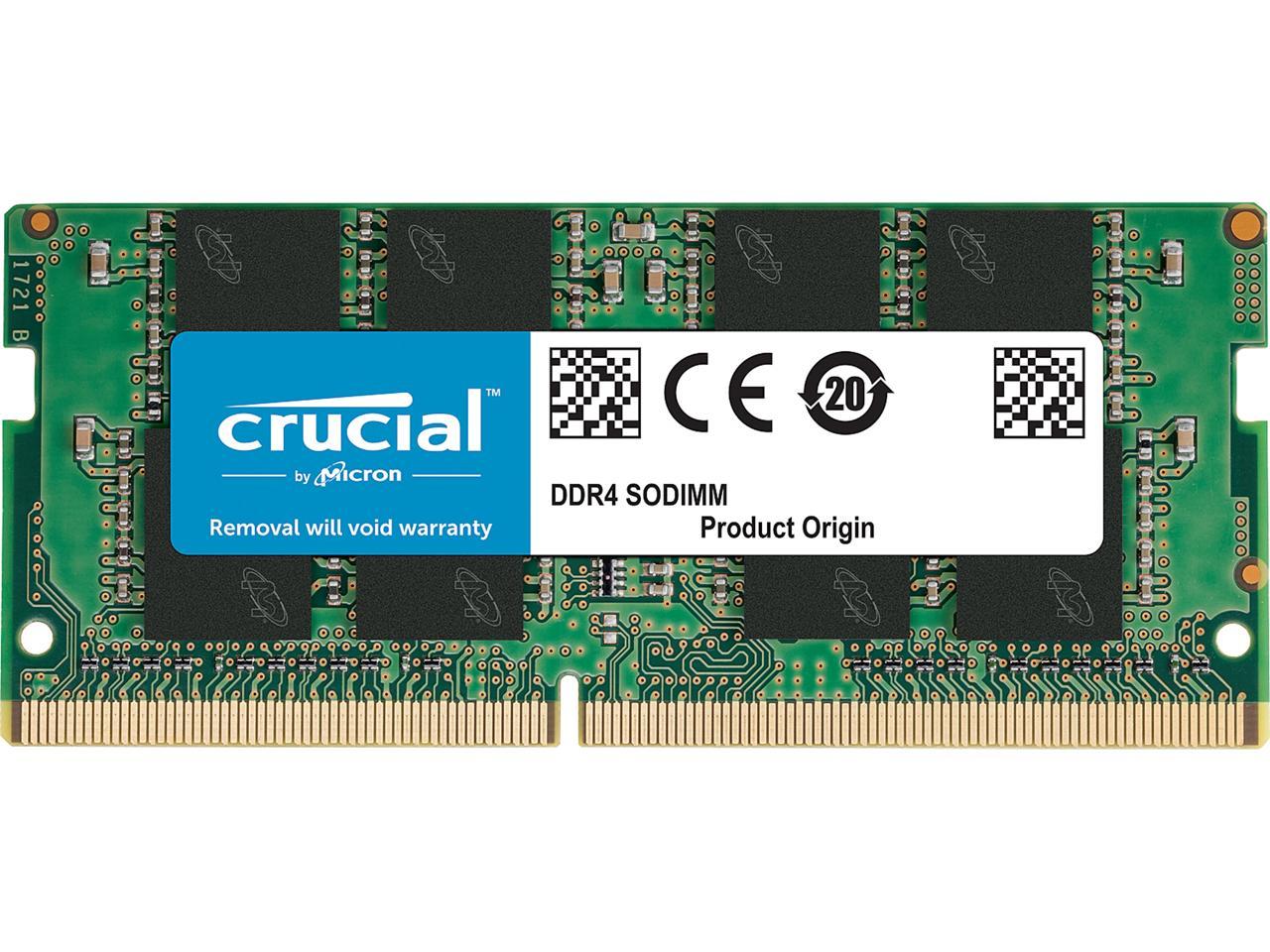
Newegg has 8GB (1x 8GB) Crucial 3200 MHz 1.2V CL 22 260-Pin SODIMM DDR4 Laptop RAM (CT8G4SFS832A) on sale for $26.99. Shipping is free. Thanks blee1285

Specs (link)
  • DDR4 3200 (PC4 25600)
  • CAS Latency 22
  • 1.2 Volt

Editor's Notes & Price Research

Written by

Original Post

Written by
Edited July 13, 2020 at 02:13 PM by
Newegg Link [newegg.com]

Amazon Price Match Link [amazon.com]

Great deal for a single stick of 8GB DDR4 3200Mhz So-dimm especially for those who purchase the dell inspiron 15 5000/dell 14 7000 laptop deal.

Capacity
8GB
Type
260-Pin DDR4 SO-DIMM
Speed
DDR4 3200 (PC4 25600)
CAS Latency
22
Timing
22-22-22
Voltage
1.2V
ECC
No
Buffered/Registered
Unbuffered
If you purchase something through a post on our site, Slickdeals may get a small share of the sale.
Deal
Score
+50
16,902 Views

Your comment cannot be blank.

Featured Comments

Yes, your laptop will downclock it from 3200 to 2400. It will run at your motherboards max supported speed.
assuming you guys are trying to add a new stick next to the existing one, the best practice is to use two of the same memory sticks (clock speed, latency, and voltage) to optimize performance and stability.

in theory, if you're simply adding this one, the best case scenario is the faster memory will downclock to the slower memory and everything will be fine. i believe this result is the most common.

worst case scenario is that your computer will bug out and won't post. at that point, you have to figure out if your new stick is defective or if they're just not playing well together (try booting with just the new ram). if the latter, then you can either go into BIOS and mess with your memory profile to match the two (which may not even be feasible on laptops, since their BIOS is usually much more rudimentary), or just get two of them.

hope this helps.

Sign up for a Slickdeals account to remove this ad.

Joined Jun 2011
L2: Beginner
> bubble2 94 Posts
42 Reputation
yellowsled
07-13-2020 at 01:07 PM.
Would this be good for those that bought this laptop deal recently? Acer - Nitro 5 15.6" Laptop - AMD Ryzen 5 - 8GB Memory - NVIDIA GeForce GTX 1...
1
Reply
Joined Dec 2014
L6: Expert
> bubble2 1,828 Posts
143 Reputation
joshs1930
07-13-2020 at 01:10 PM.
Would this 8gb stick work on a laptop that uses this type of RAM?

Crucial 4GB Single DDR4 2400 MT/S (PC4-19200) SR x8 SODIMM 260-Pin Memory - CT4G4SFS824A

if someone could please answer this question I'd be really grateful.
3
Reply
Last edited by joshs1930 July 13, 2020 at 01:31 PM.
Joined Mar 2016
L2: Beginner
> bubble2 1,016 Posts
144 Reputation
SDealsLover
07-13-2020 at 01:11 PM.
Isn't that CAS latency too high? 3200 speeds usually have CAS latency of 16
1
Reply
Joined Sep 2014
Most Based Slickdealer
> bubble2 7,312 Posts
792 Reputation
Pro
MostBased
07-13-2020 at 01:26 PM.
Would this work with the Dell G3 3590 from the recent FP deal?
1
Reply
Joined May 2018
L3: Novice
> bubble2 143 Posts
10 Reputation
beastonprowl
07-13-2020 at 01:30 PM.
Quote from SDealsLover :
Isn't that CAS latency too high? 3200 speeds usually have CAS latency of 16
Has kept going up from 2010 or before . Not too much tech knowledge on it.
2
Reply
Joined Nov 2006
L3: Novice
> bubble2 112 Posts
26 Reputation
ngk_1
07-13-2020 at 01:36 PM.
Quote from joshs1930 :
Would this 8gb stick work on a laptop that uses this type of RAM?

Crucial 4GB Single DDR4 2400 MT/S (PC4-19200) SR x8 SODIMM 260-Pin Memory - CT4G4SFS824A

if someone could please answer this question I'd be really grateful.

Yes, your laptop will downclock it from 3200 to 2400. It will run at your motherboards max supported speed.
Reply
Joined Feb 2017
L3: Novice
> bubble2 232 Posts
119 Reputation
dealsneverend
07-13-2020 at 01:41 PM.
good deal 25-30% off works for ASUS TUF A15. Wish its 32/16gb which has this kinda discount
Reply

Sign up for a Slickdeals account to remove this ad.

Joined Feb 2018
L3: Novice
> bubble2 265 Posts
156 Reputation
bigbenben
07-13-2020 at 01:44 PM.
Amazon matched this price already
Reply
Joined Dec 2007
L5: Journeyman
> bubble2 972 Posts
958 Reputation
Original Poster
blee1285
07-13-2020 at 01:53 PM.
Crucial 8GB Single DDR4 3200 MT/S (PC4-25600) CL22 SR X8 Unbuffered SODIMM 260-Pin Memory - CT8G4SFS832A https://www.amazon.com/dp/B07Q3HN...dFbFT4KX58
Reply
Joined Apr 2014
L6: Expert
> bubble2 1,696 Posts
300 Reputation
gen2
07-13-2020 at 01:54 PM.
What about regular desktop stick?
4
Reply
Joined Mar 2005
L5: Journeyman
> bubble2 885 Posts
421 Reputation
Are
07-13-2020 at 01:54 PM.
Still waiting for these memory stick to become free after rebate. The good ole days.
2
Reply
Joined Sep 2018
L1: Learner
> bubble2 11 Posts
22 Reputation
OrangeChickenHa
07-13-2020 at 01:56 PM.
I just brought it on the weekend, wondering if Amazon can price match it for me...
Reply
Joined Nov 2013
L6: Expert
> bubble2 1,987 Posts
550 Reputation
muchwow
07-13-2020 at 01:56 PM.

Our community has rated this post as helpful. If you agree, why not thank muchwow

07-13-2020 at 01:56 PM.
Quote from yellowsled :
Would this be good for those that bought this laptop deal recently? Acer - Nitro 5 15.6" Laptop - AMD Ryzen 5 - 8GB Memory - NVIDIA GeForce GTX 1...
Quote from joshs1930 :
Would this 8gb stick work on a laptop that uses this type of RAM?

Crucial 4GB Single DDR4 2400 MT/S (PC4-19200) SR x8 SODIMM 260-Pin Memory - CT4G4SFS824A

if someone could please answer this question I'd be really grateful.
assuming you guys are trying to add a new stick next to the existing one, the best practice is to use two of the same memory sticks (clock speed, latency, and voltage) to optimize performance and stability.

in theory, if you're simply adding this one, the best case scenario is the faster memory will downclock to the slower memory and everything will be fine. i believe this result is the most common.

worst case scenario is that your computer will bug out and won't post. at that point, you have to figure out if your new stick is defective or if they're just not playing well together (try booting with just the new ram). if the latter, then you can either go into BIOS and mess with your memory profile to match the two (which may not even be feasible on laptops, since their BIOS is usually much more rudimentary), or just get two of them.

hope this helps.
1
Reply
Page 1 of 5
Start the Conversation
 
Link Copied

The link has been copied to the clipboard.