Slickdeals is community-supported.  We may get paid by brands for deals, including promoted items.
Sorry, this deal has expired. Get notified of deals like this in the future. Add Deal Alert for this Item
Frontpage

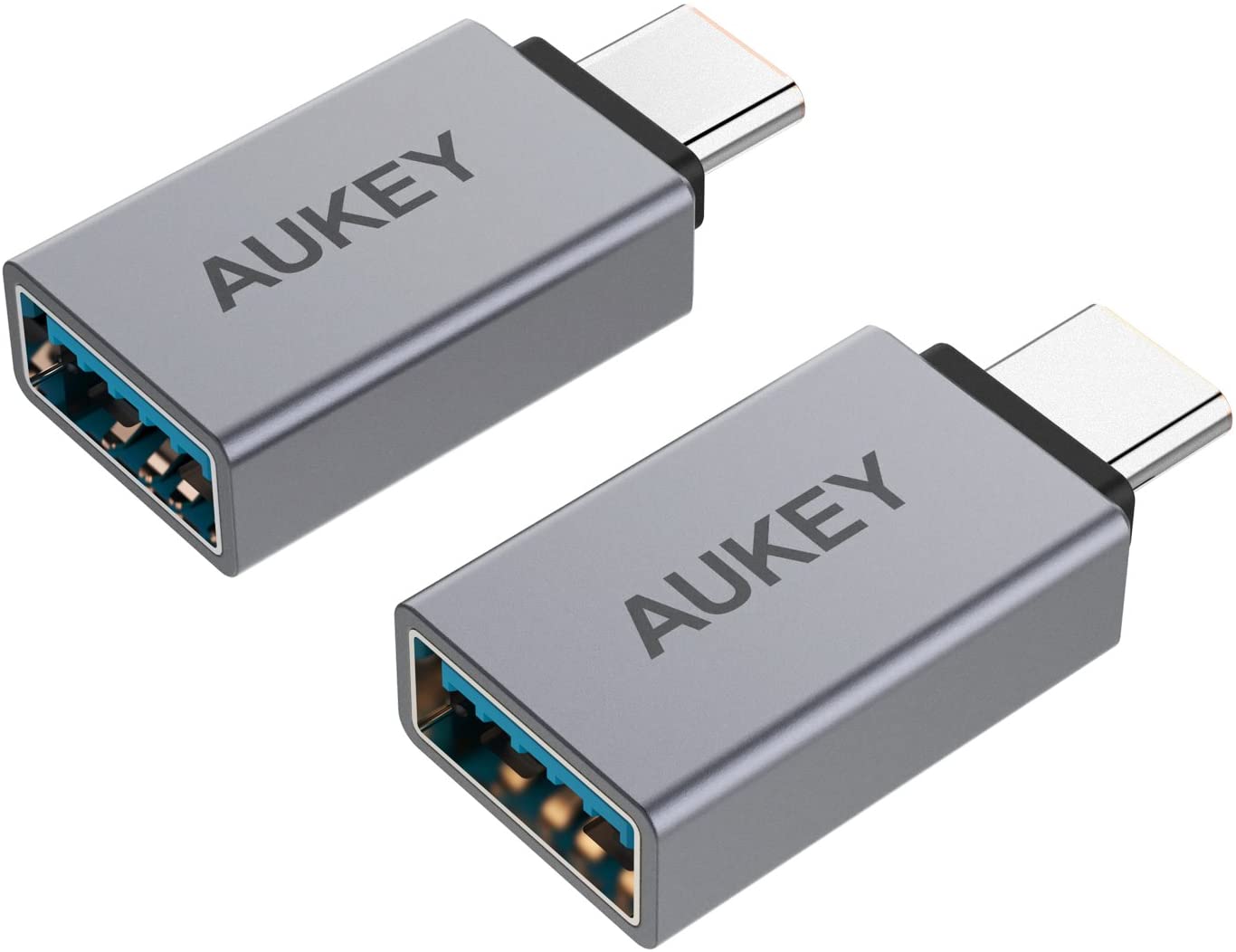
2-Pack Aukey Aluminum USB-C to USB-A 3.0 Adapters Expired

$4
$8.99
+46 Deal Score
9,574 Views
Aukey Direct via Amazon has 2-Pack Aukey Aluminum USB-C to USB-A 3.0 Adapters on sale for prices listed below. Shipping is free with Prime or on $25+ orders. Thanks iconian
  • Space Gray $3.96
    • Note, use coupon code PY7SQEIK
  • Silver $3.98
    • Note, clip 52% off coupon on the product page.

Editor's Notes & Price Research

Written by

Original Post

Written by
Edited September 9, 2020 at 10:46 AM by
available in
If you purchase something through a post on our site, Slickdeals may get a small share of the sale.
Deal
Score
+46
9,574 Views
$4
$8.99
Don't have Amazon Prime? Students can get a free 6-Month Amazon Prime trial with free 2-day shipping, unlimited video streaming & more. If you're not a student, there's also a free 1-Month Amazon Prime trial available. You can also earn cash back rewards on Amazon and Whole Foods purchases with the Amazon Prime Visa credit card. Read our review to see if it’s the right card for you.

Your comment cannot be blank.

Featured Comments

There is no USB A or USB C speeds. USB A port and cables can carry the current max limit of USB 3.2 gen 2, that is 10gbps. USB A and USB C are just the ports and plugs. The protocol running through them can be USB 1 (12Mbps) USB 2 (480 Mbps) USB 3.2 gen 1 (5 Gbps) , USB 3.2 gen 2 (10 Gbps). USB C can transfer upto 40 Gbps using the thunderbolt protocol (not applicable to usb protocol speed comparisons)
USBA is a connector type, it does not necessarily dictate transfer speed. You can do USB 3 speeds over a type A connector.

Sign up for a Slickdeals account to remove this ad.

Joined Jul 2019
L5: Journeyman
> bubble2 924 Posts
118 Reputation
AlphaDag13
09-09-2020 at 10:41 AM.
When using an adapter liked this does it restrict transfer speeds to USB A speeds?
1
Reply

This comment has been rated as unhelpful by Slickdeals users

Show Comment

This comment has been rated as unhelpful by Slickdeals users

Show Comment
Joined Feb 2009
Guru
> bubble2 1,125 Posts
219 Reputation
Zumaone
09-09-2020 at 10:54 AM.

Our community has rated this post as helpful. If you agree, why not thank Zumaone

09-09-2020 at 10:54 AM.
Quote from AlphaDag13 :
When using an adapter liked this does it restrict transfer speeds to USB A speeds?

USBA is a connector type, it does not necessarily dictate transfer speed. You can do USB 3 speeds over a type A connector.
1
Reply
Joined Sep 2019
New User
> bubble2 2 Posts
14 Reputation
Pedal2dametal
09-09-2020 at 10:55 AM.

Our community has rated this post as helpful. If you agree, why not thank Pedal2dametal

09-09-2020 at 10:55 AM.
There is no USB A or USB C speeds. USB A port and cables can carry the current max limit of USB 3.2 gen 2, that is 10gbps. USB A and USB C are just the ports and plugs. The protocol running through them can be USB 1 (12Mbps) USB 2 (480 Mbps) USB 3.2 gen 1 (5 Gbps) , USB 3.2 gen 2 (10 Gbps). USB C can transfer upto 40 Gbps using the thunderbolt protocol (not applicable to usb protocol speed comparisons)
1
Reply
Joined Dec 2004
L5: Journeyman
> bubble2 591 Posts
157 Reputation
gdawson6
09-09-2020 at 10:58 AM.
USB A doesn't tell you anything about speed, only about the connector size. The speed limit of these will be USB 3.1(5Gbps).
Reply
Joined Nov 2017
L2: Beginner
> bubble2 43 Posts
10 Reputation
timoxino
09-09-2020 at 11:04 AM.
Very solid brand (even though from China) for reasonable price. Thumb up! In for 1
Reply

Sign up for a Slickdeals account to remove this ad.

Joined Sep 2020
L2: Beginner
> bubble2 32 Posts
10 Reputation
SkillfulPolice4438
09-09-2020 at 11:10 AM.
Ty op
Reply
Joined Mar 2010
L5: Journeyman
> bubble2 671 Posts
201 Reputation
Pro
KTmA
09-09-2020 at 11:29 AM.
Great deal. My work laptop only has two USB A ports and two USB C, so I've been using a 4-port hub just because I needed three devices attached.
Reply
Joined Mar 2014
L6: Expert
> bubble2 1,191 Posts
207 Reputation
RickyE3678
09-09-2020 at 11:29 AM.
So, if I put these on my USB-C cables, and they're whatever the greatest, awesomest, coolest USB-C cables are and do whatever those amazing cables do, what do I lose? Just speed down to 5Gbps? Will they still carry the same voltage for charging? Could I fry a USB-A device because the wall adapter is USB-C?

Sorry, I find USB standards to be confusing, and possibly intentionally so.
Reply
Joined Sep 2014
L7: Teacher
> bubble2 2,154 Posts
253 Reputation
1-6
09-09-2020 at 11:32 AM.
Quote from timoxino :
Very solid brand (even though from China) for reasonable price. Thumb up! In for 1
Can you think of a brand that's not from China???
Reply
Joined May 2016
L2: Beginner
> bubble2 91 Posts
67 Reputation
ihank724
09-09-2020 at 11:45 AM.
Quote from 1-6 :
Can you think of a brand that's not from China???
MAGA? /s
1
Reply
Joined Mar 2007
It's almost like having a
> bubble2 1,999 Posts
375 Reputation
contaction
09-09-2020 at 11:48 AM.
Quote from RickyE3678 :
So, if I put these on my USB-C cables, and they're whatever the greatest, awesomest, coolest USB-C cables are and do whatever those amazing cables do, what do I lose? Just speed down to 5Gbps? Will they still carry the same voltage for charging? Could I fry a USB-A device because the wall adapter is USB-C?

Sorry, I find USB standards to be confusing, and possibly intentionally so.

You will lose some street cred
1
Reply
Page 1 of 3
Start the Conversation
 

More Amazon Deals

More Aukey Deals

Link Copied

The link has been copied to the clipboard.