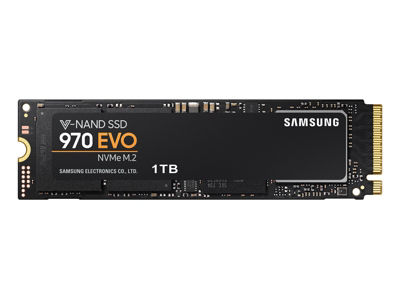
Samsung.com has the 1TB Samsung 970 EVO NVMe M.2 SSD for $206.99 +tax with EPP pricing (Employee, etc.), with free shipping. Must log on with EPP (or other student, rewards etc.) account to see price. Ships Nov 23.
Cashback / points sites also seem to have high rates for Samsung.com too, right now.
$21 lower than
previous FP of $228 (but pay taxes)
https://www.samsung.com/us/comput...-v7e1t0bw/
EDIT: Maximum 2 units at this price. If you purchased 2 SSDs on Samsung.com already within the year your account might not qualify for this discount.


49 Comments
Your comment cannot be blank.
Sign up for a Slickdeals account to remove this ad.
Or regular users can also buy from this deal?
I went to that page but the price shown there is $229.99. Do I have to do something to have access to the lower price?
Thanks!
---EDIT
Nevermind, I don't know if you have eddited the topic or I was dumb enought to jump the lines which says that is required to be logged to see the price (with EPP account).
Thanks!
I installed the drive in a pcie slot and set it up as a boot disk today. Quite the project getting it to be recognized as a bootable drive by my bios. I thought I was going to be able to cheat and just clone my old ssd into this m.2. The clone worked, but it's not that easy if you want your m.2 bootable. It requires full os install and forcing intel rst drivers at the start of the install to get the drivers to sit in the boot partition. That makes it permanently recognizable in bios. After that it all went easy. I am now booting up in 6 seconds (from bios to windows). I am ranging from 3400s-3600s MB/s (which is going higher than rated speed) on read speeds.
These drives are insane for sure. Game loading seems hit or miss depending on the game, but you do notice a difference over standard sata based ssd. I've only been using it one night though so I have not put it through its paces yet. It's impressive tech though.
I installed the drive in a pcie slot and set it up as a boot disk today. Quite the project getting it to be recognized as a bootable drive by my bios. I thought I was going to be able to cheat and just clone my old ssd into this m.2. The clone worked, but it's not that easy if you want your m.2 bootable. It requires full os install and forcing intel rst drivers at the start of the install to get the drivers to sit in the boot partition. That makes it permanently recognizable in bios. After that it all went easy. I am now booting up in 6 seconds (from bios to windows). I am ranging from 3400s-3600s MB/s (which is going higher than rated speed) on read speeds.
These drives are insane for sure. Game loading seems hit or miss depending on the game, but you do notice a difference over standard sata based ssd. I've only been using it one night though so I have not put it through its paces yet. It's impressive tech though.
Were you able to clone your drive afterwards? Looking to grab one this BF and thought it would be a ground ball to clone my other drive to this.
I installed the drive in a pcie slot and set it up as a boot disk today. Quite the project getting it to be recognized as a bootable drive by my bios. I thought I was going to be able to cheat and just clone my old ssd into this m.2. The clone worked, but it's not that easy if you want your m.2 bootable. It requires full os install and forcing intel rst drivers at the start of the install to get the drivers to sit in the boot partition. That makes it permanently recognizable in bios. After that it all went easy. I am now booting up in 6 seconds (from bios to windows). I am ranging from 3400s-3600s MB/s (which is going higher than rated speed) on read speeds.
These drives are insane for sure. Game loading seems hit or miss depending on the game, but you do notice a difference over standard sata based ssd. I've only been using it one night though so I have not put it through its paces yet. It's impressive tech though.
Could you please elaborate on What you mean by full os install ? should the cloning not take care of having the OS from the existing partition copied over.
I just bought this 2 days ago. Cloned using Samsung data Migration software of my win 10 pro. After clone I removed old ssd. Zero problem . No os reinstall req
I did the same and it worked out well. No separate OS install is required.
Sign up for a Slickdeals account to remove this ad.
I installed the drive in a pcie slot and set it up as a boot disk today. Quite the project getting it to be recognized as a bootable drive by my bios. I thought I was going to be able to cheat and just clone my old ssd into this m.2. The clone worked, but it's not that easy if you want your m.2 bootable. It requires full os install and forcing intel rst drivers at the start of the install to get the drivers to sit in the boot partition. That makes it permanently recognizable in bios. After that it all went easy. I am now booting up in 6 seconds (from bios to windows). I am ranging from 3400s-3600s MB/s (which is going higher than rated speed) on read speeds.
These drives are insane for sure. Game loading seems hit or miss depending on the game, but you do notice a difference over standard sata based ssd. I've only been using it one night though so I have not put it through its paces yet. It's impressive tech though.
Did you use the Samsung software to clone your old hard drive? I just cloned one to a 970 EVO last week and it rebooted using the new drive without a hitch. No OS reinstall whatsoever.
And what speed you are getting from micron? Dont compare micron with samsung
Same here. So much easier than the last drive I tried to clone a few years ago. I think the Samsung hardware makes sure it copies all necessary files so you don't have booting issues.
yup ! Really simple and smooth transition .