QLC is slower, slows down greatly after drive is over 80% full, and is less reliable (fails sooner). If you're spending this kind of money I believe you would be better off with a pcie 3.0 TLC drive.
QLC is Quad-Level CELL (not cache), and TLC is Triple-Level CELL (not cache). QLC holds 4 bits per cell, and tracks 16 possible states of each bit, where TLC only tracks 8.
QLC has a higher chance of error due to the higher states it tracks, and requires significant processing to make sure there are no errors in the data - this is what kills the write speed.It also degrades faster due to the state-tracking,& The 'Total Terabytes Written' (TBW), or how much data the drive is expected to be able to write before it degrades, is lower as well.
However, QLC often is near or at the same level of READ performance, which matters for games, loading OS, opening any large files, etc. QLC is absolutely crushed in WRITE performance, (due to the error-checking hit on performance) which is much more important when dealing with large work loads.
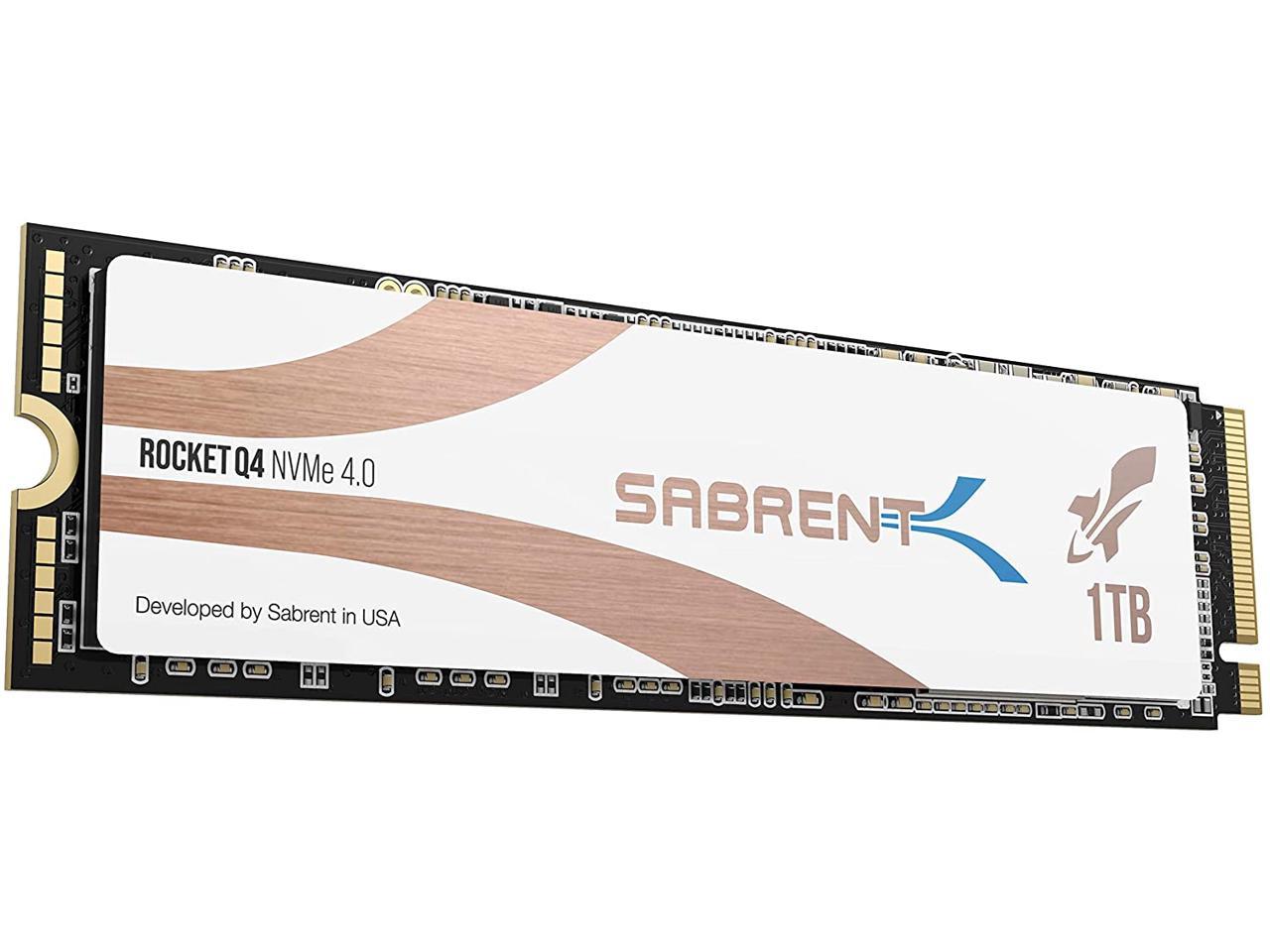
The white-label Rocket drives (gen 4)are QLC, with around 4700MB/s read, but only 1800 Write, versus the black-label TLC drives with 5000MB/s Read, and around 4800 MB/s write. QLC isn't dead, or even going away, it's generally designed to be a cheaper, significantly better alternative to Hard drives, or even SATA drives. It is priced accordingly, often being 30% or more cheaper than the TLC equivalent across the same vendor.
You will notice little to no difference between QLC and TLC drives in most daily use outside of heavy write-focused workloads, in the same way you won't notice much difference between SATA SSDs and these NVME drives for day-to-day tasks, or even loading games, even though SATA caps out at around 550MB/s.
You will often see posts on NVME drives simply stating "QLC" or "TLC", since this single difference makes a huge impact on whether or not it is the correct drive for specific applications. People who only play games on $2000+ PCs, and nothing else, have no reason to prefer one over the other, besides demanding 'the best' possible performance, even it metrics that will never be tested for their use case.
PS5 would need the drive to be at least 5.5gbs of bandwidth. As any drive put into the PS5 nvme slot needs to be as fast or faster then the drive used by the ps5 itself. This drive can't do those speeds.
Sign up for a Slickdeals account to remove this ad.
Our community has rated this post as helpful. If you agree, why not thank sickysickybrah
10-22-2020 at 12:14 PM.
Quote
from jamn805
:
What's the difference between QLC and TLC?
QLC is slower, slows down greatly after drive is over 80% full, and is less reliable (fails sooner). If you're spending this kind of money I believe you would be better off with a pcie 3.0 TLC drive.
Our community has rated this post as helpful. If you agree, why not thank JACENS0L0
10-22-2020 at 01:50 PM.
Quote
from MMFC378
:
PS5 though?
PS5 would need the drive to be at least 5.5gbs of bandwidth. As any drive put into the PS5 nvme slot needs to be as fast or faster then the drive used by the ps5 itself. This drive can't do those speeds.
Our community has rated this post as helpful. If you agree, why not thank OliveKestrel655
10-23-2020 at 06:39 AM.
Quote
from jamn805
:
What's the difference between QLC and TLC?
QLC is Quad-Level CELL (not cache), and TLC is Triple-Level CELL (not cache). QLC holds 4 bits per cell, and tracks 16 possible states of each bit, where TLC only tracks 8.
QLC has a higher chance of error due to the higher states it tracks, and requires significant processing to make sure there are no errors in the data - this is what kills the write speed.It also degrades faster due to the state-tracking,& The 'Total Terabytes Written' (TBW), or how much data the drive is expected to be able to write before it degrades, is lower as well.
However, QLC often is near or at the same level of READ performance, which matters for games, loading OS, opening any large files, etc. QLC is absolutely crushed in WRITE performance, (due to the error-checking hit on performance) which is much more important when dealing with large work loads.
The white-label Rocket drives (gen 4)are QLC, with around 4700MB/s read, but only 1800 Write, versus the black-label TLC drives with 5000MB/s Read, and around 4800 MB/s write. QLC isn't dead, or even going away, it's generally designed to be a cheaper, significantly better alternative to Hard drives, or even SATA drives. It is priced accordingly, often being 30% or more cheaper than the TLC equivalent across the same vendor.
You will notice little to no difference between QLC and TLC drives in most daily use outside of heavy write-focused workloads, in the same way you won't notice much difference between SATA SSDs and these NVME drives for day-to-day tasks, or even loading games, even though SATA caps out at around 550MB/s.
You will often see posts on NVME drives simply stating "QLC" or "TLC", since this single difference makes a huge impact on whether or not it is the correct drive for specific applications. People who only play games on $2000+ PCs, and nothing else, have no reason to prefer one over the other, besides demanding 'the best' possible performance, even it metrics that will never be tested for their use case.
QLC is Quad-Level Cache, and TLC is Triple-Level Cache. QLC holds 4 bits per cell, and tracks 16 possible states of each bit, where TLC only tracks 8.
QLC has a higher chance of error due to the higher states it tracks, and requires significant processing to make sure there are no errors in the data - this is what kills the write speed.It also degrades faster due to the state-tracking,& The 'Total Terabytes Written' (TBW), or how much data the drive is expected to be able to write before it degrades, is lower as well.
However, QLC often is near or at the same level of READ performance, which matters for games, loading OS, opening any large files, etc. QLC is absolutely crushed in WRITE performance, (due to the error-checking hit on performance) which is much more important when dealing with large work loads.
The white-label Rocket drives (gen 4)are QLC, with around 4700MB/s read, but only 1800 Write, versus the black-label TLC drives with 5000MB/s Read, and around 4800 MB/s write. QLC isn't dead, or even going away, it's generally designed to be a cheaper, significantly better alternative to Hard drives, or even SATA drives. It is priced accordingly, often being 30% or more cheaper than the TLC equivalent across the same vendor.
You will notice little to no difference between QLC and TLC drives in most daily use outside of heavy write-focused workloads, in the same way you won't notice much difference between SATA SSDs and these NVME drives for day-to-day tasks, or even loading games, even though SATA caps out at around 550MB/s.
You will often see posts on NVME drives simply stating "QLC" or "TLC", since this single difference makes a huge impact on whether or not it is the correct drive for specific applications. People who only play games on $2000+ PCs, and nothing else, have no reason to prefer one over the other, besides demanding 'the best' possible performance, even it metrics that will never be tested for their use case.
Sounds like we need to go back to SLC but that means also going back to 2.5" Sata drives.
Seriously though you are right the read speeds are solid per
As we've come to expect from Sabrent, the Rocket Q4 is another industry first. Gen4 and QLC is a surprisingly potent combination. In this case, sequential speeds and transfer rates are among the best we've ever seen for any SSD, let alone one with a 4-bit flash array.
Ordered the one with heat sink for 130 last week and Sabrent let it time out. If a marketplace item on Newegg doesn't ship within 3 days, it gets auto-voided.
Got one while back....moved it to a backup drive....write is great...read slower than most gen 3. Mid range gen 3 beat it on passmark. Confusing why they did it...call its a gen 3.5??!
QLC is Quad-Level Cache, and TLC is Triple-Level Cache. QLC holds 4 bits per cell, and tracks 16 possible states of each bit, where TLC only tracks 8.
QLC has a higher chance of error due to the higher states it tracks, and requires significant processing to make sure there are no errors in the data - this is what kills the write speed.It also degrades faster due to the state-tracking,& The 'Total Terabytes Written' (TBW), or how much data the drive is expected to be able to write before it degrades, is lower as well.
However, QLC often is near or at the same level of READ performance, which matters for games, loading OS, opening any large files, etc. QLC is absolutely crushed in WRITE performance, (due to the error-checking hit on performance) which is much more important when dealing with large work loads.
The white-label Rocket drives (gen 4)are QLC, with around 4700MB/s read, but only 1800 Write, versus the black-label TLC drives with 5000MB/s Read, and around 4800 MB/s write. QLC isn't dead, or even going away, it's generally designed to be a cheaper, significantly better alternative to Hard drives, or even SATA drives. It is priced accordingly, often being 30% or more cheaper than the TLC equivalent across the same vendor.
You will notice little to no difference between QLC and TLC drives in most daily use outside of heavy write-focused workloads, in the same way you won't notice much difference between SATA SSDs and these NVME drives for day-to-day tasks, or even loading games, even though SATA caps out at around 550MB/s.
You will often see posts on NVME drives simply stating "QLC" or "TLC", since this single difference makes a huge impact on whether or not it is the correct drive for specific applications. People who only play games on $2000+ PCs, and nothing else, have no reason to prefer one over the other, besides demanding 'the best' possible performance, even it metrics that will never be tested for their use case.
you left out TBW(terabytes written) which will determine the longevity. MTBF is still a thing but TBW is what we typically judge an ssd life. TLC drives typically have 2x or more writes before failure than a qlc. qlc is cheaper but because the qlc process is cheaper to produce and gives more price to performance. but is more prone to failure as with any tech with a quantity over quality approach.
that being said, my TLC nvme is 3.5years old and only has 35 TBW so far according to crystaldiskinfo. i do normal productivity and i am a gamer.


43 Comments
Your comment cannot be blank.
Featured Comments
QLC has a higher chance of error due to the higher states it tracks, and requires significant processing to make sure there are no errors in the data - this is what kills the write speed.It also degrades faster due to the state-tracking,& The 'Total Terabytes Written' (TBW), or how much data the drive is expected to be able to write before it degrades, is lower as well.
However, QLC often is near or at the same level of READ performance, which matters for games, loading OS, opening any large files, etc. QLC is absolutely crushed in WRITE performance, (due to the error-checking hit on performance) which is much more important when dealing with large work loads.
The white-label Rocket drives (gen 4)are QLC, with around 4700MB/s read, but only 1800 Write, versus the black-label TLC drives with 5000MB/s Read, and around 4800 MB/s write. QLC isn't dead, or even going away, it's generally designed to be a cheaper, significantly better alternative to Hard drives, or even SATA drives. It is priced accordingly, often being 30% or more cheaper than the TLC equivalent across the same vendor.
You will notice little to no difference between QLC and TLC drives in most daily use outside of heavy write-focused workloads, in the same way you won't notice much difference between SATA SSDs and these NVME drives for day-to-day tasks, or even loading games, even though SATA caps out at around 550MB/s.
You will often see posts on NVME drives simply stating "QLC" or "TLC", since this single difference makes a huge impact on whether or not it is the correct drive for specific applications. People who only play games on $2000+ PCs, and nothing else, have no reason to prefer one over the other, besides demanding 'the best' possible performance, even it metrics that will never be tested for their use case.
Sign up for a Slickdeals account to remove this ad.
Our community has rated this post as helpful. If you agree, why not thank sickysickybrah
Our community has rated this post as helpful. If you agree, why not thank JACENS0L0
Sign up for a Slickdeals account to remove this ad.
Our community has rated this post as helpful. If you agree, why not thank OliveKestrel655
QLC has a higher chance of error due to the higher states it tracks, and requires significant processing to make sure there are no errors in the data - this is what kills the write speed.It also degrades faster due to the state-tracking,& The 'Total Terabytes Written' (TBW), or how much data the drive is expected to be able to write before it degrades, is lower as well.
However, QLC often is near or at the same level of READ performance, which matters for games, loading OS, opening any large files, etc. QLC is absolutely crushed in WRITE performance, (due to the error-checking hit on performance) which is much more important when dealing with large work loads.
The white-label Rocket drives (gen 4)are QLC, with around 4700MB/s read, but only 1800 Write, versus the black-label TLC drives with 5000MB/s Read, and around 4800 MB/s write. QLC isn't dead, or even going away, it's generally designed to be a cheaper, significantly better alternative to Hard drives, or even SATA drives. It is priced accordingly, often being 30% or more cheaper than the TLC equivalent across the same vendor.
You will notice little to no difference between QLC and TLC drives in most daily use outside of heavy write-focused workloads, in the same way you won't notice much difference between SATA SSDs and these NVME drives for day-to-day tasks, or even loading games, even though SATA caps out at around 550MB/s.
You will often see posts on NVME drives simply stating "QLC" or "TLC", since this single difference makes a huge impact on whether or not it is the correct drive for specific applications. People who only play games on $2000+ PCs, and nothing else, have no reason to prefer one over the other, besides demanding 'the best' possible performance, even it metrics that will never be tested for their use case.
QLC has a higher chance of error due to the higher states it tracks, and requires significant processing to make sure there are no errors in the data - this is what kills the write speed.It also degrades faster due to the state-tracking,& The 'Total Terabytes Written' (TBW), or how much data the drive is expected to be able to write before it degrades, is lower as well.
However, QLC often is near or at the same level of READ performance, which matters for games, loading OS, opening any large files, etc. QLC is absolutely crushed in WRITE performance, (due to the error-checking hit on performance) which is much more important when dealing with large work loads.
The white-label Rocket drives (gen 4)are QLC, with around 4700MB/s read, but only 1800 Write, versus the black-label TLC drives with 5000MB/s Read, and around 4800 MB/s write. QLC isn't dead, or even going away, it's generally designed to be a cheaper, significantly better alternative to Hard drives, or even SATA drives. It is priced accordingly, often being 30% or more cheaper than the TLC equivalent across the same vendor.
You will notice little to no difference between QLC and TLC drives in most daily use outside of heavy write-focused workloads, in the same way you won't notice much difference between SATA SSDs and these NVME drives for day-to-day tasks, or even loading games, even though SATA caps out at around 550MB/s.
You will often see posts on NVME drives simply stating "QLC" or "TLC", since this single difference makes a huge impact on whether or not it is the correct drive for specific applications. People who only play games on $2000+ PCs, and nothing else, have no reason to prefer one over the other, besides demanding 'the best' possible performance, even it metrics that will never be tested for their use case.
Seriously though you are right the read speeds are solid per
https://www.tweaktown.c
Read more: https://www.tweaktown.c
Anyone think this will go lower on black Friday?
QLC has a higher chance of error due to the higher states it tracks, and requires significant processing to make sure there are no errors in the data - this is what kills the write speed.It also degrades faster due to the state-tracking,& The 'Total Terabytes Written' (TBW), or how much data the drive is expected to be able to write before it degrades, is lower as well.
However, QLC often is near or at the same level of READ performance, which matters for games, loading OS, opening any large files, etc. QLC is absolutely crushed in WRITE performance, (due to the error-checking hit on performance) which is much more important when dealing with large work loads.
The white-label Rocket drives (gen 4)are QLC, with around 4700MB/s read, but only 1800 Write, versus the black-label TLC drives with 5000MB/s Read, and around 4800 MB/s write. QLC isn't dead, or even going away, it's generally designed to be a cheaper, significantly better alternative to Hard drives, or even SATA drives. It is priced accordingly, often being 30% or more cheaper than the TLC equivalent across the same vendor.
You will notice little to no difference between QLC and TLC drives in most daily use outside of heavy write-focused workloads, in the same way you won't notice much difference between SATA SSDs and these NVME drives for day-to-day tasks, or even loading games, even though SATA caps out at around 550MB/s.
You will often see posts on NVME drives simply stating "QLC" or "TLC", since this single difference makes a huge impact on whether or not it is the correct drive for specific applications. People who only play games on $2000+ PCs, and nothing else, have no reason to prefer one over the other, besides demanding 'the best' possible performance, even it metrics that will never be tested for their use case.
that being said, my TLC nvme is 3.5years old and only has 35 TBW so far according to crystaldiskinfo. i do normal productivity and i am a gamer.