This collaborative space allows users to contribute additional information, tips, and insights to enhance the original deal post. Feel free to share your knowledge and help fellow shoppers make informed decisions.
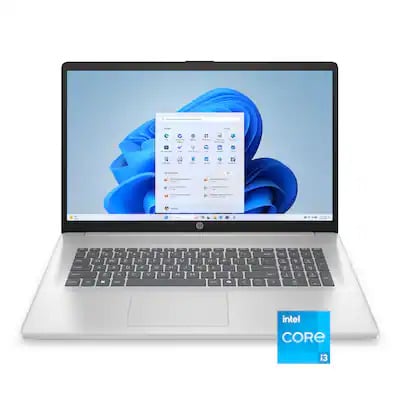
HP is well known for exceedingly poor quality. I do house calls for people as volunteer work and it's most frequently HP issues by far when hardware issues.
Easy examples Ive encountered:
- USB port plastic coming out shorting pins and frying a laptop - seen this three times.
- the HDMI port SOMEHOW fried two monitors. First was assumed dead naturally, plugging in a brand new one after validated (warrantied). Plugging in a third e-waste monitor double verified it. We plugged in a cheap GT 1030 from Craigslist for display out and taped over the built-in ports.
- plenty other more "normal" issues like dead SSDs that can come from bad luck, but those will be excused as such
HP is well known for exceedingly poor quality. I do house calls for people as volunteer work and it's most frequently HP issues by far when hardware issues. Easy examples Ive encountered: - USB port plastic coming out shorting pins and frying a laptop - seen this three times. - the HDMI port SOMEHOW fried two monitors. First was assumed dead naturally, plugging in a brand new one after validated (warrantied). Plugging in a third e-waste monitor double verified it. We plugged in a cheap GT 1030 from Craigslist for display out and taped over the built-in ports. - plenty other more "normal" issues like dead SSDs that can come from bad luck, but those will be excused as such
I'm not claiming a 100% failure rate like the 13900K saw (under constant full core use)
I did a LOT of house calls, and HP were by far the most frequent offenders. But when they are the vast majority and are the ONLY one observed multiple times to cause hardware failure on downstream devices, I just can't recommend them to in-laws unless you dislike them.
You linked to a laptop from 5 years ago. I'm glad you're not having issues, but that's still a bit early
I kinda agree with JamesO9879.
but it's not just HP.
Many other cheapest laptops got the same issues.
I found that if you want to buy the cheapest laptop, make sure it doesn't move, as in it stays in one place.
You never open or close the laptop screen, so the hinges will never break. And no you dont even adjust the angle of the laptop screen.
You will buy a USB hub and plug it into the USB port and never remove it.
You will buy an USB keyboard and mouse that connect to the USB hub.
Always plug the laptop into wall outlet, almost never use its built-in battery.
If you do all these things to remove the moving parts, the cheapest laptop would actually last 3~5 years without any issue..
I'm not claiming a 100% failure rate like the 13900K saw (under constant full core use) I did a LOT of house calls, and HP were by far the most frequent offenders. But when they are the vast majority and are the ONLY one observed multiple times to cause hardware failure on downstream devices, I just can't recommend them to in-laws unless you dislike them. You linked to a laptop from 5 years ago. I'm glad you're not having issues, but that's still a bit early
A bit early? Gosh I thought it is not. May I ask what timeframe is not considered early? 7 years? I guess I'm due for an upgrade soon though I really don't want to
I kinda agree with JamesO9879.but it's not just HP. Many other cheapest laptops got the same issues.I found that if you want to buy the cheapest laptop, make sure it doesn't move, as in it stays in one place.You never open or close the laptop screen, so the hinges will never break. And no you dont even adjust the angle of the laptop screen.You will buy a USB hub and plug it into the USB port and never remove it.You will buy an USB keyboard and mouse that connect to the USB hub.Always plug the laptop into wall outlet, almost never use its built-in battery.If you do all these things to remove the moving parts, the cheapest laptop would actually last 3~5 years without any issue..
Leave a Comment
13 Comments
Sign up for a Slickdeals account to remove this ad.
Easy examples Ive encountered:
- USB port plastic coming out shorting pins and frying a laptop - seen this three times.
- the HDMI port SOMEHOW fried two monitors. First was assumed dead naturally, plugging in a brand new one after validated (warrantied). Plugging in a third e-waste monitor double verified it. We plugged in a cheap GT 1030 from Craigslist for display out and taped over the built-in ports.
- plenty other more "normal" issues like dead SSDs that can come from bad luck, but those will be excused as such
I did a LOT of house calls, and HP were by far the most frequent offenders. But when they are the vast majority and are the ONLY one observed multiple times to cause hardware failure on downstream devices, I just can't recommend them to in-laws unless you dislike them.
You linked to a laptop from 5 years ago. I'm glad you're not having issues, but that's still a bit early
Sign up for a Slickdeals account to remove this ad.
but it's not just HP.
Many other cheapest laptops got the same issues.
I found that if you want to buy the cheapest laptop, make sure it doesn't move, as in it stays in one place.
You never open or close the laptop screen, so the hinges will never break. And no you dont even adjust the angle of the laptop screen.
You will buy a USB hub and plug it into the USB port and never remove it.
You will buy an USB keyboard and mouse that connect to the USB hub.
Always plug the laptop into wall outlet, almost never use its built-in battery.
If you do all these things to remove the moving parts, the cheapest laptop would actually last 3~5 years without any issue..
It's kind of like an i5-6600T in single-thread, but with the multi-thread performance of an i7-7700K: https://www.cpubenchmar
Leave a Comment