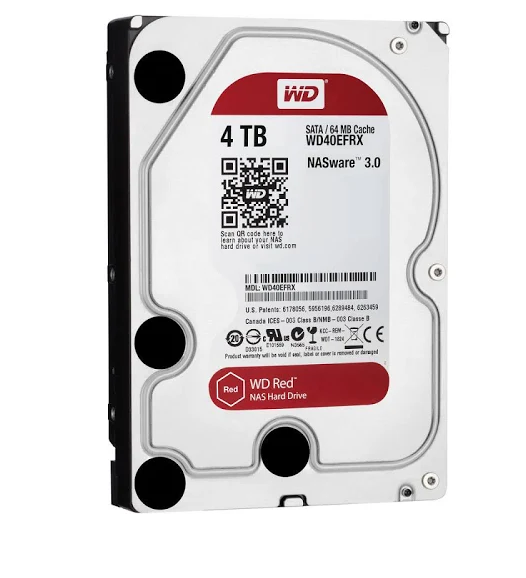
https://express.google.com/u/0/pr...nrEALw_wcB Google Express has 4TB Western Digital Red NAS 3.5" SATA Internal Hard Drive (WDBMMA0040HNC - SATA 6Gb/s) on sale for $99 for free shipping. Also will be able to order a max. of 2 instead of 1 compare with the Fry's deal.
This is my first post, please be kind if I did something incorrectly. Thank you



34 Comments
Your comment cannot be blank.
Sign up for a Slickdeals account to remove this ad.
The difference here is that this is a NAS drive, so it's built for lots of usage whereas the other drives you are mentioning are mostly external drives that are not meant for nearly the same usage.
The external USB drives can be opened, and you will find yourself a Red drive. It's well discussed here and elsewhere as a cheaper/slicker way to buy red/Nas drives. That aside, I get Enterprise grade 4TB SAS HDDs for $50-60 in recent months. $100 is way too much to pay for 4TB today.
Link to $50-60 enterprise 4tb drives?
Sign up for a Slickdeals account to remove this ad.
Ok, lets look at the 10TB drive and 32GB thumb drive combo recently posted (https://slickdeals.net/share/android_app/fp/433276).
That's an external drive with a 2 year warranty that is void if the drive is removed from the casing, barring repair that is recommended by WD's support. They do not list a MTBF for that drive, nor do they list a workload rate. Their site does recommend turning external drives off when not in use, but they do specify that it is OK to leave it on 24/7.
Now, let's compare that to the 10TB WD Red drive... It has a 3 year warranty and it of course will not be void if you use it in a NAS, unlike the aforementioned external drive. It also has a MTBF of 1 Petabyte and a workload rate of 180 TB per year. The WD Red drives also have NASware firmware built in to let them work better in a multi-drive NAS, which of course the external drives do not have installed.
Now, of course, does that mean that they don't come off the same line as the external drives? Of course not, it's likely they are both built in the same line and then depending upon testing afterwords, they get tagged as Red or External and loaded with the applicable firmware. The difference is that the Red drives are rated for more usage and have a better warranty, which is what you're paying for.
Bottom line is, if you don't mind losing a drive and not being able to get a replacement or data recovery from WD with the warranty, then sure, use the external drives. But if you're using the NAS for backup and data integrity, then it's better to use drives that are actually meant for the task.
Finally, yes, you can get SAS drives cheaper than SATA. Uh... so? It's not like we have SAS ports available in our consumer NAS units or computers, so they're not usable.